© Copyright 2020 TRENDnet. All Rights Reserved.
QoS
This section allows users to configure traffic priority.
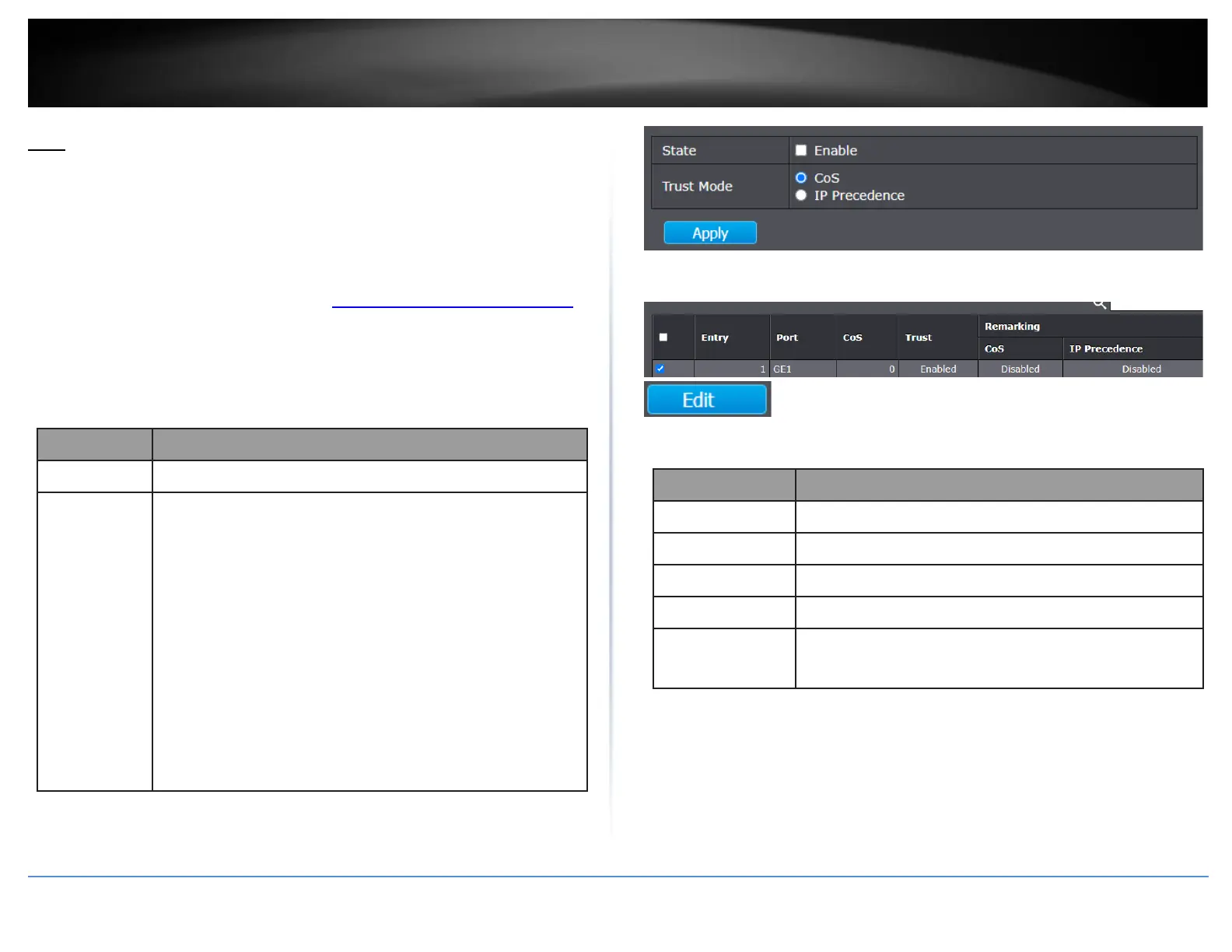
Configure QoS Global Settings
QoS > General > Property
1. Log into your switch management page (see “Access your switch management page”
on page 11).
2. Click on QoS, click on General, and click on Property.
3. Review the settings below.
Set checkbox to enable/disable QoS.
Select QoS trust mode
•
CoS: Traffic is mapped to queues based on the CoS field in the
VLAN tag, or based on the per-port default CoS value (if there
is no VLAN tag on the incoming packet), the actual mapping of
the CoS to queue can be configured on port setting dialog.
•
IP Precedence: Traffic is mapped to queues based on the IP
precedence. The actual mapping of the IP precedence to
queue can be configured on the IP Precedence mapping page.
4. In the table, select the ports to configure for QoS and click Edit.
5. Review the settings below.
Set default CoS/802.1p priority value for the selected
ports.
Set checkbox to enable/disable port trust state.
Set checkbox to enable/disable port CoS remarking.
Remarking
(IP
PRecedence)
Set checkbox to enable/disable port IP Precedence
remarking.













 To Next Page