Configure Spanning Tree Protocol MST Port settings (MSTP)
Spanning Tree > MST Port Setting
Note: The following configuration settings only apply to MSTP multiple spanning tree
protocol configuration. MSTP must be selected for the Operation Mode under Spanning
Tree > Property. In order to use MSTP, LLDP flooding cannot be used and must be
changed to Filtering or Bridge under Discovery > LLDP > Property under LLDP Handling.
1. Log into your switch management page (see “Access your switch management page”
on page 11).
2. Click on Spanning Tree, and click on MST Port Setting.
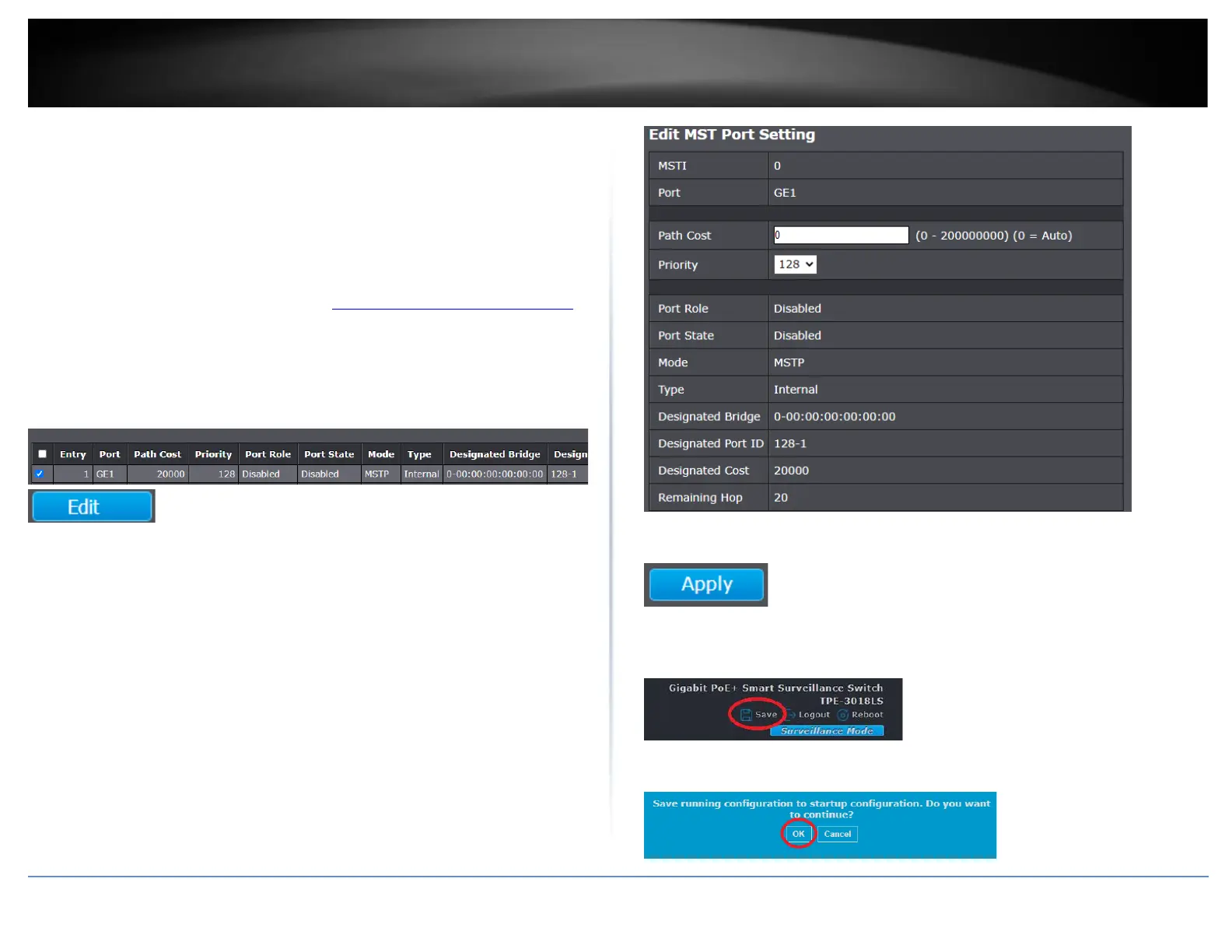
3. Select the ports in the list to modify the MST configuration and click Edit.
4. Review the settings below and click Apply to save the configuration.
• Path Cost (0 = Auto) - This is the port cost used by MSTP when calculating path
cost to the root bridge.
• Priority - This is the port priority used by MSTP in calculating path costs when
two ports on the switch have the same port cost.
• Port Role – Displays the currently assigned port role for the MSTP
topology/configuration.
• Mode – Displays the current spanning tree protocol mode.
• Type – Displays the port type for the MSTP topology/configuration.
• Designated Bridge – Displays the designated bridge ID.
• Designated Port ID – Displays the designated port ID.
• Designated Cost – Displays the designated cost.
• Remaining Hop – Displays the current remaining hops of the MSTP
topology/configuration.
5. Click Apply.
6. In the top right, click Save to save the configuration settings to NV-RAM/startup
configuration.
7. Click OK.













 To Next Page