Creating new ONVIF users in the ONVIF device
ONVIF > Device Authentication
After ONVIF compliant devices have been discovered and successfully authorized, you
create new ONVIF users to those devices if supported.
1. Log into your switch management page (see “Access your switch management page”
on page 11).
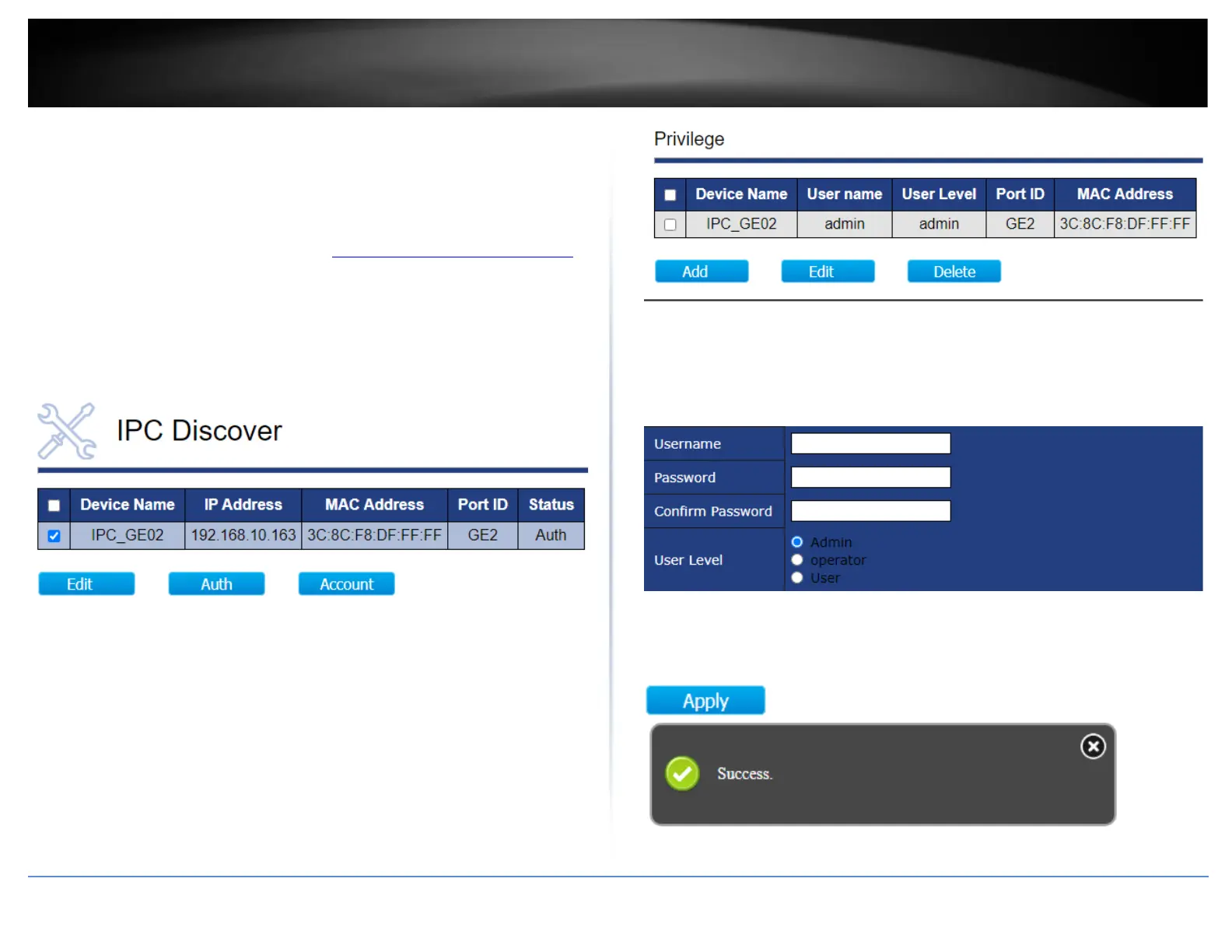
2. Click on ONVIF and click on Device Authentication.
3. For the ONVIF devices that have been successfully authorized, check the device in the
list and click Account.
4. Under the IP Camera List section below, a list of the current user accounts of the
ONVIF device will be listed. To create a new ONVIF user for the device, check the device
in the list and click Add.
5. Scroll down to the Add User Account section and enter the new account user name
and password in the fields provided. For the User Level, select Operator or User.
Note: Please note that the ONVIF user password typically requires eight characters for
accounts.
6. After you have applied configuration changes, scroll to the bottom of the window and
click Apply. A success message will appear if the configuration changes were
successfully applied.













 To Next Page