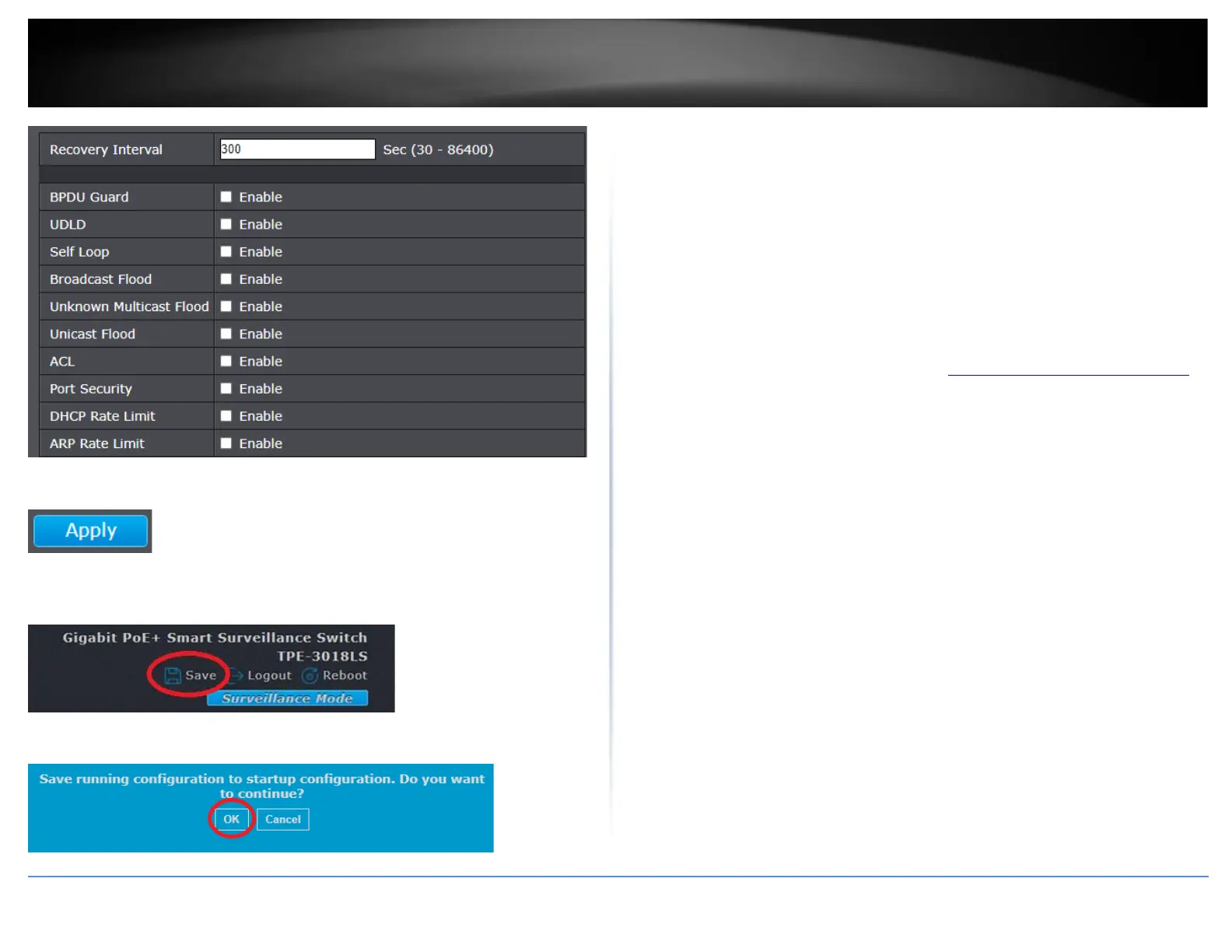
4. Click Apply.
5. In the top right, click Save to save the configuration settings to NV-RAM/startup
configuration.
6. Click OK.
Configure Trunk/Link Aggregation settings
Port > Link Aggregation
The trunking function enables the cascading of two or more ports for a combined larger
total bandwidth. Up to 8 trunk groups may be created. Add a trunking Name and select
the ports to be trunked together, and click Apply to activate the selected trunking groups.
Important Note: Do not connect the cables of a port trunk to the ports on the switch
until you have configured the ports on both the switch and the end nodes. Connecting
the cables prior to configuring the ports can create loops in your network topology.
Loops can result in broadcast storms which can severely limited the effective bandwidth
of your network.
1. Log into your switch management page (see “Access your switch management page”
on page 11).
2. Click on Port, click on Link Aggregation, and click on Group.
3. Review the settings. For each trunk group, click Apply to save changes.
• Load Balance Algorithm – You can select either MAC Address or IP-MAC
Address algorithms. The load balance algorithms must be configured to match
on both sides of link aggregation link group.













 To Next Page