Management
This section allows users to modify the admin password, create users, upgrade
firmware, backup/restore configuration, create schedules, and configure SNMP/RMON
management settings.
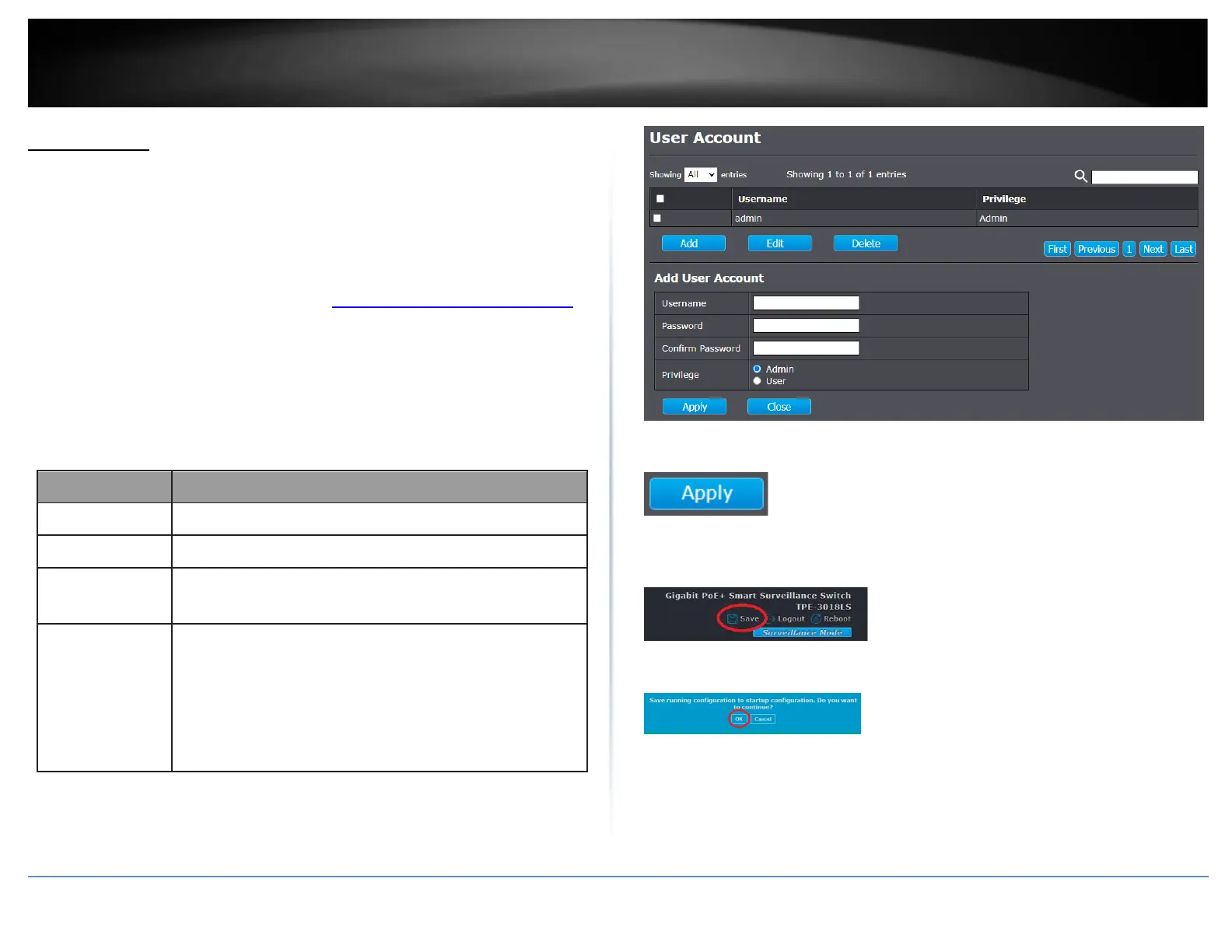
Modify admin password and create new users
Management > User Account
1. Log into your switch management page (see “Access your switch management page”
on page 11).
2. Click on Management and click on User Account.
3. Click Add to create a new user or select the account to modify and click Edit. Review
the settings below.
Select privilege level for new account.
•
Admin: Allow to change switch settings. Privilege value
equals to 15.
•
User: See switch settings only. Not allow to change
it.Privilege level equals to 1.













 To Next Page