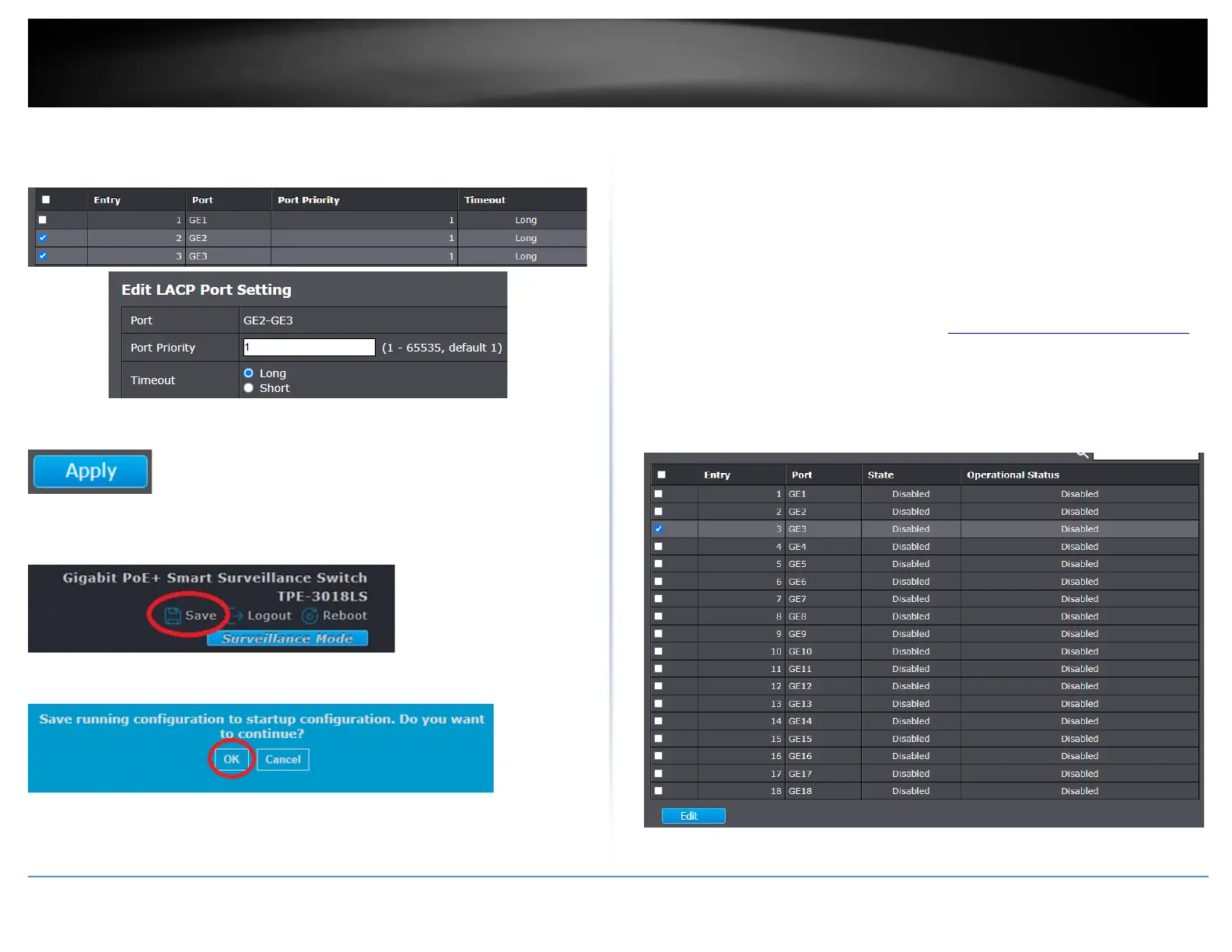
If you are using 802.3ad dynamic LACP, you can the port priority and timeout settings
under Link Aggregation and LACP. Select the port or ports to configure and click Edit to
modify the configuration.
4. Click Apply.
5. In the top right, click Save to save the configuration settings to NV-RAM/startup
configuration.
6. Click OK.
Configure port power savings
Port > EEE
The IEEE 802.3az standard defines mechanisms and protocols intended to reduce the
energy consumption of network links during periods of low utilization, by transitioning
interfaces into a low-power state without interrupting the network connection. The
transmitted and received sides should be IEEE802.3az EEE compliance. By default, the
switch disabled the IEEE 802.3az EEE function. Users can enable this feature via the
IEEE802.3az EEE setting page.
1. Log into your switch management page (see “Access your switch management page”
on page 11).
2. Click on Port and click on EEE.
3. Check the port or multiple ports to configure EEE power savings and click Edit.













 To Next Page