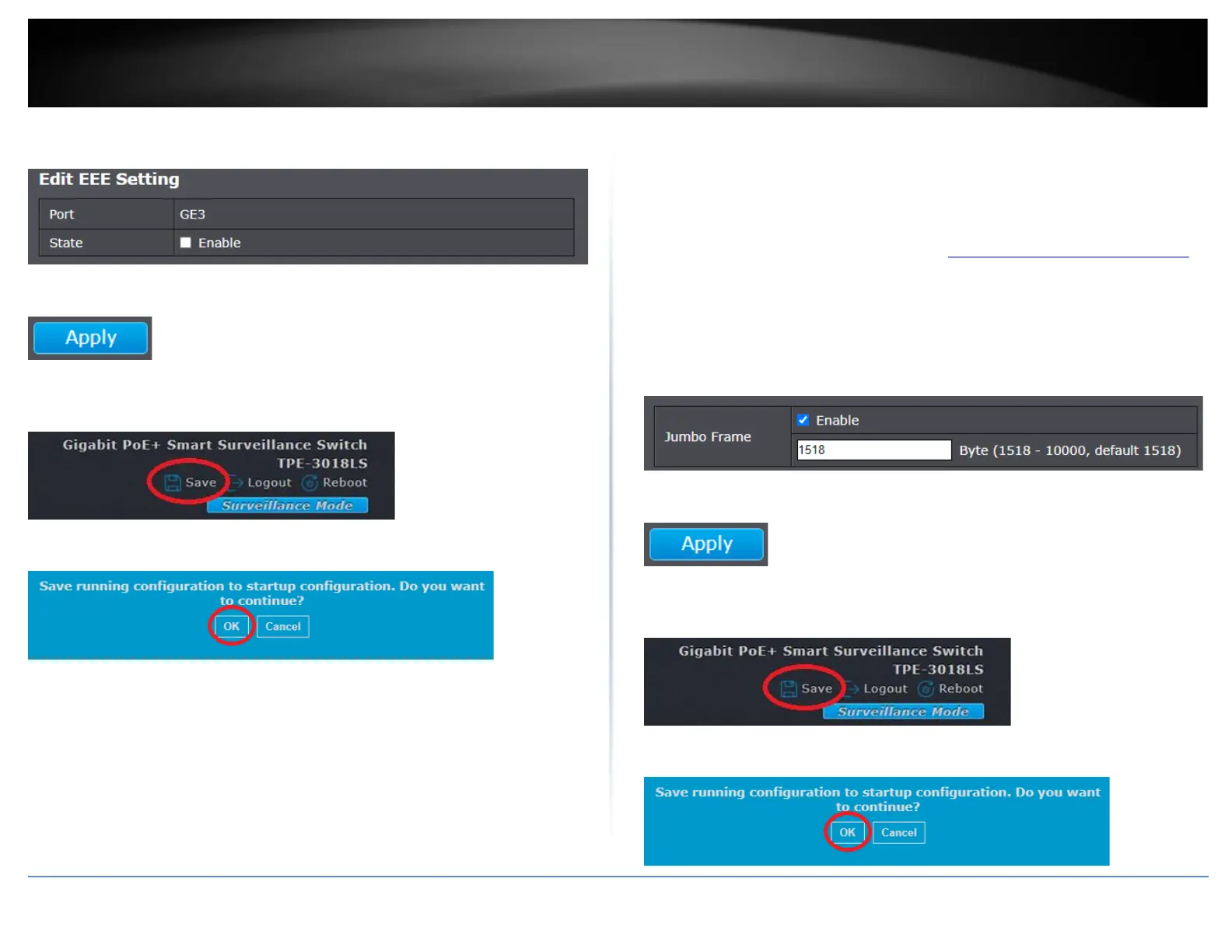
4. In the Edit EEE Setting, check Enable to enable EEE power savings on the port or
multiple ports.
5. Click Apply.
6. In the top right, click Save to save the configuration settings to NV-RAM/startup
configuration.
7. Click OK.
Enable jumbo frame support
Port > Jumbo Frame
Enabling jumbo frame support will allow your switch to send and receive frames larger
than the standard size (Up to 10KB size max.).
1. Log into your switch management page (see “Access your switch management page”
on page 11).
2. Click on Port and click on Jumbo Frame.
3. Check the Enable option to enable jumbo frame support and enter the max. frame
size in the field provided in bytes.
4. Click Apply.
5. In the top right, click Save to save the configuration settings to NV-RAM/startup
configuration.
6. Click OK.













 To Next Page