© Copyright 2020 TRENDnet. All Rights Reserved.
Configure Port Mirroring
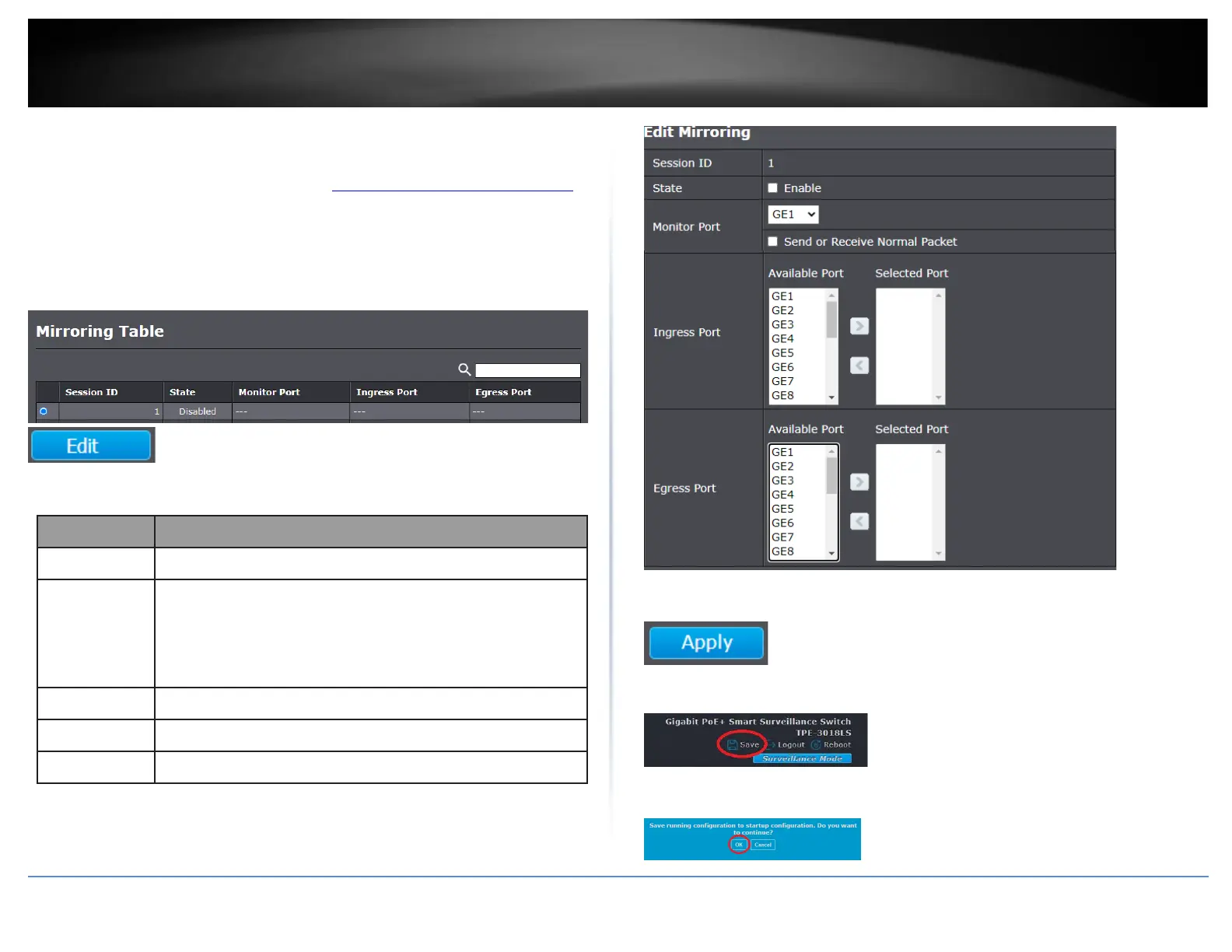
Diagnostics > Mirroring
1. Log into your switch management page (see “Access your switch management page”
on page 11).
2. Click on Diagnostics and click on Mirroring.
3. In the table, select the session to configure for port mirroring and click Edit.
4. Review the settings below.
Selected mirror session ID.
Select mirror session state : port-base mirror or disable
•
Enabled: Enable port based mirror
•
Disabled: Disable mirror.
Select mirror session monitor port, and select whether
normal packet could be sent or received by monitor port.
Select mirror session source rx ports.
Select mirror session source tx ports.
5. Click Apply.
6. In the top right, click Save to save the configuration settings to NV-RAM/startup
configuration.
7. Click OK.













 To Next Page