Configure multicast querier settings
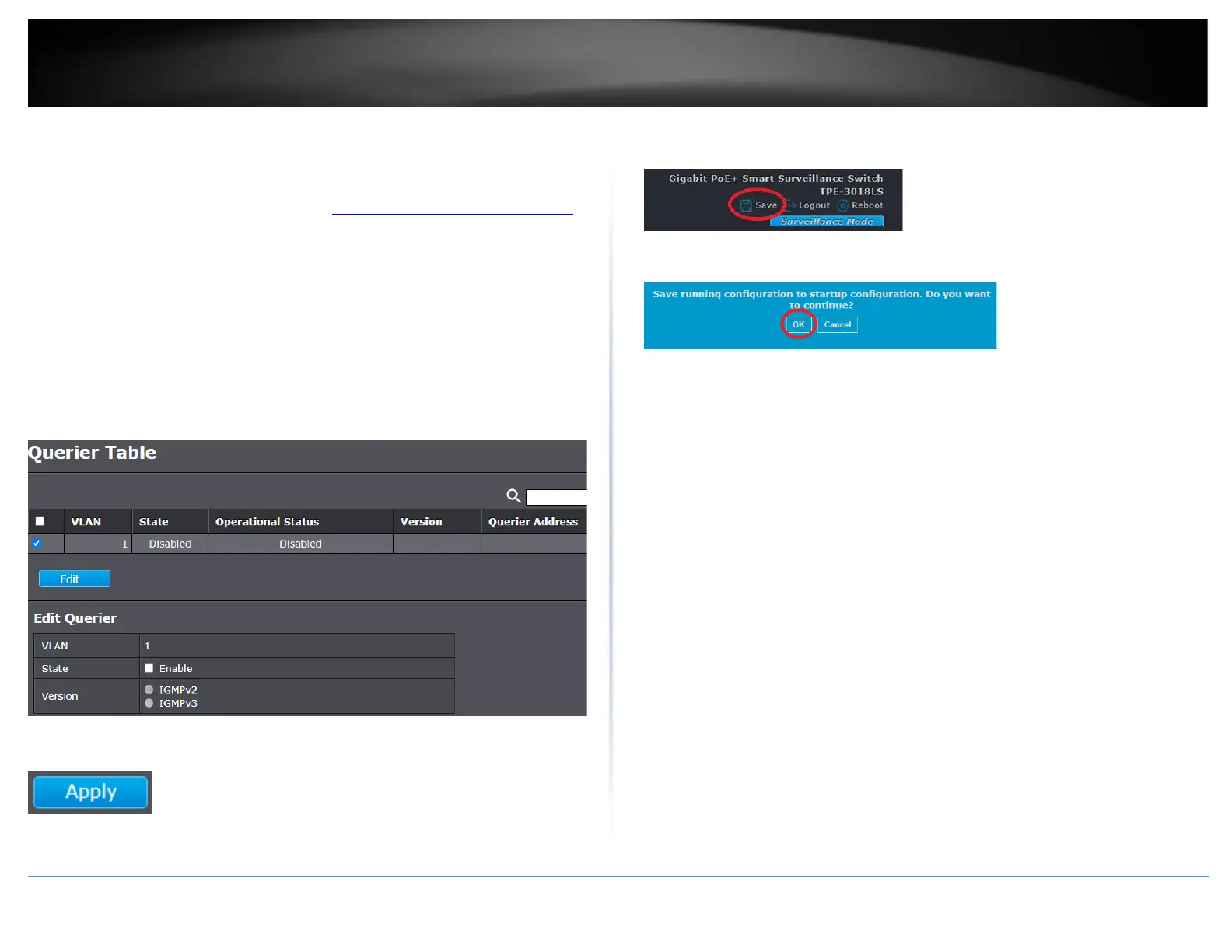
Multicast > IGMP Snooping > Querier
1. Log into your switch management page (see “Access your switch management page”
on page 11).
2. Click on Multicast, click on IGMP Snooping, and click Querier.
3. Review the settings. Click on Apply to save the configuration changes.
• State: Check the Enable option to enable IGMP snooping querier for the
selected VLAN. Uncheck to disable IGMP snooping querier for the selected
VLAN.
• Version: Select the IGMP querier version for the selected VLAN. IGMPv2 or
IGMPv3.
4. Click Apply.
5. In the top right, click Save to save the configuration settings to NV-RAM/startup
configuration.
6. Click OK.













 To Next Page