© Copyright 2020 TRENDnet. All Rights Reserved.
Time
Time
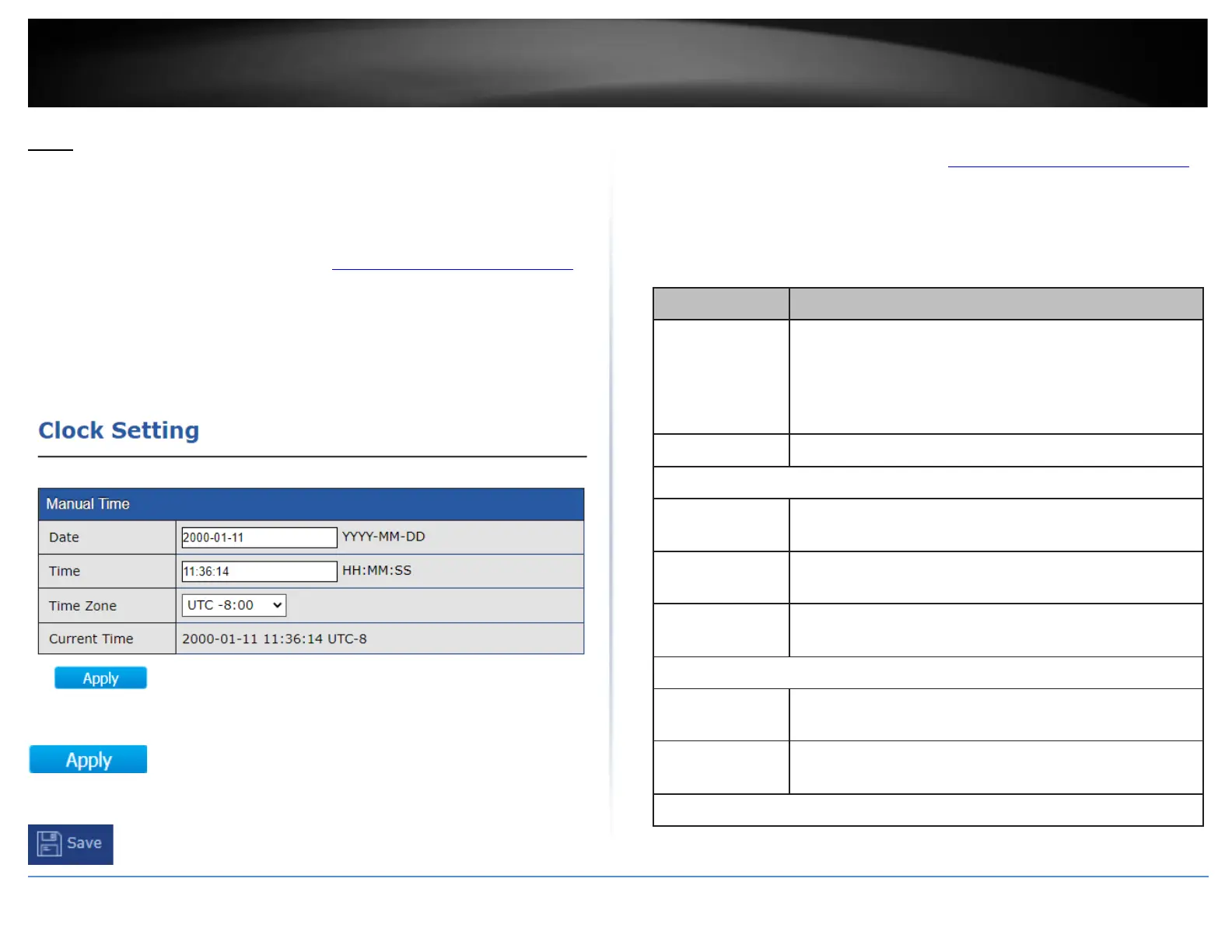
This section will allow users to configure time and date settings.
Clock Settings
1. Log into your switch management page (see “Access your switch management page”
on page 11).
2. Click on Time and click on Clock Settings.
3. The date and time and can be manually entered and configured in the options
provided.
4. After completing your configuration changes, click Apply.
5. Click Save in the top left menu to save configuration to NV-RAM.
SNTP Settings
1. Log into your switch management page (see “Access your switch management page”
on page 11).
2. Click on Time and click on SNTP SEttings.
3. Review the settings below.
Select the time source.
•
SNTP: Time sync from NTP server.
•
From Computer: Time set from browser host.
•
Manual Time: Time set by manually configure.
Select a time zone difference from listing district.
Select the address type of NTP server. This is enabled when
time source is SNTP.
Input IPv4 address or hostname for NTP server. This is
enabled when time source is SNTP.
Input NTP port for NTP server. Default is 123. This is
enabled when time source is SNTP.
Input manual date. This is enabled when time source is
manual.
Input manual time. This is enabled when time source is
manual.













 To Next Page