© Copyright 2020 TRENDnet. All Rights Reserved.
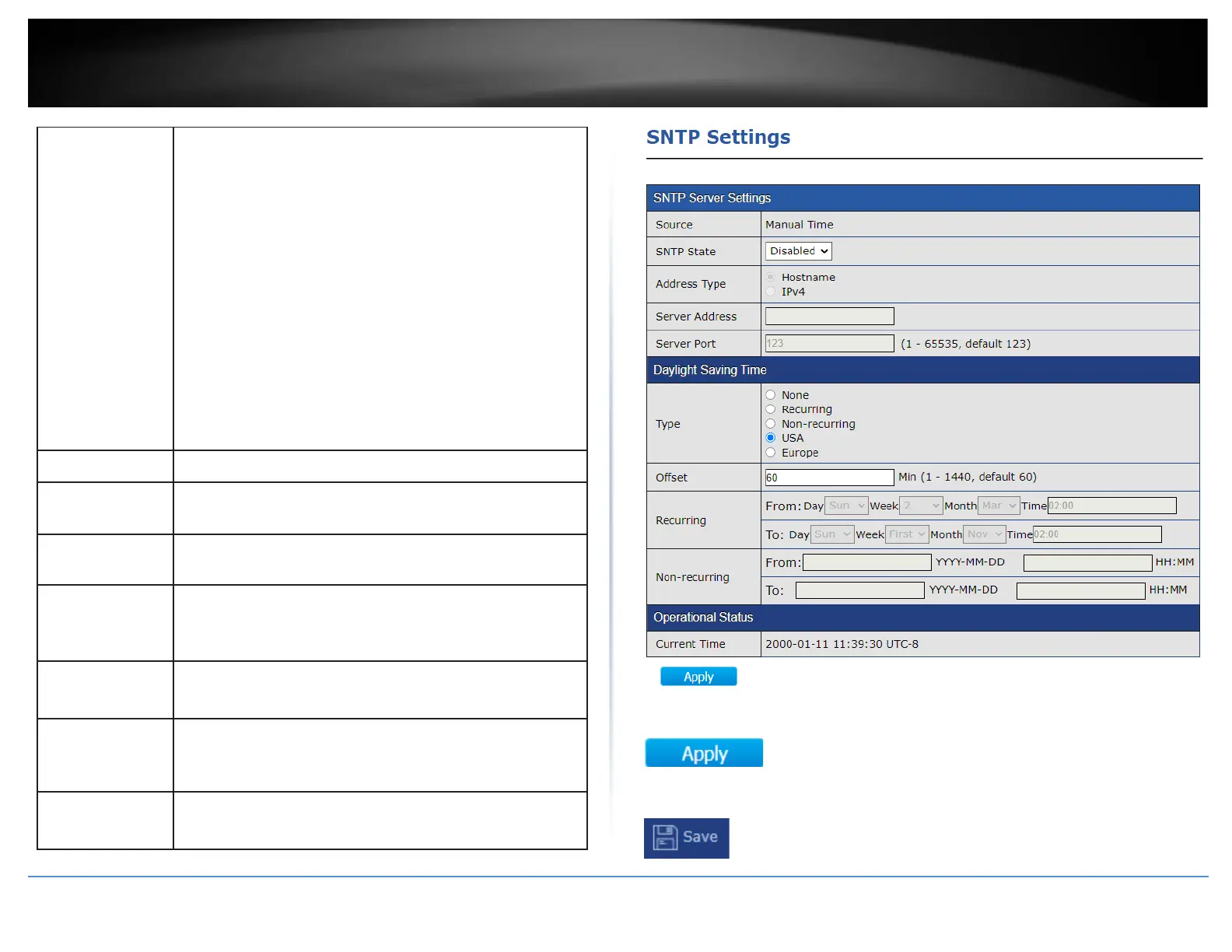
Select the mode of daylight saving time.
•
Disable: Disable daylight saving time.
•
Recurring: Using recurring mode of daylight saving time.
•
Non-Recurring: Using non-recurring mode of daylight
saving time.
•
USA: Using daylight saving time in the United States that
starts on the second Sunday of March and ends on the
first Sunday of November.
•
European: Using daylight saving time in the Europe that
starts on the last Sunday in March and ending on the
last Sunday in October.
Specify the adjust offset of daylight saving time.
Specify the starting time of recurring daylight saving time.
This field available when selecting “Recurring” mode.
Specify the ending time of recurring daylight saving time.
This field available when selecting “Recurring” mode.
Specify the starting time of non-recurring daylight saving
time. This field available when selecting “Non-Recurring”
mode.
Specify the ending time of recurring daylight saving time.
This field available when selecting “Non-Recurring” mode.
Specify the starting time of non-recurring daylight saving
time. This field available when selecting “Non-Recurring”
mode.
Specify the ending time of recurring daylight saving time.
This field available when selecting “Non-Recurring” mode.
4. After completing your configuration changes, click Apply.
5. Click Save in the top left menu to save configuration to NV-RAM.













 To Next Page