© Copyright 2020 TRENDnet. All Rights Reserved.
Backup/Restore switch Configuration
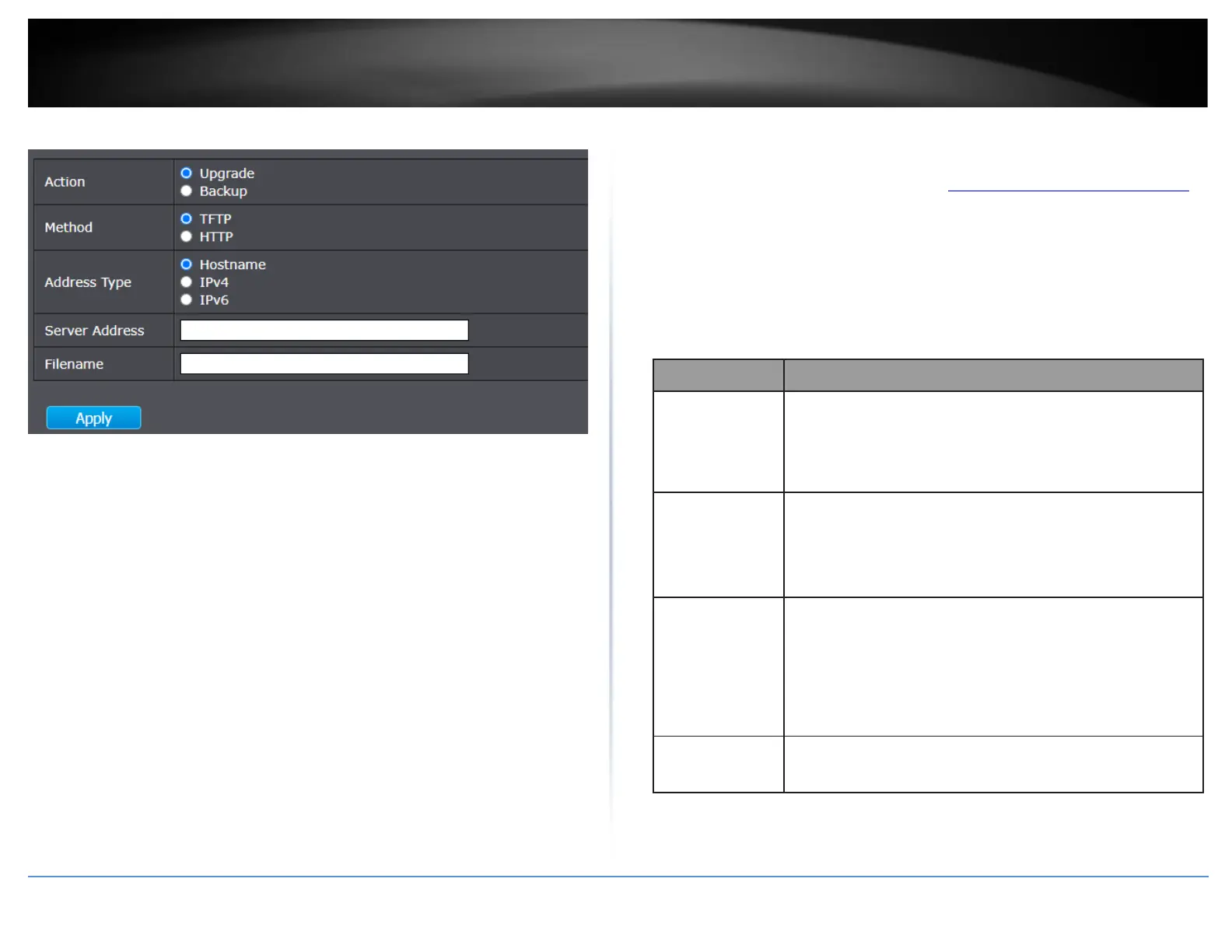
Management > Configuration > Upgrade / Backup
1. Log into your switch management page (see “Access your switch management page”
on page 11).
2. Click on Management, click on Configuration, and click on Upgrade / Backup.
3. Review the settings below.
HTTP
Configuration operations
•
Upgrade: Upgrade firmware from remote host to DUT
•
Backup: Backup firmware image from DUT to remote host
Configuration upgrade / backup method
•
TFTP: Using TFTP to upgrade/backup firmware
•
HTTP: Using WEB browser to upgrade/backup firmware
Configuration types
•
Running Configuration: Merge to current running
configuration file
•
Startup Configuration: Replace startup configuration file
•
Backup Configuration: Replace backup configuration file
Use browser to upgrade configuration, you should select
configuration file on your host PC.













 To Next Page