© Copyright 2020 TRENDnet. All Rights Reserved.
Backup/Restore switch Configuration
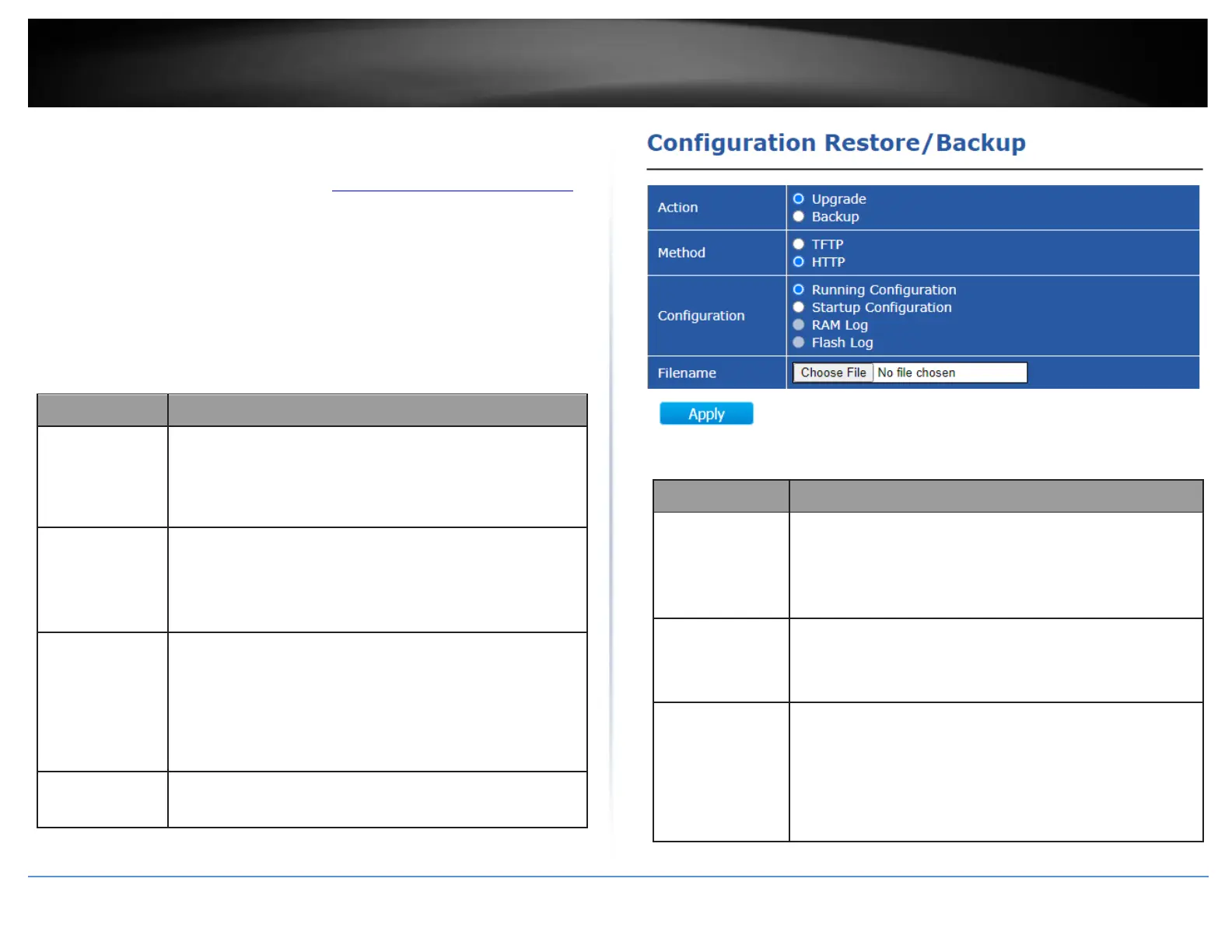
Tools > Configuration Backup & Restore
1. Log into your switch management page (see “Access your switch management page”
on page 11).
2. In the top left menu, click on Tools and click on Configuration Backup & Restore.
• Restore from HTTP/TFTP – This section will allow you to restore the switch
configuration by HTTP or TFTP protocol methods.
• Backup from HTTP/TFTP - This section will allow you to backup the switch
configuration by HTTP or TFTP protocol methods.
HTTP
Configuration operations
•
Upgrade: Upgrade firmware from remote host to DUT
•
Backup: Backup firmware image from DUT to remote host
Configuration upgrade / backup method
•
TFTP: Using TFTP to upgrade/backup firmware
•
HTTP: Using WEB browser to upgrade/backup firmware
Configuration types
•
Running Configuration: Merge to current running
configuration file
•
Startup Configuration: Replace startup configuration file
•
Backup Configuration: Replace backup configuration file
Use browser to upgrade configuration, you should select
configuration file on your host PC.
Configuration operations
•
Upgrade: Upgrade firmware from remote host to DUT
•
Backup: Backup firmware image from DUT to remote host
Configuration upgrade / backup method
•
TFTP: Using TFTP to upgrade/backup firmware
•
HTTP: Using WEB browser to upgrade/backup firmware
Configuration types
•
Running Configuration: Merge to current running
configuration file
•
Startup Configuration: Replace startup configuration file
•
Backup Configuration: Replace backup configuration file













 To Next Page