© Copyright 2020 TRENDnet. All Rights Reserved.
Scheduling
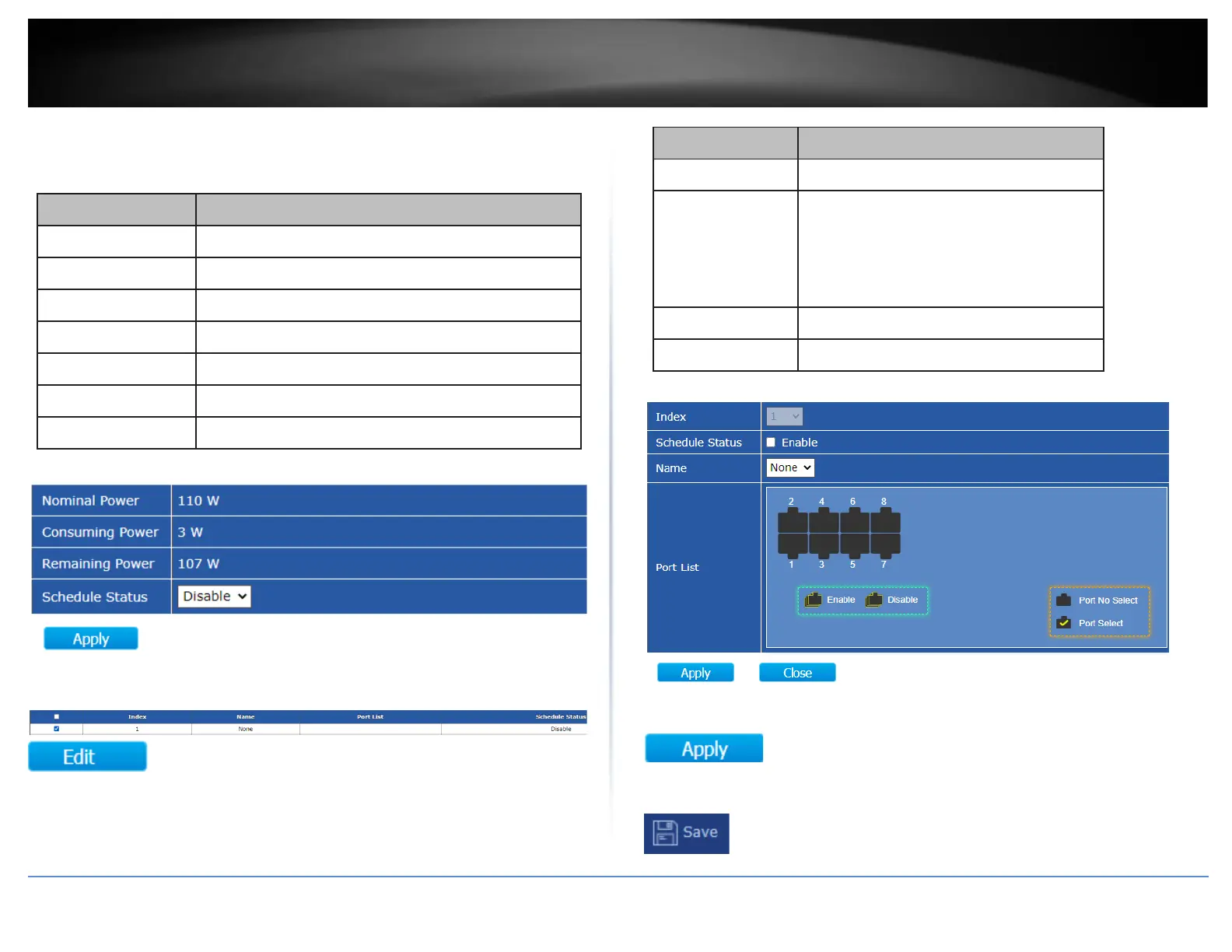
Under the Schedule Status setting, click the drop-down list and Enable to enable PoE
Scheduling.
Remaining available power.
Schedule status global switch.
The ports provide power in designated schedule index.
The current schedule status.
Select an entry to to configure PoE port scheduling and click Edit.
The serial number of schedule list.
Schedule Status
•
Checked: Schedule status is enabled.
•
Unchecked: Schedule status is disabled.
Enter the PoE schedule name.
Select the port provide power.
4. After completing your configuration changes, click Apply.
5. Click Save in the top left menu to save configuration to NV-RAM.













 To Next Page