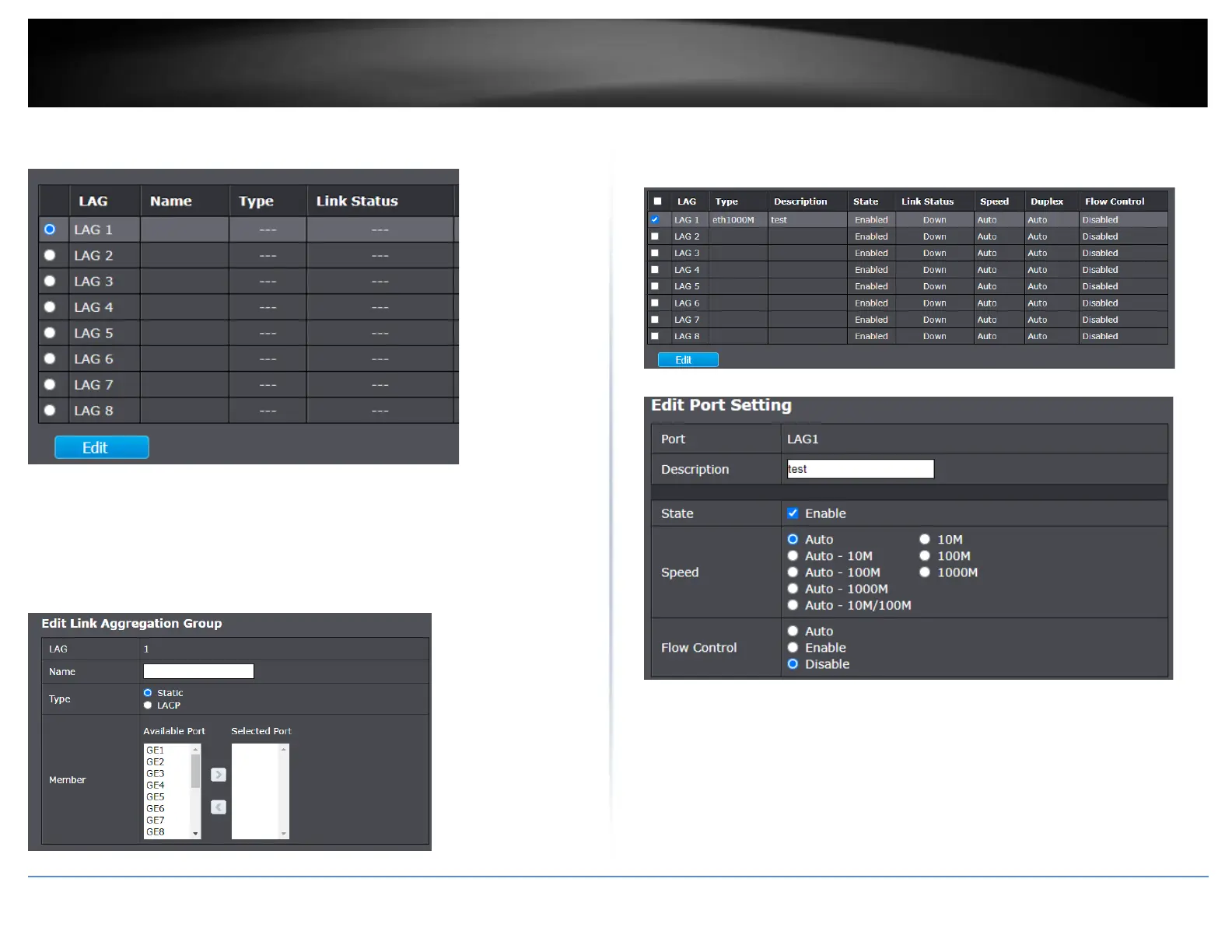
Select a Link Aggregation Group or LAG to configure and click Edit. Click Apply to save
the changes.
• Name – Enter a name or description to identify the LAG. (optional)
• Type – Select the LAG type, Static or 802.3ad dynamic LACP.
• Member – In the Available Port column, select the ports to add to the LAG and
click the > add the ports to the Selected Ports list. You can select multiple ports
at the same time by holding the Ctrl or Shift key. You can remove ports by
selecting the ports in the Selected Port list and clicking < .
Under Link Aggregation and Port Setting, allows you to enable or disable the LAG,
configured the speed, duplex, and flow control of the LAG. Select the LAG group in the
list and click Edit. Click Apply to save the changes.













 To Next Page