4. Review the settings. For each section, click Apply to save changes.
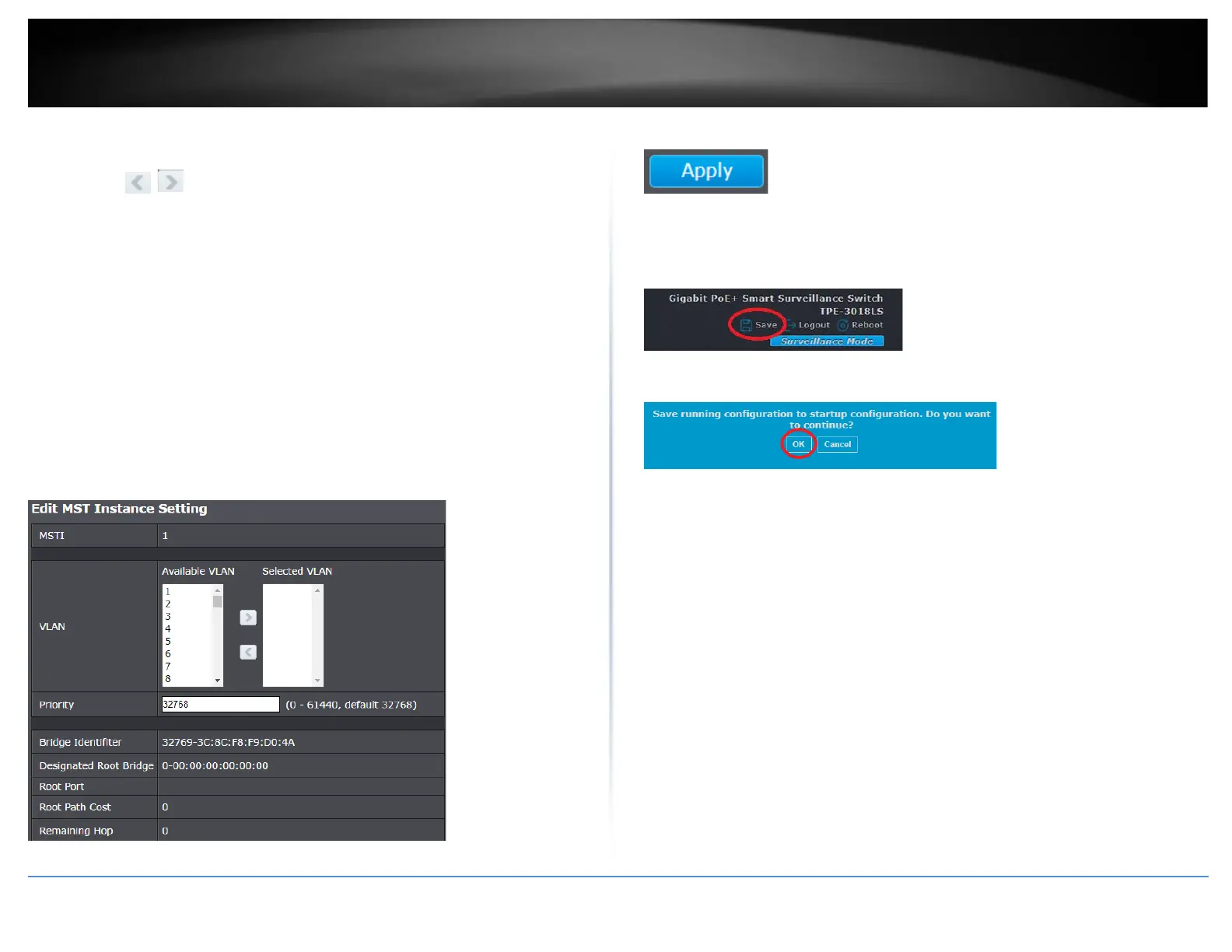
• VLAN – Select the VLANs from the Available VLAN list and you can use the
arrow buttons to add and remove to the Selected VLAN list.
Note: Multiple VLAN IDs can be selected at the same time by holding the Shift
or Ctrl key.
• Priority - Enter the new priority in the Priority field. The user may set a priority
value between 0-61440.
• Bridge Identifier – Displays the current Bridge Identifier for MSTP
topology/configuration.
• Designated Root Bridge – Displays the designated root bridge for the current
MSTP topology/configuration.
• Root Port – Displays the current root port for the MSTP
topology/configuration.
• Root Path Cost – Displays the current root path cost for the MSTP
topology/configuration.
• Remaining Hop – Displays the current remaining hops of the MSTP
topology/configuration.
5. Click Apply.
6. In the top right, click Save to save the configuration settings to NV-RAM/startup
configuration.
7. Click OK.













 To Next Page