EasyManua.ls Logo

TRENDnet TPE-3012LS - Page 154

TRENDnet TPE-3012LS
187 pages
Print Icon
To Next Page IconTo Next Page
To Previous Page IconTo Previous Page
Loading...
© Copyright 2020 TRENDnet. All Rights Reserved.
TRENDnet User’s Guide
TPE-3012LS / TPE-3018LS
150
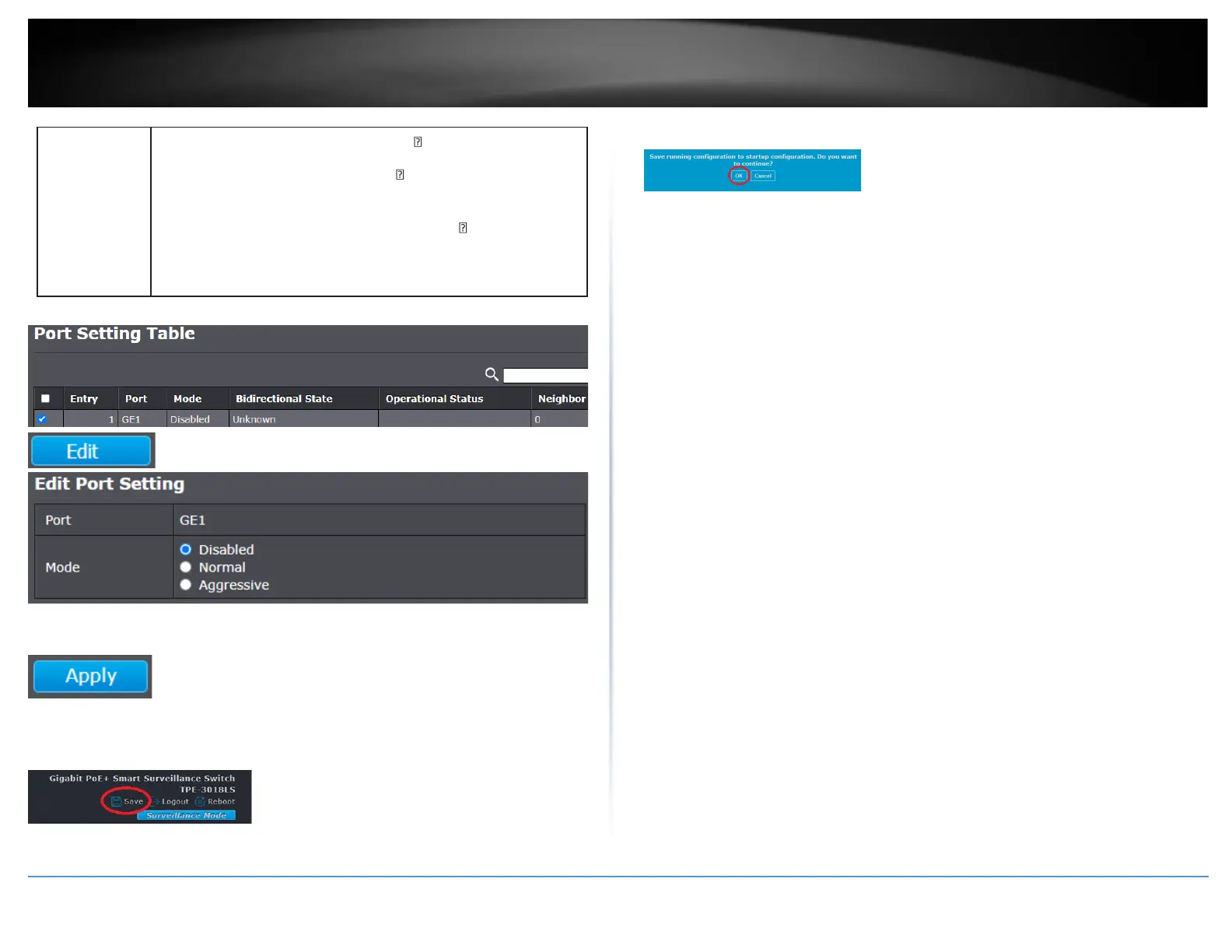
Mode
Select UDLD running mode of interface.
Disabled: Disable UDLD function.
Normal: Running on normal mode that port goes to Link
Up One phase after last neighbor ages out.
Aggressive: Running on aggressive mode that port goes to
Re-Establish phase after last neighbor ages out.

5. Click Apply.
6. In the top right, click Save to save the configuration settings to NV-RAM/startup
configuration.
7. Click OK.

Table of Contents

Related product manuals