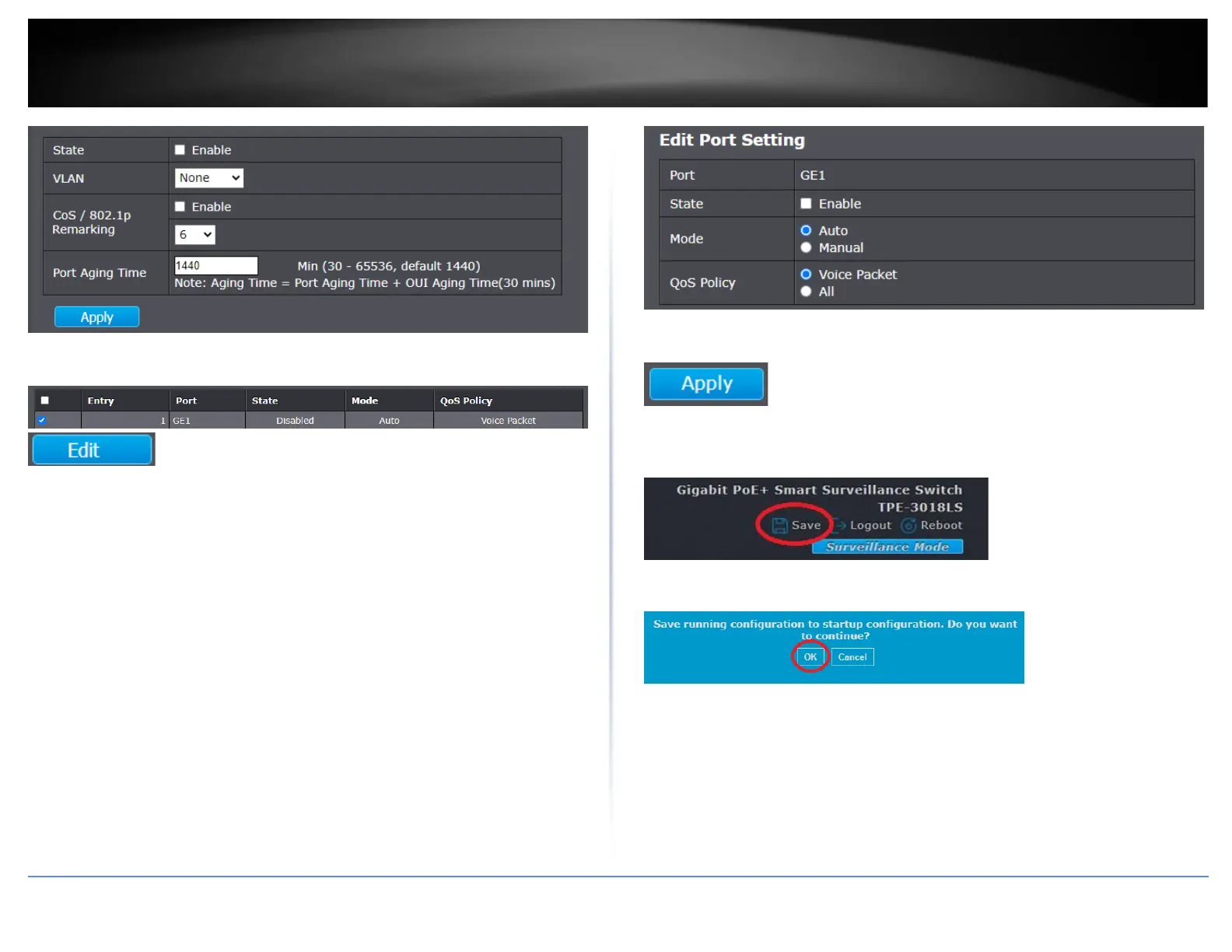
4. Check the ports you would like to enable for voice VLAN auto-detection and click Edit.
5. Under the port setting, check Enable to enable voice VLAN auto-detection on the
port.
• Mode
o Auto – This option will allow a connected device to be automatically
detected by OUI and automatically configure the port or ports as an
untagged member of the voice VLAN.
o Manual – This option will require not automatically configure any
ports and the port must be configured in the Voice VLAN manually
under VLAN > VLAN Configuration.
• QoS Policy
o Voice Packet – This option will apply QoS priority only to VoIP traffic
on the voice VLAN. QoS will not be applied to other types of traffic on
the voice VLAN.
o All – This option will apply QoS priority to all traffic on the voice VLAN.
6. Click Apply.
7. In the top right, click Save to save the configuration settings to NV-RAM/startup
configuration.
8. Click OK.













 To Next Page