Installation
TITANUS
MICRO·SENS
®
112
06/13
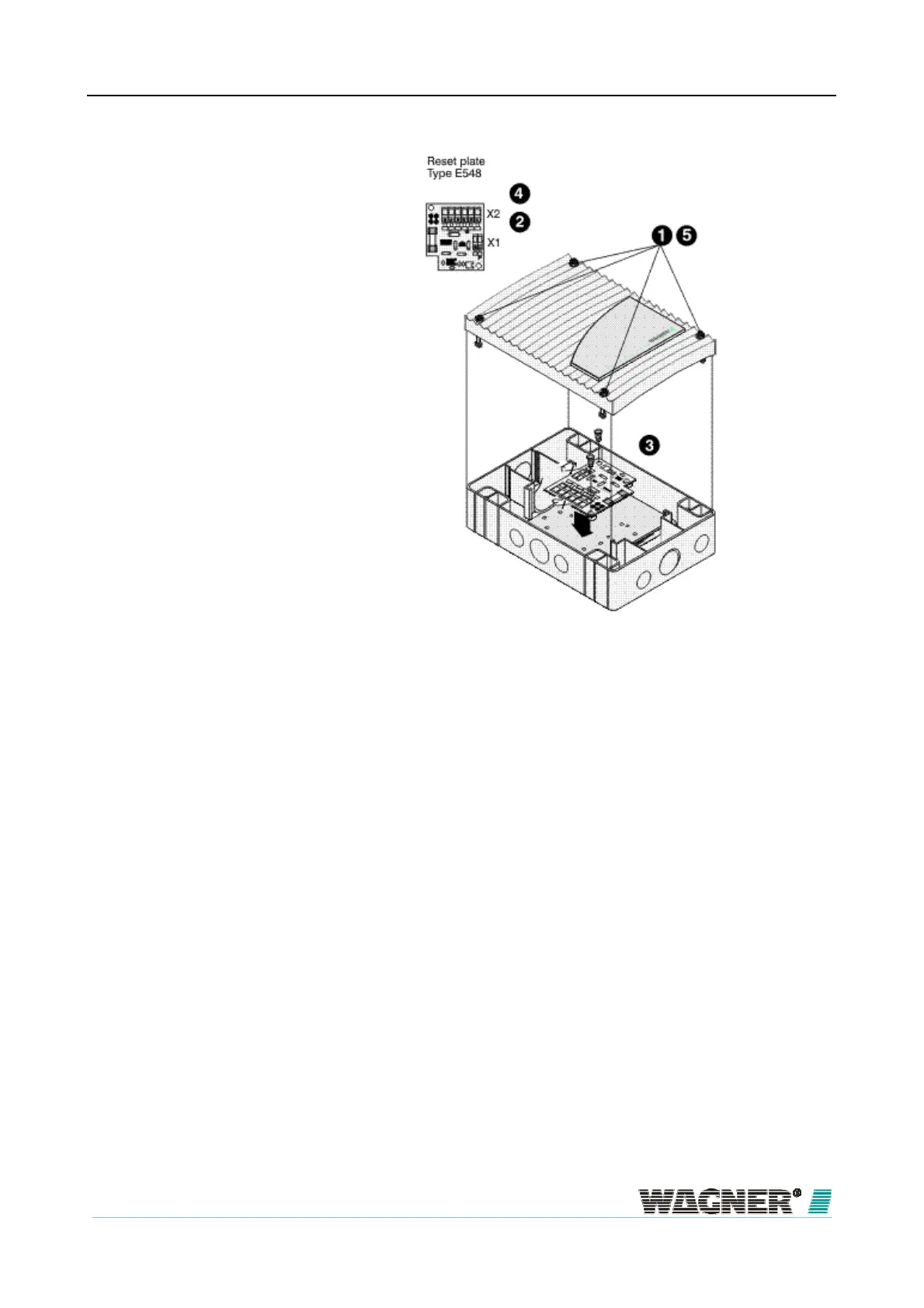
Figure 68: Fitting the rest board into the TITANUS MICRO·SENS
® additional housing
To fit the reset board into the TITANUS
MICRO·SENS
®
additional housing,
the following steps must be taken:
1. Using a screwdriver, loosen the four screws on the additional housing
cover.
2. Put the terminating resistor (Terminal resistor not supplied, performance
¼ W) R
ER
as calculated into the connecting terminal X1.
3. Fix the reset board to the installation board with 3 plastic spacers (for fix-
ing points see Figure "Arrangement of holes on the installation plate of
the additional housing") in the additional housing.
4. The electrical connection (terminal strip 8a/b) is described in section
6.5.1.
5. Fix the cover on again by screwing down the four screws on the device
cover firmly using a screwdriver.
Fitting


 To Next Page
 Loading...