ELEC
Electrical system
– +
8-21 67C3K11
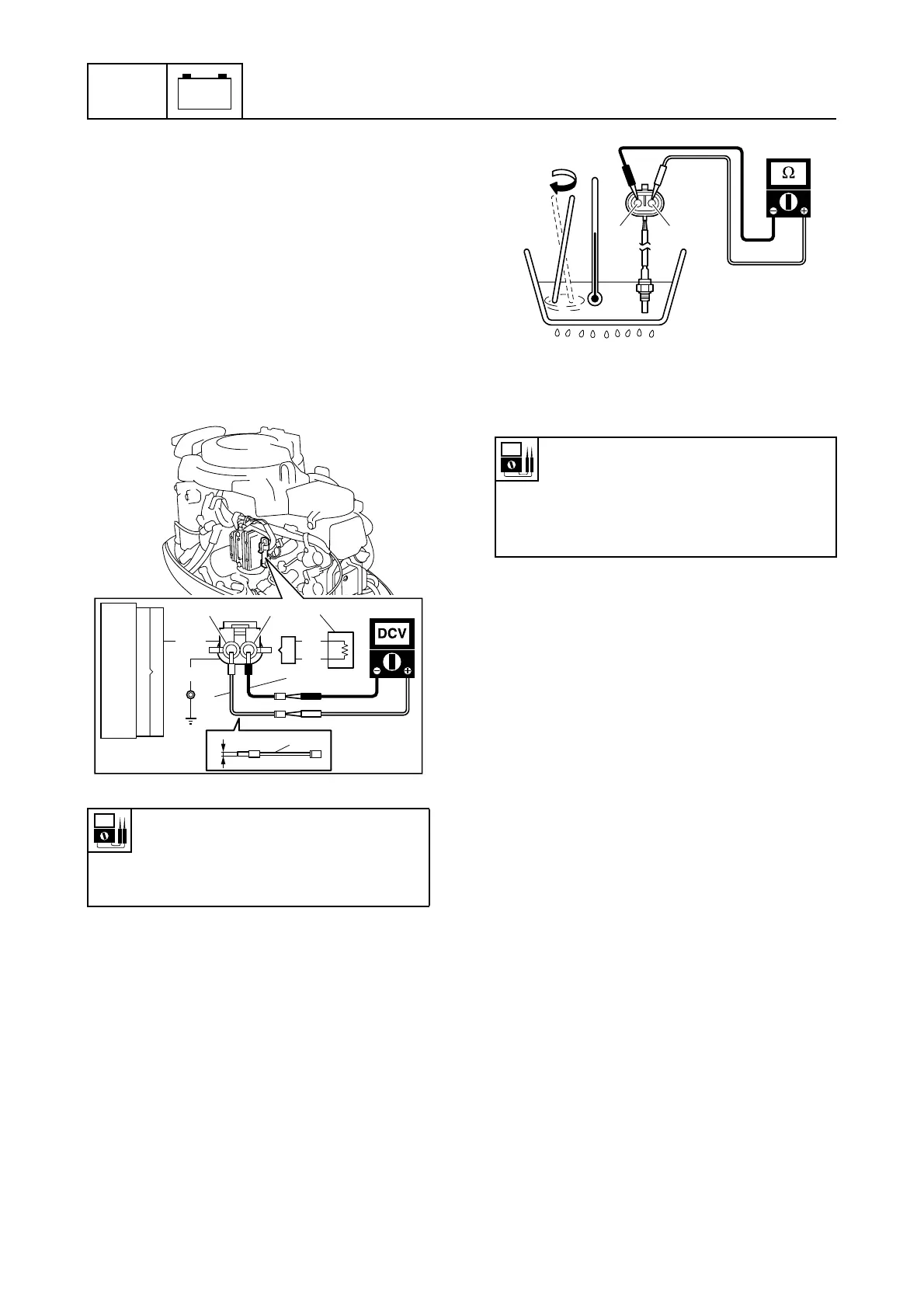
Checking the thermo sensor
1. Disconnect the thermo sensor 1 cou-
pler.
2. Connect jumper leads (thin terminals) 2
(commercially available) to the thermo
sensor coupler (wiring harness end) as
shown.
3. Start the engine, and then measure the
input voltage at the thermo sensor cou-
pler (wiring harness end). Check the wir-
ing harness if out of specification.
4. Push the engine stop button. (M model)
Turn the engine start switch to “OFF.” (E
and W model)
5. Disconnect the jumper leads 2 and
remove the thermo sensor 1.
6. Place the thermo sensor in a container of
water and slowly heat the water.
7. Measure the thermo sensor resistance at
the specified water temperatures.
Replace if out of specification.
8. Install the thermo sensor, and then con-
nect the thermo sensor coupler.
Checking the oil pressure switch
1. Disconnect the oil pressure switch 1
connector.
2. Start the engine, and then measure the
input voltage between the oil pressure
switch connector (wiring harness end)
and the ground. Check the wiring har-
ness if below specification.
Thermo sensor input voltage
(reference data):
Brown/black (Br/B) – Black (B)
4.93–4.99 V at engine idle speed
S67C8049
W
W
Br/B
B
11
1
2
2
Br/B B
2
Thermo sensor resistance (reference
data):
20 °C (68 °F): 12.49 kΩ
50 °C (122 °F): 3.60 kΩ
70 °C (158 °F): 1.75 kΩ
S67C8050
WW



 To Next Page