Introduction | Console
2
Keyboard
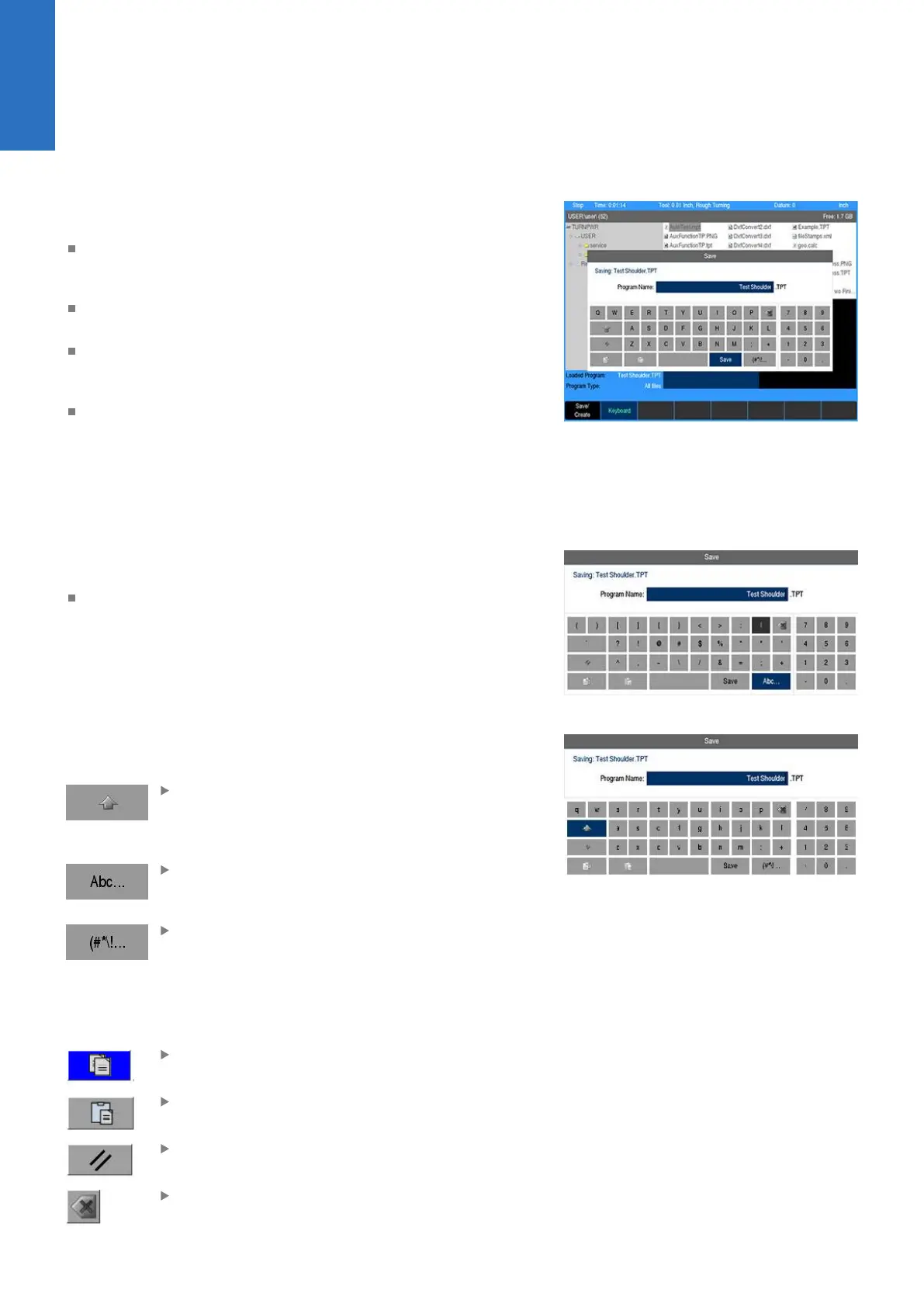
An on screen QWERTY keyboard will automatically popup when
you enter a field that requires text information input.
The keyboard becomes visible (popup) when text, and numerical
information is required for an action (e.g. saving a program, or
entering text for a comment step).
Use the Arrow keys for navigation of the cursor to go to the
desired character and press ENTER to select the character.
When the information has been entered using the keyboard,
press the Save soft key. The keyboard will disappear from the
screen.
When using a USB keyboard, the on screen keyboard can be
disabled by pressing the Keyboard soft key. The on screen
keyboard will remain disabled until it is enabled by pressing
the Keyboard soft key again. When the console goes through
a power cycle, the keyboard will retain its setting prior to the
power cycle.
Special characters
The keyboard also provides a Special Characters display which is
accessed by the (#*\!... key.
Arrow over to the (#*\!... key to highlight the key, and press the
the ENTER key.
Navigational soft keys
The following navigational soft keys are always available on the
keyboard.
The Up Arrow key switches the keyboard from
upper to lower case letter mode, or from lower
to upper case letter mode depending on the
current keyboard mode
The Abc... key switches the keyboard from the
special character key mode to the alpha numeric
key mode
The (#*\!... key switches the keyboard from the
alpha numeric key mode to the special character
key mode.
Editing keys
The following keys are available for editing text on the keyboard.
The Copy key will copy the highlighted text in the
text field.
The Paste key will paste to the text field text that
was previously highlighted, and copied.
The Clear key will remove all text in the text
field.
The Backspace key will delete text in the text
field one character at a time.
30
ACU-RITE | TURNPWR | User's Manual | 08/2020



 To Next Page