Programming | Conversational programming
Editing or deleting a step
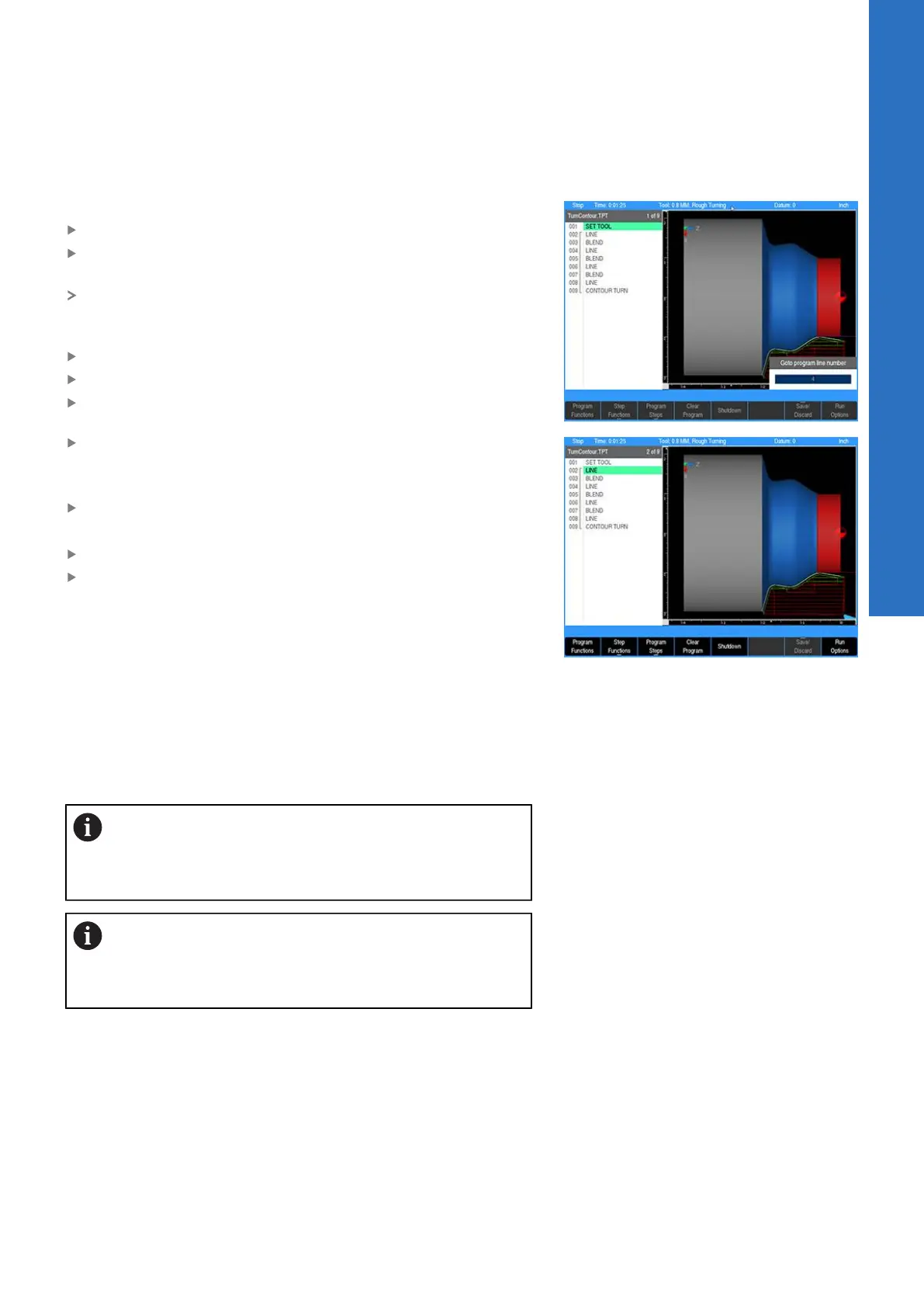
To edit a program step:
Use the Arrow keys to highlight the step to be changed
Press the USE or ENTER key, or enter a step number using the
numeric keypad
A Goto program line number popup dialogue is immediately
displayed. The total number of lines in the program are shown in
the Line count: field
Enter the desired line number
Press ENTER
Press ENTER or USE again to edit the program step
After making the appropriate changes, press the USE key to
accept the changes and place the step back into the program
or
Press CANCEL to discard any changes to the step
To delete a step:
Highlight the step to be deleted
Press the CLEAR key
Program errors
When an error is detected in a program, the step with the error
is highlighted in the program listing with a red x symbol. Edit the
program step to correct the error.
Information about the error is added to the message log. For
additional information, see "Message log", Page 179.
After correcting the errors, remember to clear them
from the message log. A quick method for clearing
all errors in the log is to press the 0 on the numeric
keypad.
If there is more than one error in the program,
only the first step with an error will be highlighted.
After correcting the first error, the next error will be
highlighted.
7
ACU-RITE | TURNPWR | User's Manual | 08/2020
99



 To Next Page