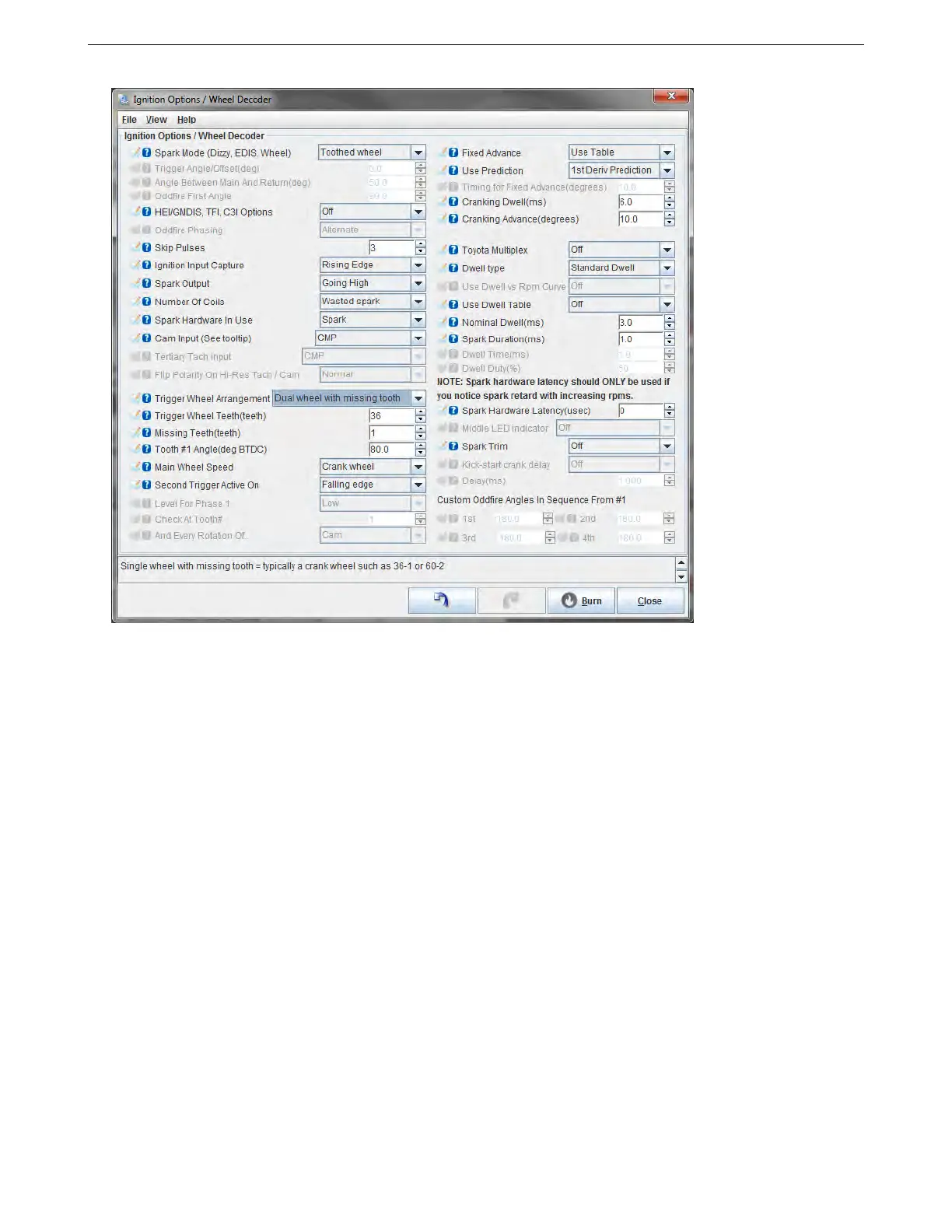
5.3 Ignition settings 5 SETTING UP A BASIC CONFIGURATION
Here are what the settings under this menu do. We’ll go over setting these up, then the next subsection will
cover the settings for specific engine modes.
• Spark mode - this sets the type of tach input pattern decoder to be used. Four of these modes are generic,
while the remainder of these are model specific ignitions. Here are the four generic modes. The chart below
shows what the model specific modes cover.
– Fuel Only: The ECU is not controlling ignition, and receives a tach signal of one pulse for every ignition
event.
– Basic Trigger: A simple distributor trigger setup where the ECU controls the ignition, but receives one
pulse per ignition event. Common examples include Ford TFI, GM computer controlled HEI, and MSD’s
“flying magnet” crank trigger.
– Trigger Return: Similar to Basic Trigger, but there is a Hall effect or optical distributor where the leading
edge of the signal is used to calculate timing when the engine is running, and the trailing edge is used
for cranking timing. Common in VW and other European Hall effect distributors.
– Toothed Wheel: This is a user defined trigger wheel configuration. There are two basic types: “Dual
Wheel” mode has one trigger wheel with equally spaced teeth and a one tooth sync signal, while “Miss-
ing tooth” mode has a wheel where most of the teeth are equally spaced, but there is a gap of the width
of one or two teeth. This wheel may or may not be paired with a second sensor for cam sync use. Ford,
Bosch, and Nippon Denso OEM systems often use this mode. So do the common aftermarket dual
sync type distributors.
Note that some modes in the chart below can be run without a cam sensor, but if the cam sensor is omitted, the
engine will not be able to run sequential injection or coil on plug.
AMP EFI MS3Pro manual version 1.202, firmware 1.5.0, 4/21/2017 Page 55



 To Next Page