Spectrum Analyzer Measurements 3-19 Coverage Mapping (Option 431)
Spectrum Analyzer MG PN: 10580-00447 Rev. H 3-97
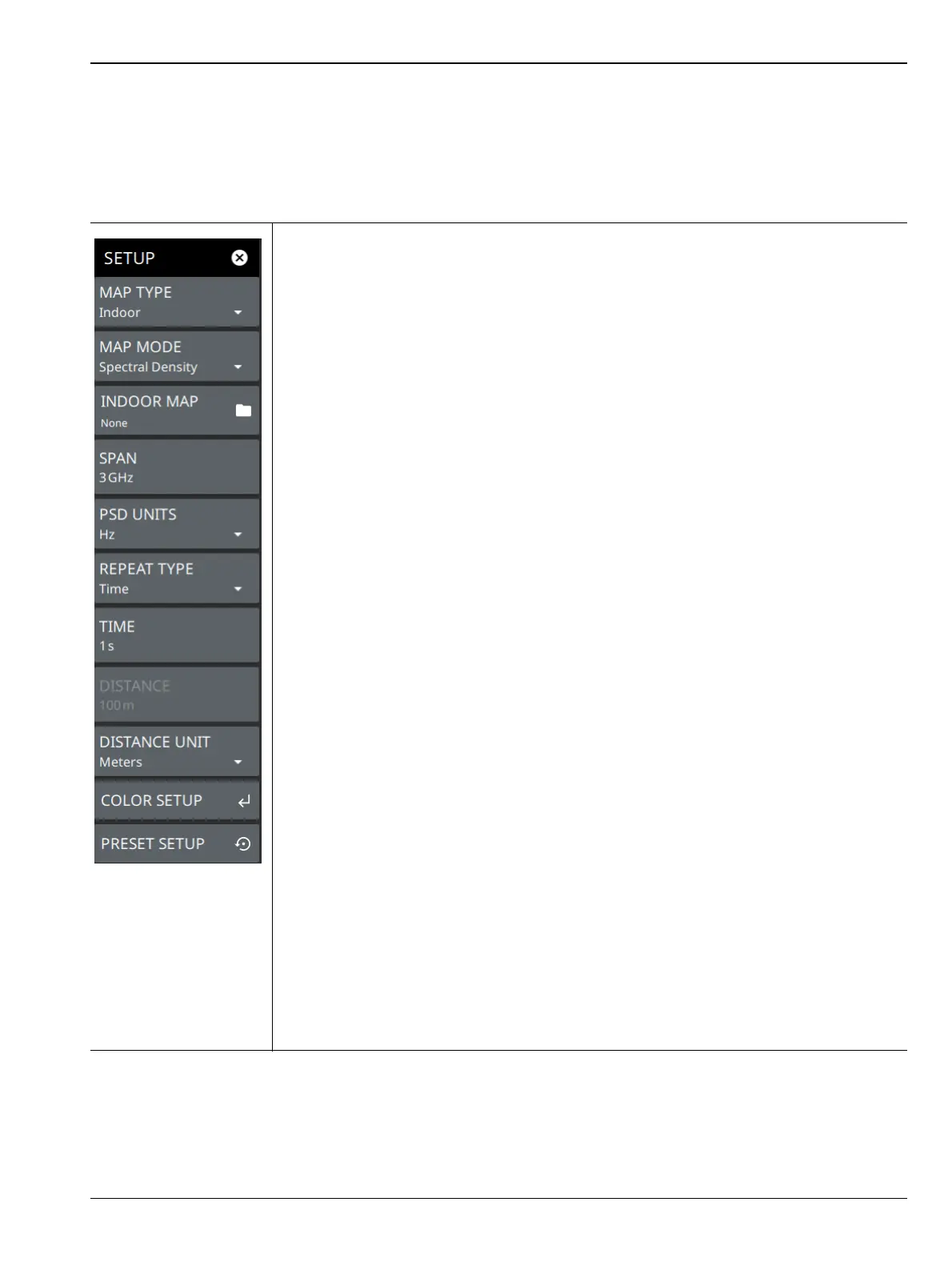
SETUP Menu (Coverage Mapping)
The coverage mapping SETUP menu is available in MEASURE > MEASUREMENT > Coverage Mapping >
SETUP. Once coverage mapping is selected, start the mapping measurement via MEASURE > START MEAS.
Once the coverage mapping measurement is selected, the SETUP menu can be quickly accessed by tapping on
the summary display area below the spectrum window.
MAP TYPE: Selects indoor or outdoor coverage mapping:
• Indoor Map: The indoor map type is used to select the image/map for mapping
from the instrument File system. This image is usually a building floor plan or
campus layout drawing.
• Outdoor Map: The outdoor map is used to view the signal strength within a
selected region of the outdoor map.
MAP MODE: Selects the measurement type for the map:
• Channel Power: The total power within the set channel bandwidth (SPAN).
• Spectral Density: The measure of the signal power content versus frequency.
• RSSI: The received signal strength indicator mode represents the amount of the
received power level of the radio signal, after antenna and cable gains/losses
Note that field strength measurements can be selected from the Amplitude menu. When
field strength is enabled, each measurement is adjusted per m^2 based on antenna
factors.
INDOOR MAP: When indoor map type is selected above, this button is available and is
used to select the image/map for mapping from the instrument File system. This image is
usually a building floor plan or campus layout drawing.
SPAN: Sets the current frequency span. For channel power and spectral density
measurements, the span is equal to the integration bandwidth. This setting is not
available in the RSSI map mode.
PSD UNITS: Selects the spectral density units as either Hz or MHz. This option is
enabled only if Map Mode is set to Spectral Density and Field Strength option is enabled
in Amplitude menu.
REPEAT TYPE: Selects when a map data point is recorded. The repeat type can be set
to a time interval or distance interval. For indoor coverage mapping, time interval will
evenly distribute measurement points between two selected positions; distance interval
will plot a single point for every position selected by the user.
TIME: When the repeat type is Time, sets the time duration for recording map data
points.
DISTANCE: When the repeat type is Distance, sets the distance between recording map
data points. When using an indoor map type, the distance mode only marks the data
points to where the user drags the location pin.
DISTANCE UNIT: Selects distance units of Meters or Feet.
COLOR SETUP: Opens the “COLOR SETUP Menu (Coverage Mapping)” on page 3-98.
PRESET SETUP: Sets all coverage mapping setup parameters to default, including
color setup.
Figure 3-79. SETUP Menu (Coverage Mapping)













 To Next Page