3-10 Setting Up Limit Lines Spectrum Analyzer Measurements
3-52 PN: 10580-00447 Rev. H Spectrum Analyzer MG
Limit Line Envelope
Limit line envelope parameters are set using the “LIMIT ENVELOPE Menu” on page 3-56. The limit line
envelope feature is a quick way to generate an envelope using the existing trace as a reference. You can set the
envelope to square or slope and you can set the limit line offset from the trace when creating the envelope.
Once the envelope limit line is set, you can manually edit the limit line by dragging the points or by using the
“LIMIT EDIT Menu” and “LIMIT MOVE Menu”.
To set up a limit line envelope:
1. Select LIMIT > ENVELOPE.
2. Select either Upper or Lower limit line.
3. Set the number of limit envelope points.
4. Set the amplitude offset.
5. Select the envelope shape of Square or Slope.
6. Select SET ENVELOPE to generate the limit line envelope.
You can set up either an upper or lower limit line, or both by repeating the procedure above. To create a more
complex limit line, use the “LIMIT EDIT Menu” to work with individual limit line points.
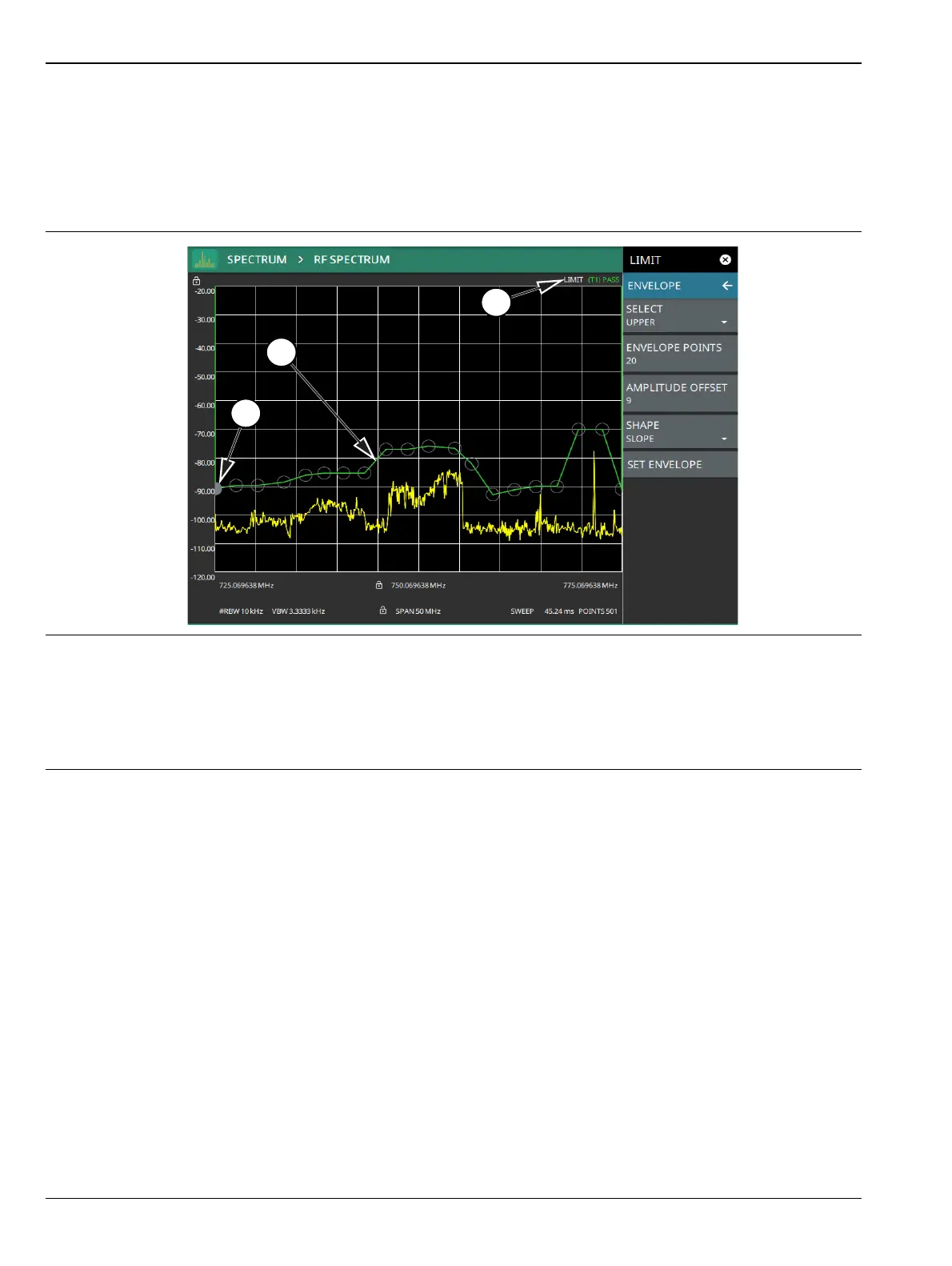
1. Limit points are shown as gray circles. The active point is filled in gray. Points can be dragged into position or set
discretely using the frequency and amplitude settings in the “LIMIT EDIT Menu”.
2. The limit line shown here is an upper envelope limit line. The limit line color is green when the trace does not
cross the limit line, and the limit line color turns red when the trace crosses it.
3. The limit test pass/fail status is also shown in green or red color at the top of the display. The limit test is applied
to the active trace, indicated here by T1.
Figure 3-39. Envelope Limit Line













 To Next Page