IA Spectrum Analyzer (Option 24) 4-6 Saving and Recalling Measurements
Spectrum Analyzer MG PN: 10580-00447 Rev. H 4-11
4-6 Saving and Recalling Measurements
The Field Master Series can save measurement setups, native trace and CSV trace data, limit line setups, and
screenshots. You can recall setup, native trace, and limit line files. For other file operations such as copy, move,
and directory management, refer to File Management section of the product’s user guide.
Saving a Measurement
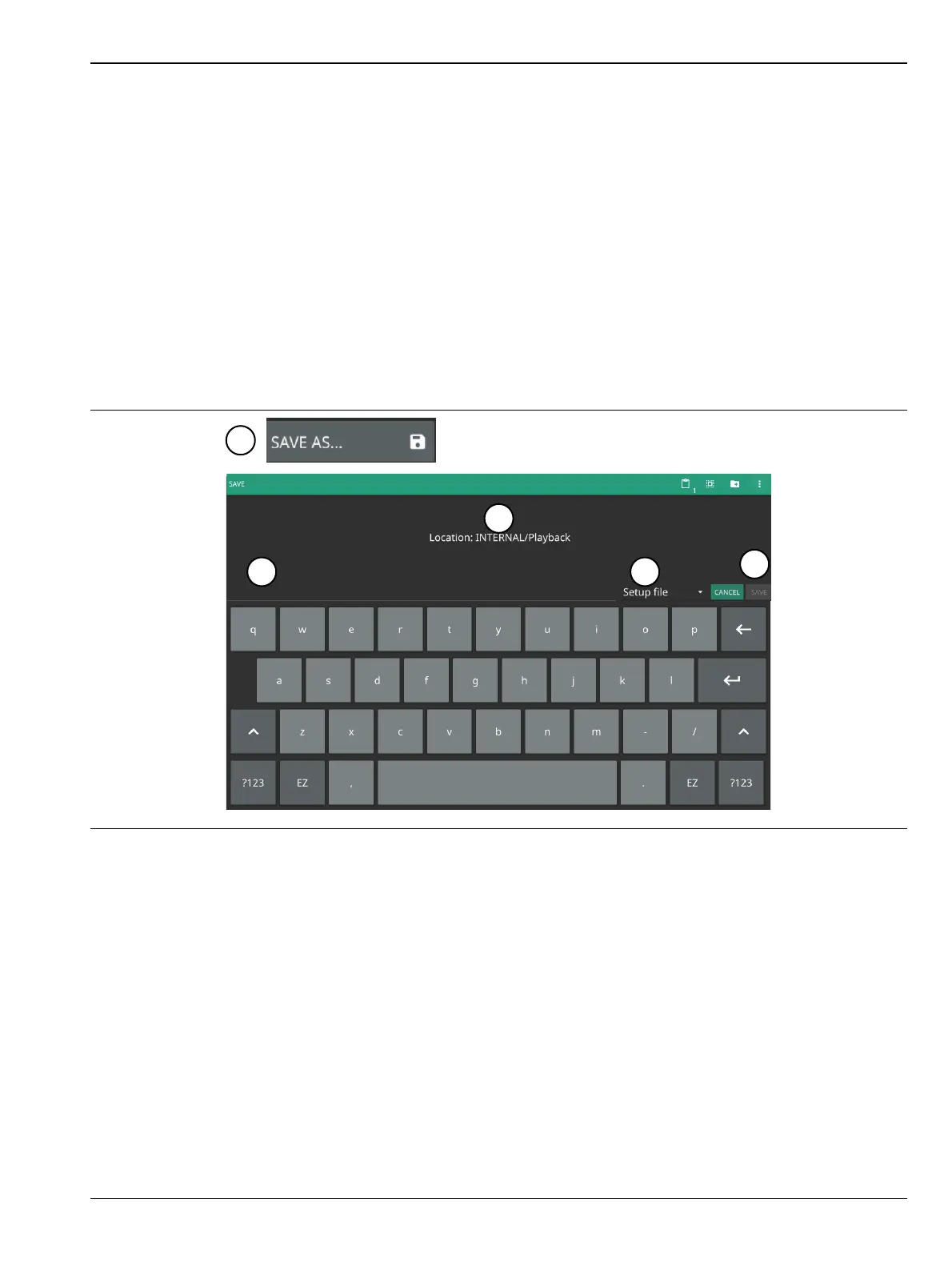
To save a measurement or setup, refer to Figure 4-9:
1. Select FILE > SAVE AS...
2. If desired, press the save location to change the destination.
3. Enter the desired file name using the touchscreen keyboard.
4. Select the type of file to save from the selection list.
5. Select SAVE to save the file.
Once a file has been saved, the QUICK SAVE feature can be used to quickly save the same type of file with an
incrementing number appended to the end of the original file name.
Figure 4-9. File Save Dialog













 To Next Page