3-7 Setting Trace Parameters Spectrum Analyzer Measurements
3-24 PN: 10580-00447 Rev. H Spectrum Analyzer MG
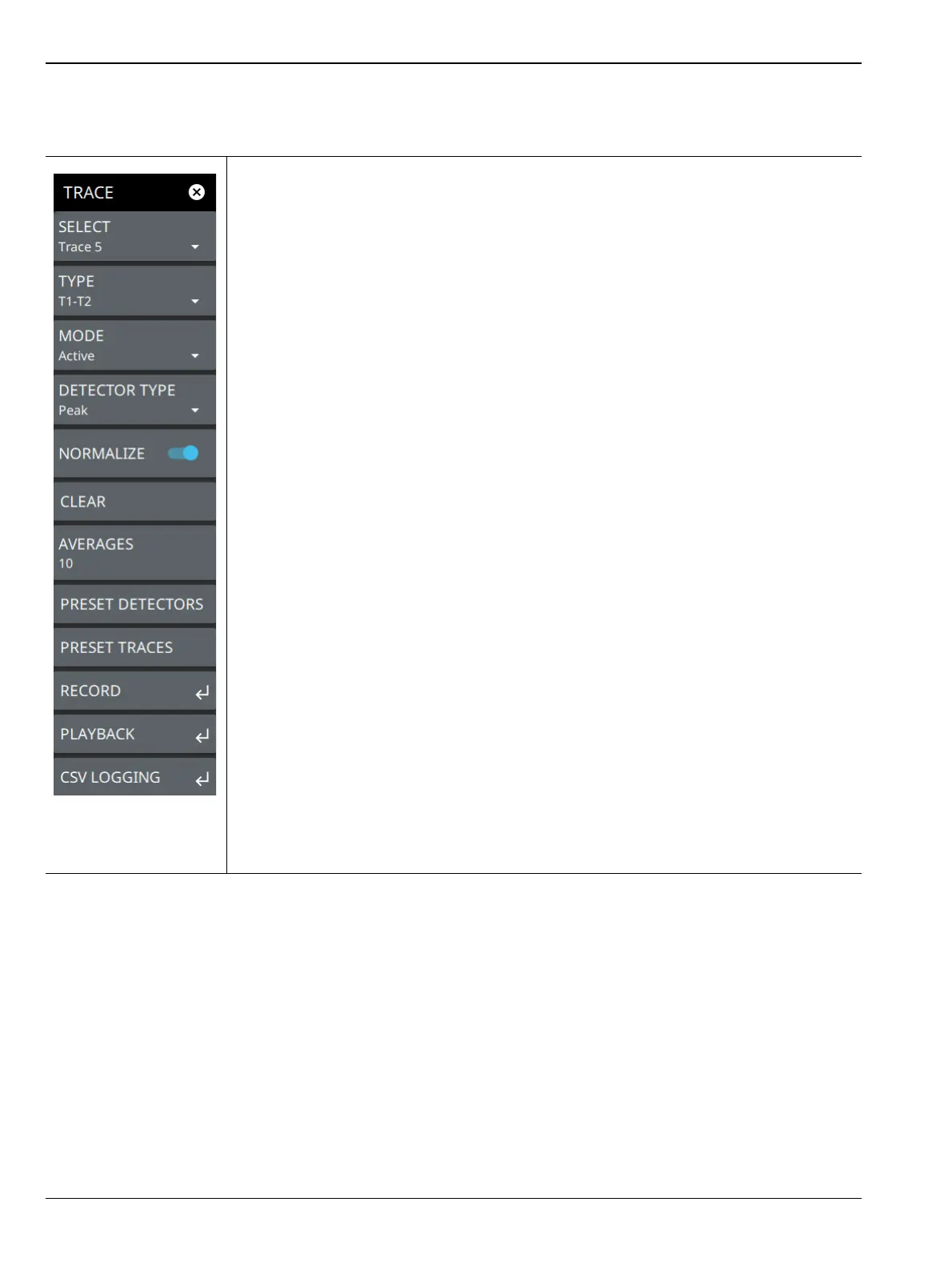
TRACE Menu (Spectrum View)
SELECT: Selects traces 1 through 6. Selecting a trace that is off turns the trace on. The
trace type will be Clear/Write, the trace mode will be Active, and the detector type will be
Peak. Selecting a trace will draw the trace on top of all other traces. This feature is not
available in the spectrogram measurement view because all spectrogram data is created
from a single trace.
TYPE: Selects one of the following types of traces:
• Clear/Write: Clears the trace after each sweep is complete and writes a new trace.
•Average: The exponential average of all N traces, where N is the AVERAGES
number set below. The number of sweeps is displayed in the status panel TRACES
table.
•Max Hold: Represents the maximum value since sweeping began. The number of
sweeps is displayed in the status panel TRACES table.
• Min Hold: Represents the minimum value since sweeping began. The number of
sweeps is displayed in the status panel TRACES table.
• Rolling Average: Is the rolling average of the last N traces, where N is the
AVERAGES number set below. The number of sweeps is displayed in the status
panel TRACES table.
• Rolling Max Hold: Is the maximum rolling average value of the last N traces,
where N is the AVERAGES number set below. The number of sweeps is displayed
in the status panel TRACES table.
• Rolling Min Hold: Is the minimum value of the last N traces, where N is the
AVERAGES number set below. The number of sweeps is displayed in the status
panel TRACES table.
•T1-T2: This option appears only when Trace 5 is enabled.
•T2-T1: This option appears only when Trace 6 is enabled.
MODE: Selects one of the following trace modes:
• Active: Displays the selected trace as it is updating.
• Hold/View: Displays the trace and it is not updating. It displays the last sweep from
when the trace mode was set to hold/view. If the frequency or bandwidth settings
are changed while a trace is in hold/view mode, the data will be blanked from the
screen. In order to see data again, set the trace mode to active.
•Blank: Does not display the trace and is not updating. It is the same as if the trace
was off.
Figure 3-15. TRACE Menu (1 of 2)













 To Next Page