Spectrum Analyzer Measurements 3-7 Setting Trace Parameters
Spectrum Analyzer MG PN: 10580-00447 Rev. H 3-31
TRACE CURSOR Menu
PRESET DETECTORS: Presets the selected detector type.
PRESET TRACES: Presets cursor and trace setup to Clear/Write, Active, with Peak
Detector.
CURSOR: Opens the “” on page 3-31.
RECORD: Opens the “TRACE RECORD Menu” on page 3-35.
PLAYBACK: Opens the “TRACE PLAYBACK Menu” on page 3-36.
CSV LOGGING: Opens the “TRACE CSV LOGGING Menu” on page 3-37.
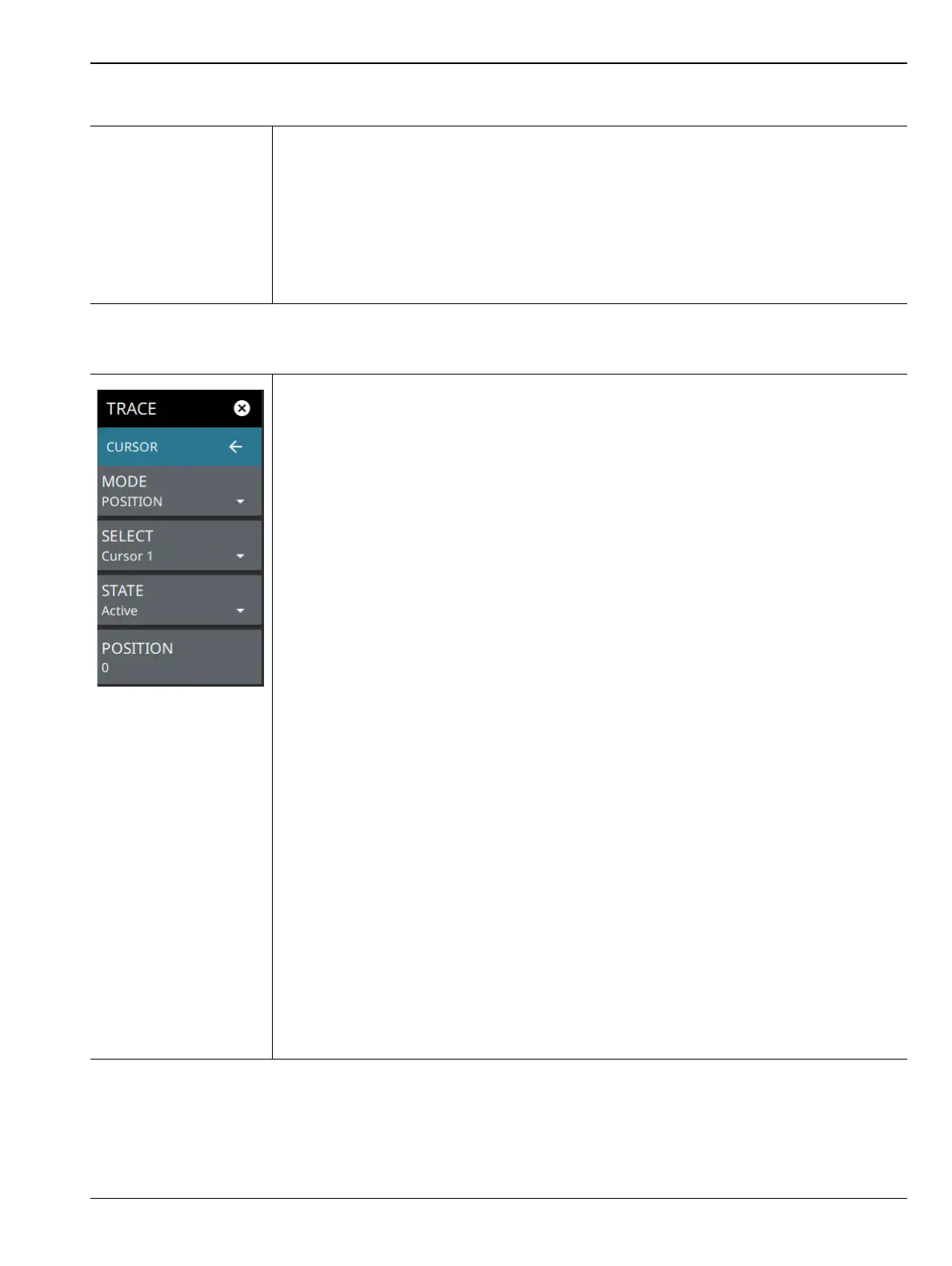
MODE: Every trace captured in the spectrogram has a time and a position index. Set the
location of the spectrogram cursor based on either the time index or the position index.
When position is selected, you can change the position index of the cursor from the
POSITION button. If Time is selected, you can set the time index of the cursor from the
TIME button. See the descriptions of POSITION and TIME below.
SELECT: Used to add additional cursors or to set the active cursor on the spectrogram.
The active cursor also displays the associated trace on top of other traces in the
spectrum display. For more information, refer to “Spectrogram with Cursors and Markers”
on page 3-49.
STATE: Selects one of the following cursor states:
• Active: Displays the selected trace as it is updating.
• Hold/View: Displays the trace and it is not updating. It displays the last sweep from
when the trace mode was set to hold/view. If the frequency or bandwidth settings
are changed while a trace is in hold/view state, the data will be blanked from the
screen. In order to see data again, set the trace state to active.
•Blank: Does not display the trace and is not updating. It is the same as if the trace
was off.
POSITION: Available when a position cursor is selected. You can change the sweep
position index of the selected spectrogram cursor in relation to the number of total
sweeps in the spectrogram. The number of sweeps in the spectrogram is based on the
size of the spectrogram window, so the sweep index changes when changing the
spectrogram cursor position index. The spectrum view also displays the currently
selected trace on top of any other traces. A position of 0 (zero) represents the most
recent (or live) trace. Entry into this field is disabled when the spectrogram cursor mode is
set to Time.
TIME: Available when a time cursor is selected. You can change the time index of the
selected spectrogram cursor in relation to the start and stop time displayed in the
spectrogram. The time in the spectrogram is based on the size of the spectrogram
window, so the time changes when changing the spectrogram cursor time index. The
spectrum view also displays the currently selected trace on top of other traces. A time of
0 (zero) represents the most recent (or live) trace. Entry into this field is disabled when
the spectrogram cursor mode is set to Position.
Figure 3-22. TRACE / CURSOR Menu (Spectrogram View)













 To Next Page