3-15 Adjacent Channel Power Spectrum Analyzer Measurements
3-74 PN: 10580-00447 Rev. H Spectrum Analyzer MG
3-15 Adjacent Channel Power
To select adjacent channel power measurement go to main menu and press MEASURE > MEASUREMENT
>ACP. Adjacent Channel Power (ACP) measurements are set up using the “SETUP Menu (ACP)” on page 3-76.
Adjacent channel power is a measure of the power that leaks into adjacent transmit channels. The ACP
measurement measures the power present in the transmit channel (refer to “Channel Power” on page 3-68)
along with the adjacent transmit channels that have been configured in the SETUP menu.
Frequency and span settings for many signal standards can be set as follows:
1. Select MEASURE on the main menu.
2. Select ACP from the MEASUREMENT button.
3. Select SETUP and then do the following:
• Channel spacing
• Main integration bandwidth
• adjacent integration bandwidth
• alternate integration bandwidth
• Limit testing
• Main channel limit
• adjacent channel limit
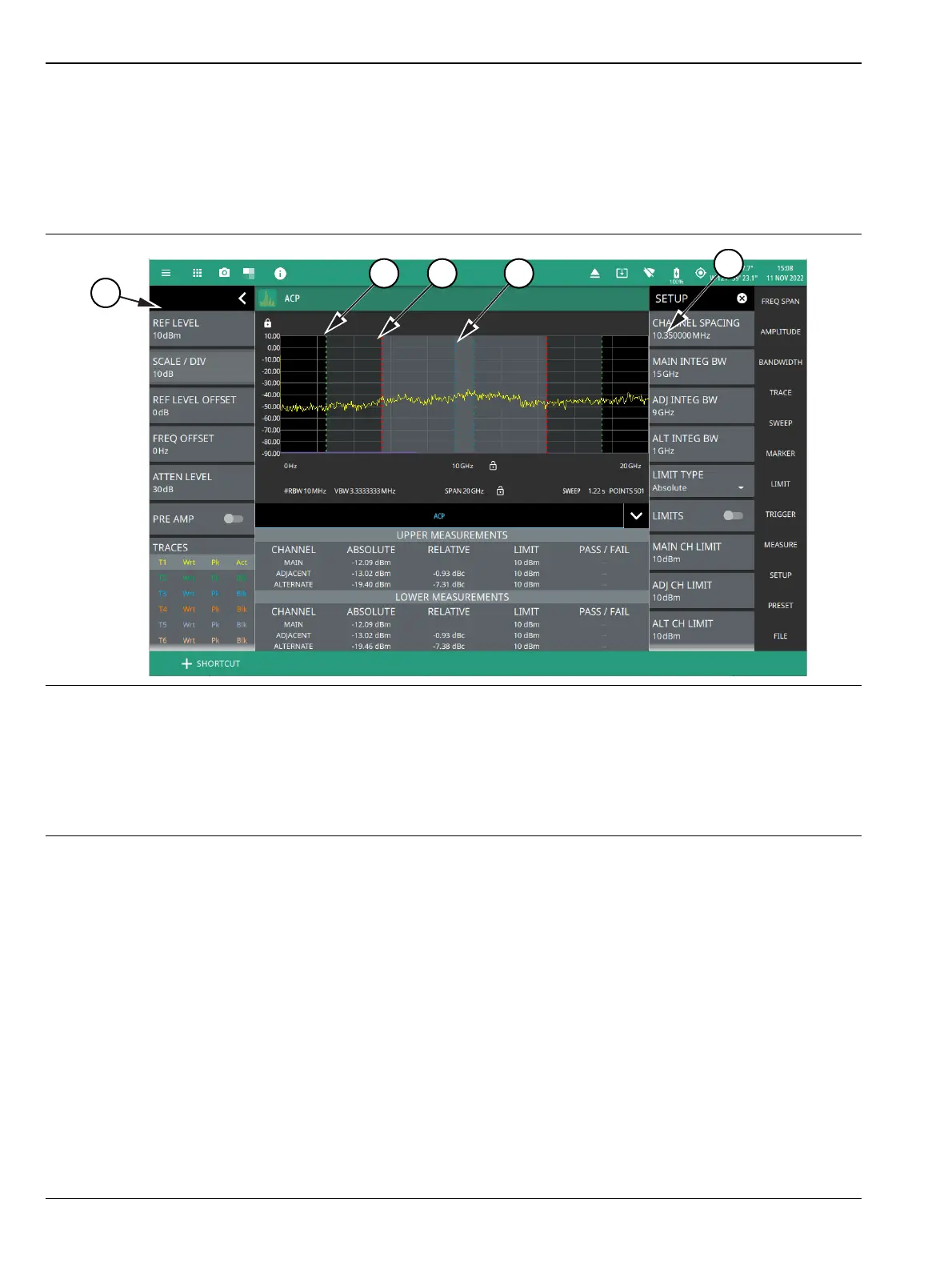
1. The status panel provides quick access to common spectrum analyzer settings. See “STATUS PANEL (ACP)”
on page 3-75.
2. Green integration bandwidth edge of lower alternate channels.
3. Red integration bandwidth edge of lower adjacent and alternate channels.
4. Blue integration bandwidth edge of lower main and adjacent channels.
5. All ACP measurement parameters are set via the SETUP menu. See “SETUP Menu (ACP)” on page 3-76.
Figure 3-62. Adjacent Channel Power Ratio Measurement













 To Next Page