3-4 Setting Amplitude Parameters Spectrum Analyzer Measurements
3-12 PN: 10580-00447 Rev. H Spectrum Analyzer MG
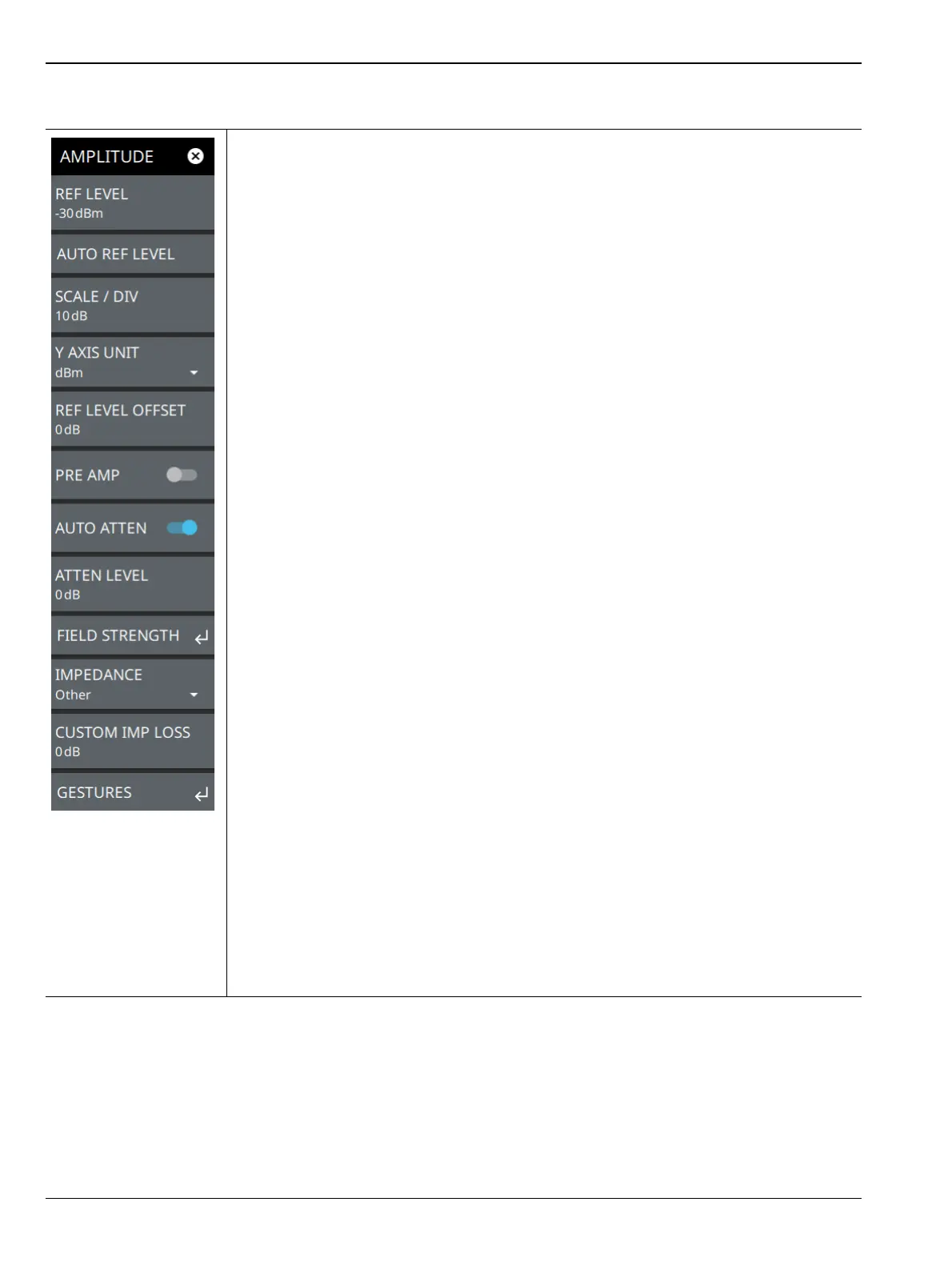
AMPLITUDE Menu
REF LEVEL: The reference level is the top graticule line on the measurement display. If
the reference level offset is not zero, the offset reference level is displayed at this
location. Selecting the plus (+) or minus (–) control increments the value by 10. The
plus/minus (+/-) button on the keypad toggles between positive and negative values.
AUTO REF LEVEL: Auto reference level automatically adjusts the reference level to
place the highest signal amplitude at about two graticule lines from the top based on the
position of the trace at the time the button is pressed.
SCALE/DIV: The scale can be set from 1 dB per division to 15 dB per division. The
default setting is 10 dB. Selecting the plus (+) or minus (–) control changes the value by
1. SCALE/DIV is not available when linear y-axis amplitude units are selected.
Y AXIS UNIT: Selects the y-axis amplitude units. Available units are:
Logarithmic:
• Spectrum analyzer measurements: dBm (default), dBW, dBV, dBmV, dBµV, or dBA
• Field strength and EMF measurements (Option 444) dBm/m
2
, dBW/m
2
, dBV/m,
dBmV/m, dBµV/m
Linear:
• Spectrum analyzer measurements: Volt (scalable to V, mV, µV, nV), Watt (scalable
to W, mW, µW, nW, pW, fW), and A (scalable to A, mA, µA, nA)
• Field strength and EMF measurements (Option 444): V/m, W/m
2
, W/cm
2
, A/m
REF LEVEL OFFSET: Reference level offset compensates for the presence of external
input attenuation or gain. The offset is applied to all amplitude related parameters and to
measurements such as the y-axis scale and marker measurements. The default offset
value is 0 dB and will always be presented in dB units. Selecting the plus (+) or minus (–)
control increments the value by 10. The plus/minus (+/-) button on the keypad toggles
between positive and negative values. Refer to “Reference Level Offset for External Loss
or External Gain” on page 3-9.
PRE AMP: Turns the low-noise front-end preamplifier on or off. To ensure accurate
measurement results, the largest signal into the instrument input when the preamplifier is
turned on should be less than –40 dBm. The preamplifier cannot be turned on if auto
attenuation is on and the reference level is above –40 dBm. Refer to “Preamplifier”
on page 3-10.
AUTO ATTEN: Input attenuation can be either tied to the reference level (on) or
manually selected (off). When input attenuation is tied to the reference level, attenuation
is increased as higher reference levels are selected to make sure the instrument input
circuits are not saturated by large signals that are likely to be present when high
reference levels are required.
ATTEN LEVEL: When auto attenuation is off, the attenuation value can be set manually
to a resolution of 5 dB. Selecting the plus (+) or minus (–) control increments the value by
5.
Figure 3-8. AMPLITUDE Menu













 To Next Page