Spectrum Analyzer Measurements 3-10 Setting Up Limit Lines
Spectrum Analyzer MG PN: 10580-00447 Rev. H 3-55
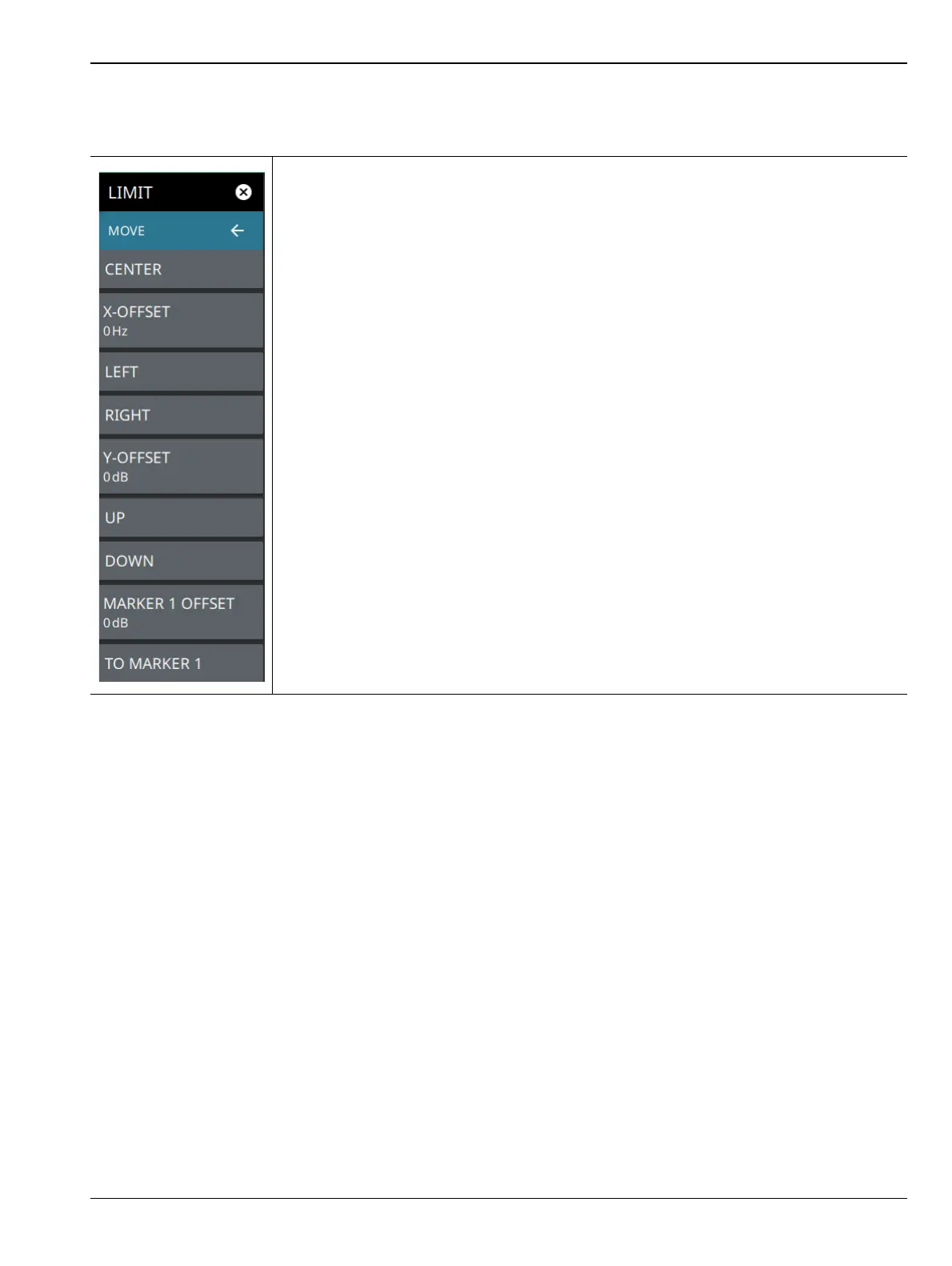
LIMIT MOVE Menu
CENTER: Selecting this button moves the center of the existing limit line to the center
frequency of the measurement. The span of the existing limit line is not changed. Use this
button as an easy way to move an existing limit line to the center of the sweep. This
button has no action if no limit line is turned on.
X-OFFSET: Allows you to adjust the frequency of the limit line. All inflection points will be
moved by the value entered here when using the LEFT or RIGHT buttons. Select
X-OFFSET and enter a value using the keypad.
LEFT: Selecting this button moves all inflection points to the left by the X-OFFSET value.
RIGHT: Selecting this button moves all inflection points to the right by the X-OFFSET
value.
Y-OFFSET: Allows you to adjust the amplitude of the limit line. All inflection points will be
moved by the value entered here when using the UP or DOWN buttons. Select
Y-OFFSET and enter a value using the keypad.
UP: Selecting this button moves all inflection points up by the Y-OFFSET value.
DOWN: Selecting this button moves all inflection points down by the Y-OFFSET value.
MARKER 1 OFFSET: Sets a limit line offset value from Marker 1 amplitude. This feature
moves the limit line amplitude and frequency as needed to place the center of the limit
line the user-specified amplitude from the position of Marker 1. Positive values place the
limit line above Marker 1, and negative values place the limit line below Marker 1.
TO MARKER 1: Moves the limit line center position to the frequency and specified
amplitude offset of Marker 1. Marker 1 must be enabled.
Figure 3-42. LIMIT MOVE Menu













 To Next Page