3-7 Setting Trace Parameters Spectrum Analyzer Measurements
3-36 PN: 10580-00447 Rev. H Spectrum Analyzer MG
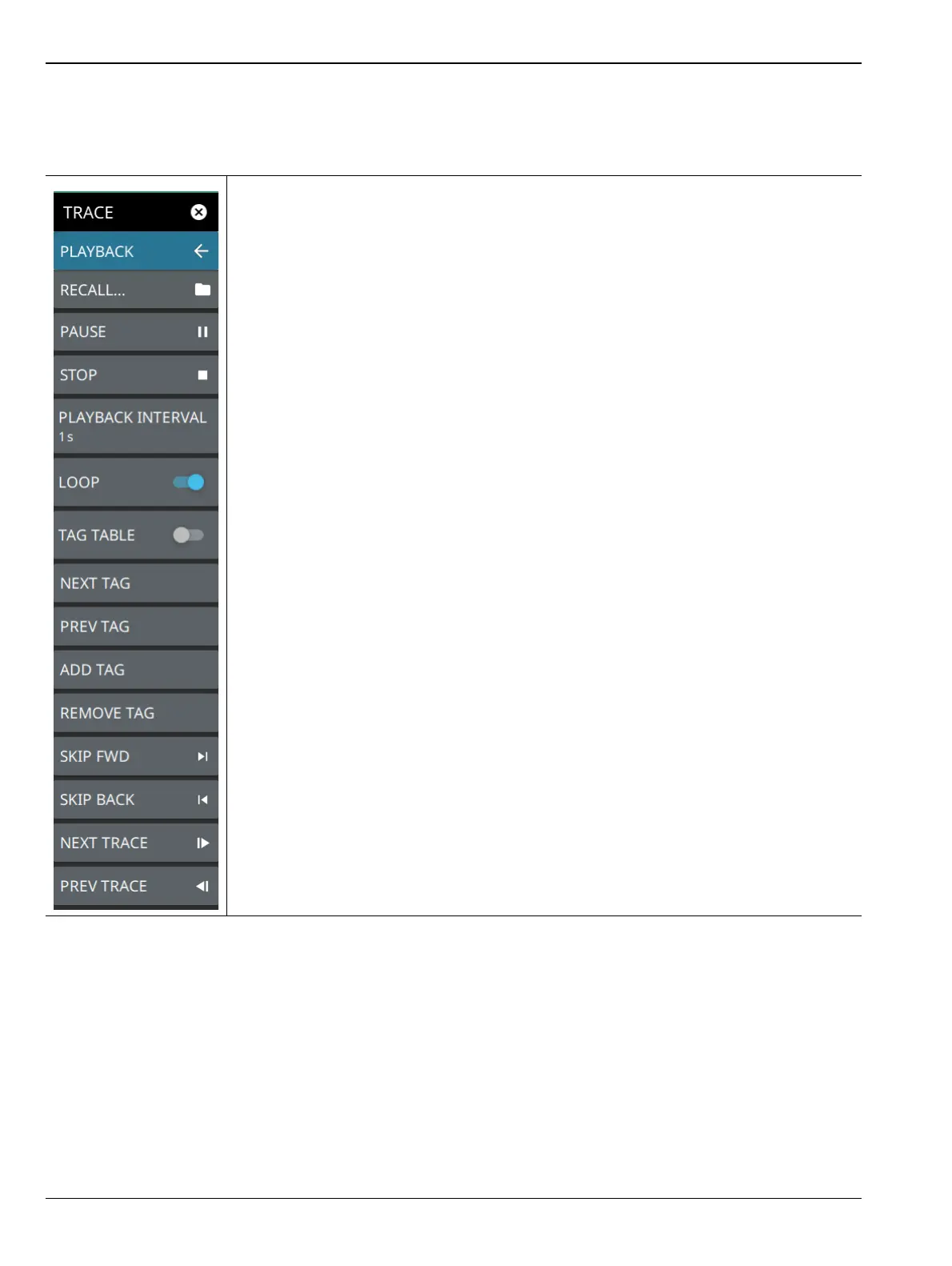
TRACE PLAYBACK Menu
The trace playback feature is accessed via the TRACE > PLAYBACK menus. This feature allows you to play
back a recorded trace (.fmrec) file on the instrument or PC application.
A playback session must be started by first recalling a previously recorded session.
RECALL: Opens the file manager so you can select a recorded trace file for playback.
The recorded files are typically stored in the Playback folder on the internal or external
storage device. Once a trace is recalled, the instrument is set up to match the settings
from when the trace was recorded and the PLAYBACK menu will need to be accessed to
play the recalled file.
PLAY/PAUSE: Starts playback of the selected trace recording. During playback, the
button changes to the PAUSE button, allowing pausing of the playback.
STOP: Stops the current trace playback session and restores live data display from the
RF input.
PLAYBACK INTERVAL: Sets the trace playback interval. The playback interval is the
sequential trace playback rate, which is the time a trace is displayed before sequencing to
the next trace in the recording.
LOOP: When toggled on, the playback plays the trace samples in a loop until stopped.
When toggled off, playback pauses at the end of the session. Select STOP to return to
live traces or drag the slider back to the beginning and press PLAY to play the session
again.
TAG TABLE: Toggles the tag table at the bottom of the screen.
NEXT TAG: Steps to the next tagged trace in the recorded session. Untagged traces will
be skipped.
PREV TAG: Steps to the previous tagged trace in the recorded session. Untagged traces
will be skipped.
ADD TAG: Adds a tag to the current trace. Tags are automatically saved to the file.
REMOVE TAG: Removes the tag from the current trace. Tags are automatically removed
from the saved file.
SKIP FWD: Increments the trace index by 142 to the next set of spectrogram traces.
SKIP BACK: Decrements the trace index by 142 to the previous set of spectrogram
traces.
NEXT TRACE: Increments the trace index by 1 to the next trace in the sequence.
PREV TRACE: Decrements the trace index by 1 to the previous trace in the sequence.
Figure 3-26. TRACE PLAYBACK Menu













 To Next Page