Spectrum Analyzer Measurements 3-8 Setting Sweep Parameters
Spectrum Analyzer MG PN: 10580-00447 Rev. H 3-41
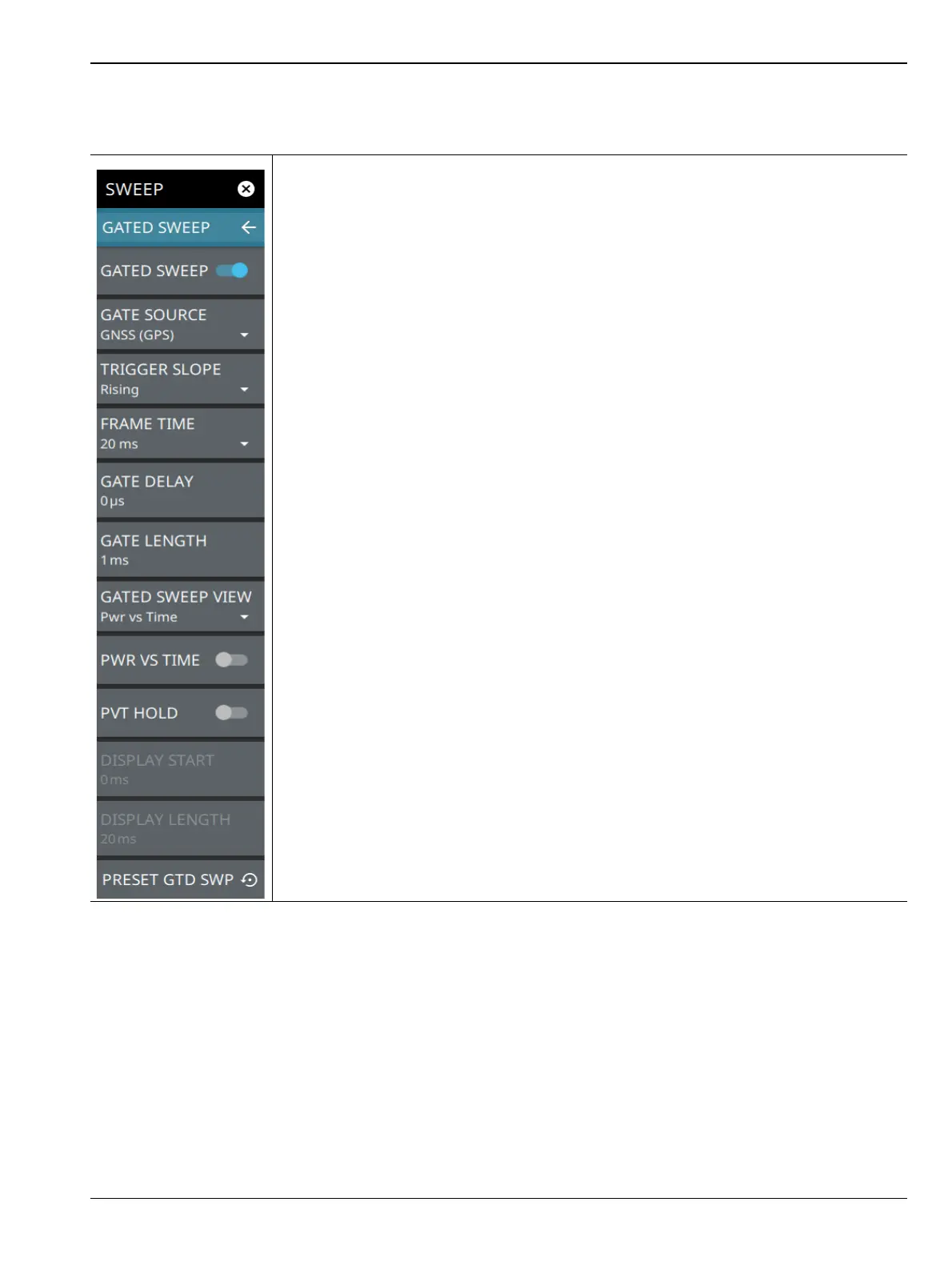
GATED SWEEP Menu
GATED SWEEP: Toggles gated sweep on or off.
GATED SOURCE: Selects the trigger source for the gated sweep.
• GNSS (GPS): This setting synchronizes the trigger source to the GPS PPS.
• External 1 or 2: Sets the gate reference based on input from the External 1 or
External 2 port. Only Field Master Pro and Remote Spectrum Monitor instruments
have two external ports.
TRIGGER SLOPE: Select either rising or falling trigger slope.
FRAME TIME: Selects the frame time duration of 10 ms, 20 ms, or 1 s.
GATE DELAY: Sets the start of the gated sweep. When “POWER VS TIME Display” is
enabled, the gate delay is indicated by the blue left border of the power vs time display.
You can also drag the entire gate to set the desired gate delay.
GATE LENGTH: Sets the length of the gated sweep. When “POWER VS TIME Display”
is enabled, the gate length is indicated by the width between the blue borders of the
power vs time display. You can also drag the right blue border to set the desired gate
length.
GATED SWEEP VIEW: Select PWR Vs Time view or Spectrogram view.
PWR VS TIME: Enables the “POWER VS TIME Display” on page 3-42.
PVT HOLD: Holds the power vs time trace when toggled ON.
DISPLAY START: When POWER VS TIME is enabled, sets the start of the graticule
display.
DISPLAY LENGTH: When POWER VS TIME is enabled, sets the time length of the
graticule display.
PRESET GTD SWP: Presets gated sweep settings to default values.
Figure 3-30. GATED SWEEP Menu













 To Next Page