Spectrum Analyzer Measurements 3-8 Setting Sweep Parameters
Spectrum Analyzer MG PN: 10580-00447 Rev. H 3-39
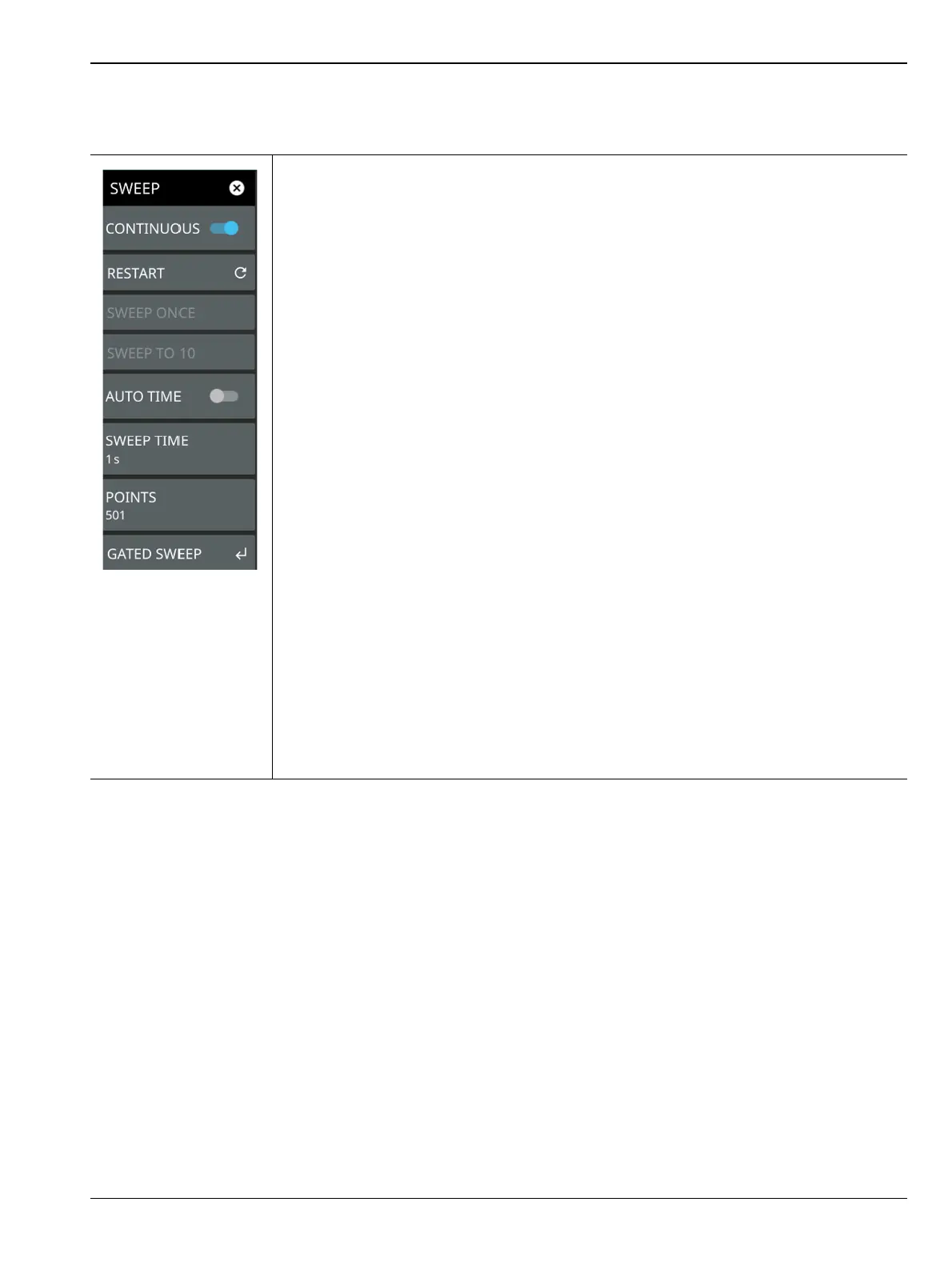
SWEEP Menu
CONTINUOUS: Toggles between continuous sweep and single sweep. When the toggle
is off, the instrument is in single sweep. In single sweep, the results of a sweep are
displayed on the screen while the instrument awaits a trigger event to start a new sweep.
The current state of the instrument is displayed in the status panel. With average/hold
number (in TRACE menu) set to 1, or averaging is off, or no trace in trace average or
hold, a single sweep is equivalent to a single measurement. A single sweep is taken after
the trigger condition is met and the analyzer stops sweeping once that sweep has
completed. To take one more sweep without resetting the average count, press the
SWEEP ONCE button. This sweep control is also available in the status panel.
RESTART: The restart function restarts the current sweep or measurement from the start
frequency.
SWEEP ONCE: When sweep is set to single sweep, SWEEP ONCE triggers a single
measurement sweep.
SWEEP TO N: When sweep is set to single sweep and trace type is set to average,
rolling average, rolling max hold, or rolling min hold, SWEEP TO N triggers
N consecutive measurement sweeps, where N is the number of averages set in the
TRACE menu. Each time the button is pressed, it will restart the average count, then
sweep N times. This button has no function when the instrument is in continuous sweep.
AUTO TIME: Toggle this button off to manually set the sweep time using the numeric
entry keypad.
SWEEP TIME: This button is available when the span is set to ZERO SPAN. Sets the
sweep time. Alternately press the # symbol next to the Sweep field at the bottom of the
SPA graticule, when AUTO TIME is toggled off.
POINTS: Sets the number of data points per sweep and displayed in each trace. The
current value of points is displayed parenthetically, next to the sweep time in the
lower-right corner of the display. Using more points provides greater resolution. Using
fewer points compacts the data and decreases the time required to access a trace.
GATED SWEEP: Opens the “GATED SWEEP Menu” on page 3-41.
Figure 3-28. SWEEP Menu













 To Next Page