3-19 Coverage Mapping (Option 431) Spectrum Analyzer Measurements
3-94 PN: 10580-00447 Rev. H Spectrum Analyzer MG
Indoor Coverage Mapping
Indoor coverage mapping does not use a GNSS (GPS) signal to identify the current location, but rather relies
on the user to touch the location pin to where they are located on a building floor plan, or map, that is shown on
the instrument display. As the location pin is moved from point to point during a measurement, the map is
annotated with dots that are colored-coded to the received signal strength/power. The instrument logs data
automatically based on either a set time or distance interval. You may save and recall the measurement as a
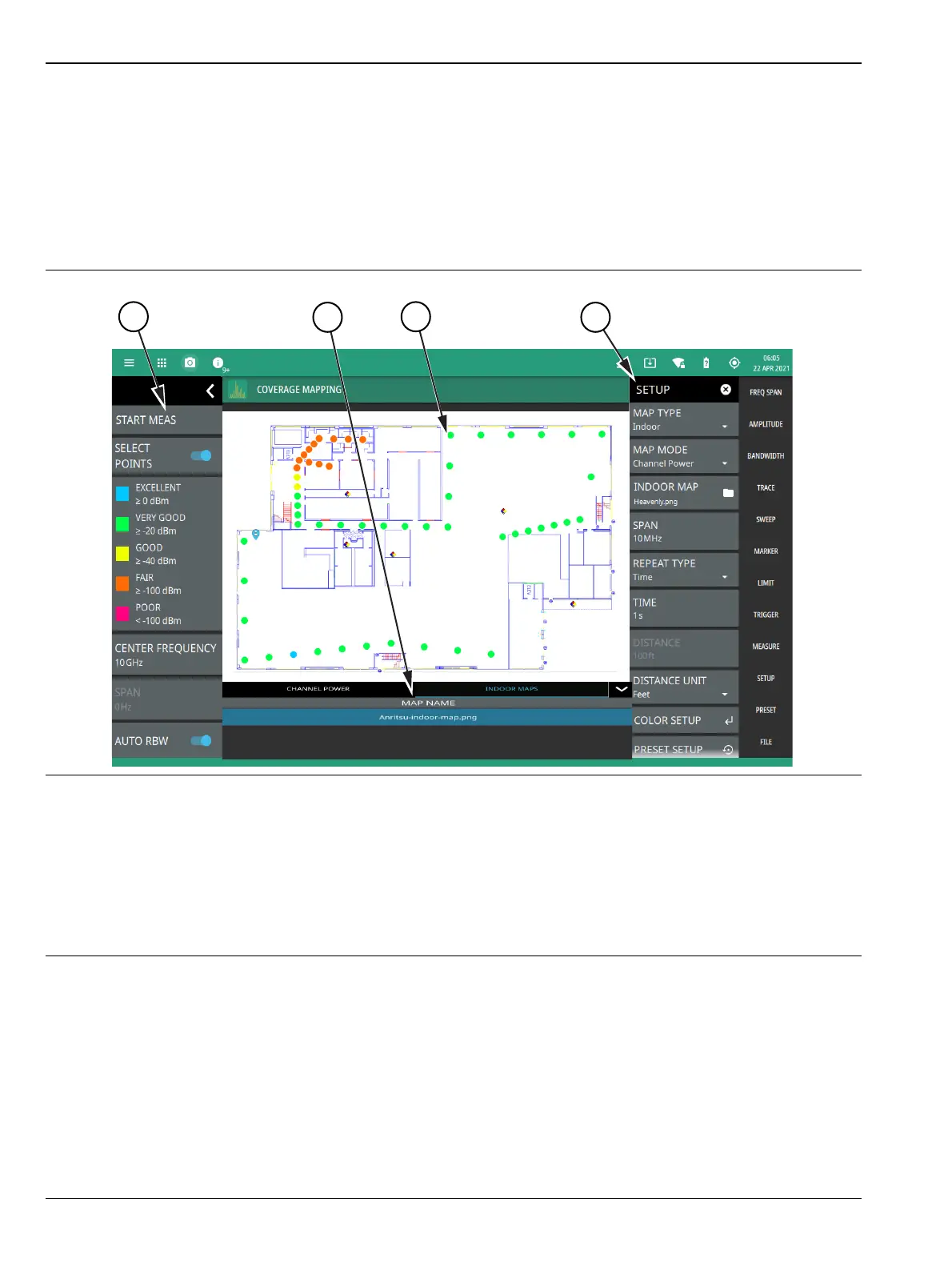
PNG file or save just the measurement data. See Figure 3-76, “Coverage Mapping (Indoor)” on page 3-94 for an
overview of the indoor coverage mapping interface.
1. The coverage mapping status panel provides quick access to common settings and allows you to start and stop
a coverage mapping measurement. A color-coded signal-strength legend is shown at the bottom of the panel.
See “STATUS PANEL (Coverage Mapping)” on page 3-96.
2. Tabular measurement data shows the current measurement, measurement value and the list of saved regions.
3. The map display area shows map data for the current area and color-coded dots that correspond to the signal
colors that are set up for the recorded measurement data.
4. The SETUP menu is where the coverage mapping measurement settings are configured. See “SETUP Menu
(Coverage Mapping)” on page 3-97.
Figure 3-76. Coverage Mapping (Indoor)













 To Next Page