4-5 Interference Polar IA Spectrum Analyzer (Option 24)
4-10 PN: 10580-00447 Rev. H Spectrum Analyzer MG
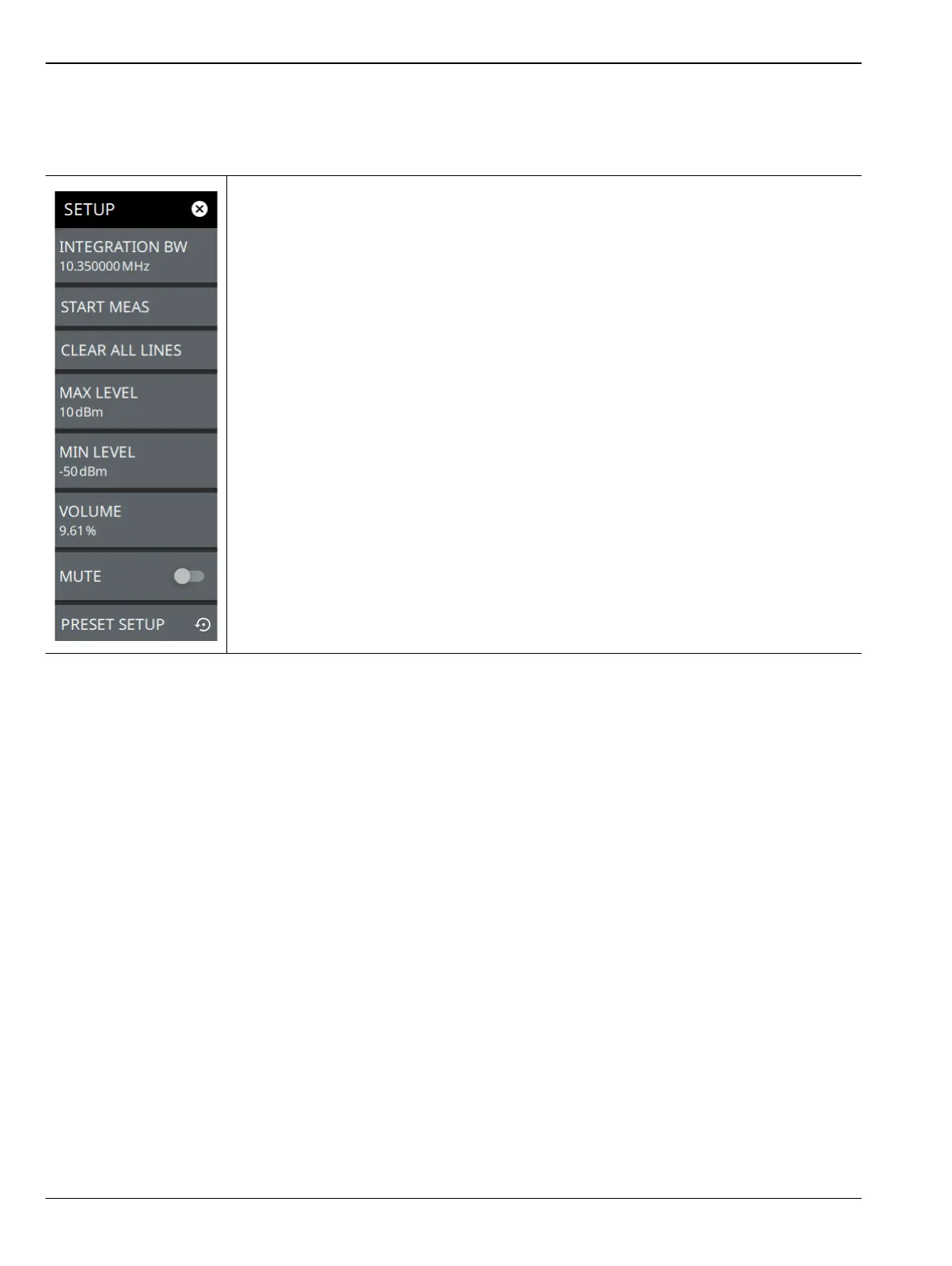
SETUP Menu (Interference Polar)
The Interference Polar SETUP menu is available in MEASURE > MEASUREMENT > Interference Polar >
SETUP.
INTEGRATION BW: Sets the range of integration used in calculating the received
power. The integration bandwidth is displayed as the shaded region between the
bandwidth start and stop thresholds (dashed green lines).
START MEAS/STOP MEAS: Stay in one location and slowly your turn yourself around
holding the antenna in the front to complete a full 360º rotation. This measures a plot of
signal strength in every direction, called a polar plot. Select STOP MEAS to stop locating
the signal.
CLEAR ALL LINES: Clears all the red lines on the map.
MAX LEVEL: Sets the upper level for the audio response of the measurement. This
setting is useful for adjusting the resolution of the tone changes. Power levels above the
MAX LEVEL will continue to emit sound an increasingly higher pitch.
MIN LEVEL: Sets the lower level for the audio response of the measurement. The MIN
LEVEL also functions as a squelch. Power below this level will not emit a sound.
VOLUME: Sets the audio output volume.
MUTE: Mutes the instrument volume.
PRESET SETUP: Presets all values on the SETUP menu to default values.
Figure 4-8. SETUP Menu (Interference Polar)













 To Next Page