3-6 Setting Bandwidth Parameters Spectrum Analyzer Measurements
3-20 PN: 10580-00447 Rev. H Spectrum Analyzer MG
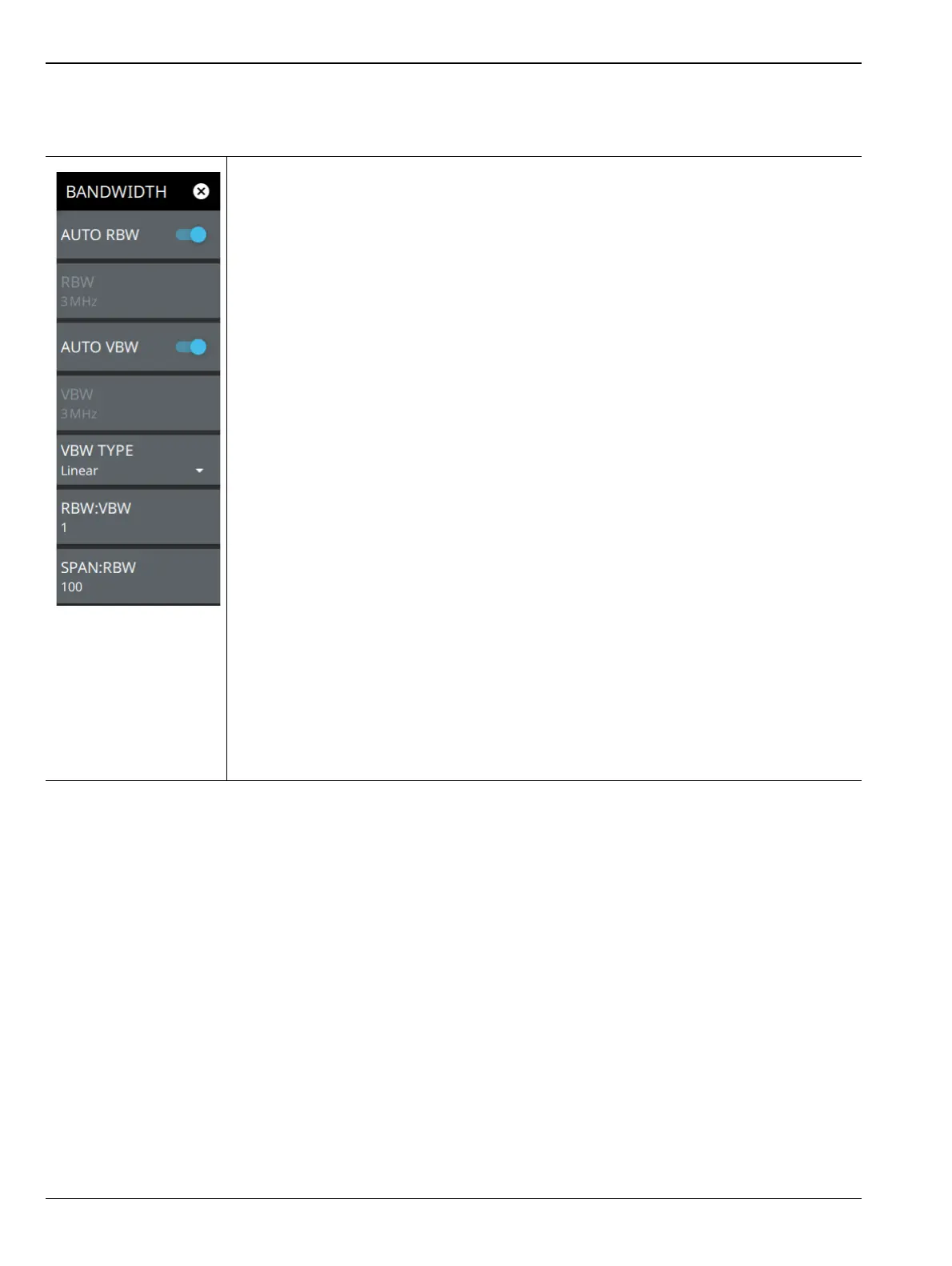
BANDWIDTH Menu
AUTO RBW: When toggled on, the instrument selects the resolution bandwidth based
on the current span width. The ratio of span width to RBW can be specified using the
SPAN:RBW button. When toggled off (manual), the RBW label at the left edge of the
x-axis will be preceded by the “#” symbol.
RBW: The current resolution bandwidth is displayed under the RBW button. Once auto
RBW is toggled off, the RBW can be changed using the keypad or the slider controls.
Bandwidth values increment in a 1:3:10 sequence, from 1 Hz to 3 Hz to 10 Hz or from
10 Hz to 30 Hz to 100 Hz, for example. Refer to your instrument technical data sheet for
the resolution bandwidth range.
AUTO VBW: When toggled on, the instrument selects the video bandwidth based on the
resolution bandwidth. The ratio of video bandwidth to resolution bandwidth can be set
using the RBW:VBW button. When toggled off (manual), the VBW label at the left edge of
the x-axis will be preceded by the “#” symbol.
VBW: The current video bandwidth is displayed under the VBW button. Once auto VBW
is toggled off, the VBW can be changed using the keypad or slider controls. Bandwidth
values increment in a 1:3:10 sequence, from 1 Hz to 3 Hz to 10 Hz or from 10 Hz to
30 Hz to 100 Hz, for example. Refer to your instrument technical data sheet for the video
bandwidth range.
VBW TYPE: Toggles between linear averaging (arithmetic mean) and logarithmic
averaging (geometric mean).
RBW:VBW: This parameter displays the ratio between resolution bandwidth and video
bandwidth. To change the ratio, press this button and use the keypad or the slider
controls.
Displays the ratio between the span and the resolution bandwidth. The default value is
100, meaning that the span will be 100 times the resolution bandwidth. To change the
ratio, press this button and use the keypad or slider controls.
Note: When Quasi-Peak marker is set, RBW and VBW are automatically set to meet the
CISPR specification. See “Marker Functions” on page 3-48.
Figure 3-11. BANDWIDTH Menu













 To Next Page