Spectrum Analyzer Measurements 3-12 Setting Up Advanced Measurements
Spectrum Analyzer MG PN: 10580-00447 Rev. H 3-67
IQ Streaming Tool
The IQ STREAMING menu allows you to concatenate an existing IQ metadata file (.dgzm) with a session of
IQ data files (.dgz) that were streamed to a USB device after the stream operation is complete. The data files
must all come from the same stream session.
1. Access the System menu (3-line icon in the upper left corner).
2. Select TOOLS to access the instrument tools menu, then select IQ STREAMING.
1. Touch IQ METADATA FILE and then select the metadata file that you wish to concatenate with IQ data
streams. All of the data stream files in the selected directory will be concatenated with the metadata file.
2. Touch the OUTPUT DIRECTORY and select the destination for the concatenated files. If desired, select
Delete Source Files.
3. Select START to begin the concatenation. The progress bar will indicate relative progress.
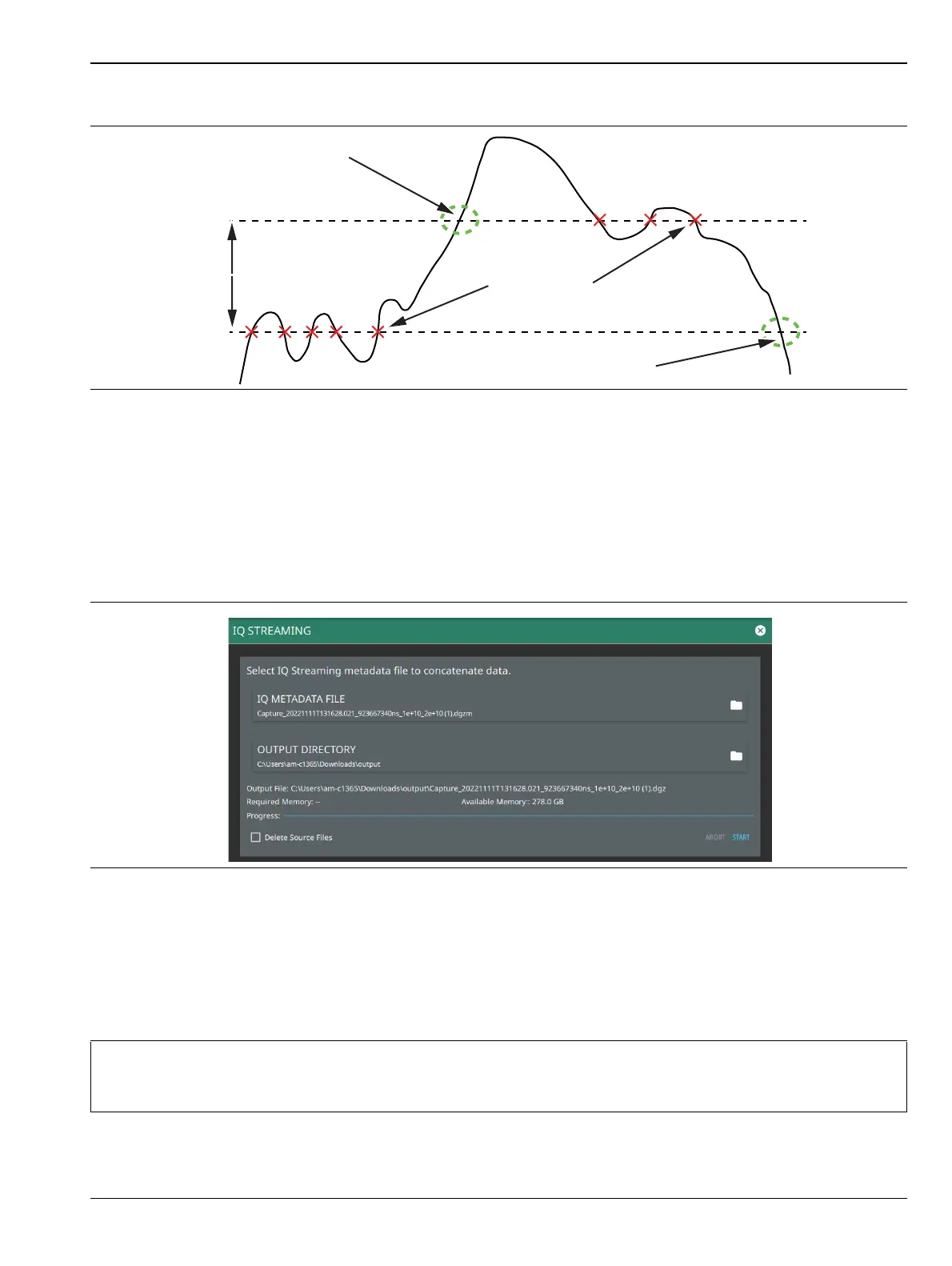
Figure 3-54. Trigger Levels and Hysteresis
Figure 3-55. IQ Streaming Tool
Note
Concatenating files can be time consuming depending on the streaming parameters and time. The
process can be much faster if performed on a PC using your instrument PC application. Refer to the
PC software chapter of the product’s user guide for details on using this application.
Positive Edge
Trigger
High Threshold
Hysteresis Level
Low Threshold
Negative Edge
Trigger
Not Triggered













 To Next Page