3-22 Carrier-to-Interference Spectrum Analyzer Measurements
3-116 PN: 10580-00447 Rev. H Spectrum Analyzer MG
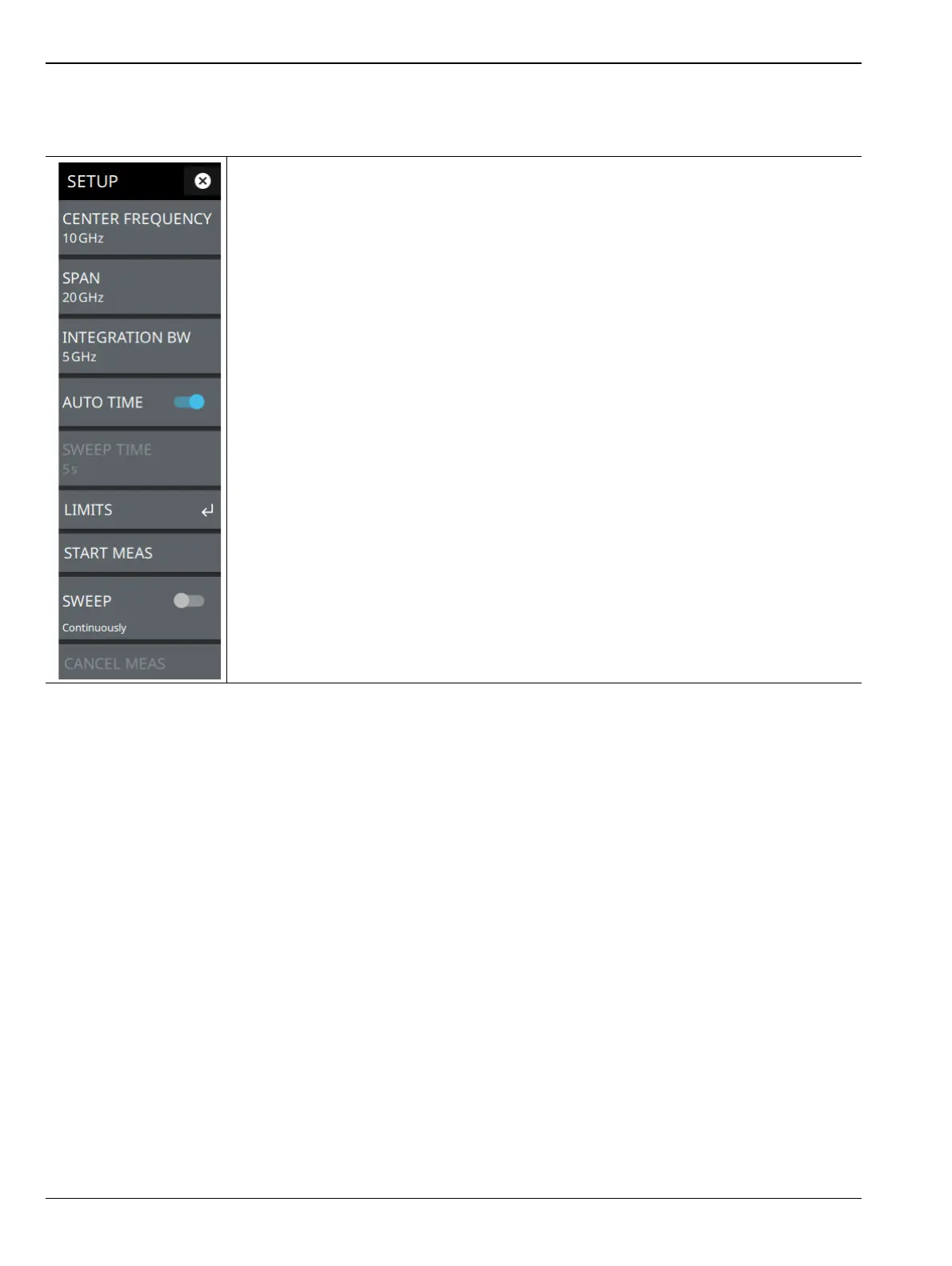
SETUP Menu (C/I)
The C/I SETUP menu is available in MEASURE > MEASUREMENT > C/I > SETUP.
CENTER FREQUENCY: Sets the center frequency of the sweep range.
SPAN: Sets the sweep frequency range. Selecting the plus (+) or minus (–) control
increments the span value in a 1:2:5 sequence. The span can also be changed by
pinching the trace in or out when gestures are not toggled off.
INTEGRATION BW: Sets the range of integration used in calculating the power in the
channel. The integration bandwidth (IBW) is displayed as the shaded region between the
bandwidth start and stop thresholds (dashed green lines).
AUTO TIME: Toggle this button off to manually set the sweep time using the numeric
entry keypad.
SWEEP TIME: Allows to set full manual sweep time range to measure the intermittent or
frequency hopping noise.
LIMITS: Opens “LIMITS Menu”.Toggle on the C/I, carrier power and interference power
limit buttons to verify the PASS/FAIL status of the measured values with respect to the set
limits.
START MEAS: Starts the wizard or sequence of message windows to measure carrier
power followed by noise power.
SWEEP CONTINUOUSLY: Toggle on to enable continuous sweep. Toggle off to freeze
the signal or stop the instrument from sweeping.
CANCEL MEAS: Cancels the measurement of carrier power and/or interference power.
Figure 3-96. SETUP Menu (C/I Measurement)













 To Next Page