3-23 SETUP Menu Spectrum Analyzer Measurements
3-118 PN: 10580-00447 Rev. H Spectrum Analyzer MG
3-23 SETUP Menu
Refer to the sections below for additional setup menus when using advanced measurements:
• “SETUP Menu (Channel Power)” on page 3-70
• “SETUP Menu (Occupied BW)” on page 3-73
• “SETUP Menu (ACP)” on page 3-76
• “SETUP Menu (SEM)” on page 3-81
• “SETUP Menu (EMF Measurement)” on page 3-90
• “SETUP Menu (PIM/Interference)” on page 3-85
• “SETUP Menu (Coverage Mapping)” on page 3-97
• “SETUP Menu (AM/FM Audio RF Spectrum)” on page 3-105
• “SETUP Menu (AM/FM Audio – All Measurements View)” on page 3-110
• “SETUP Menu (C/I)” on page 3-116
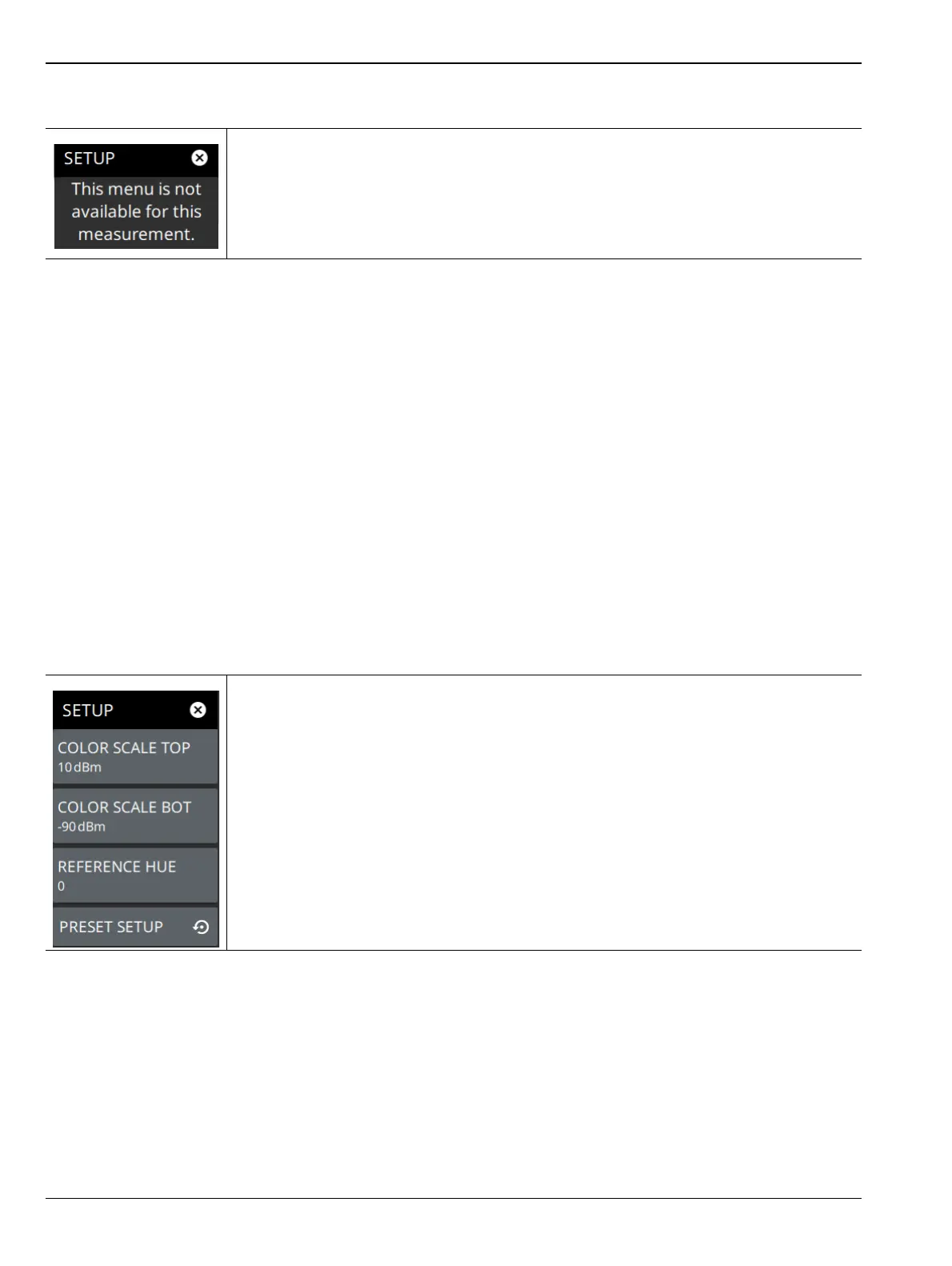
SETUP Menu (Spectrogram View)
There are no advanced measurement setups for the basic spectrum analyzer
measurement.
Figure 3-98. SETUP Menu (RF Spectrum)
COLOR SCALE TOP: Defines the amplitudes where the top color on the color setup bar
are applied. Any measurement above this amplitude will appear black on the spectrogram
window.
COLOR SCALE BOT: Defines the amplitudes where the bottom setting colors on the
color setup bar are applied. Any measurement below this amplitude will appear black on
the spectrogram window.
REFERENCE HUE: Allows you to customize the Spectrogram color range (Color Bar)
and Hue values. The color limits and the reference hue are based on a 360-degree color
wheel where default 0 is red (255 0 0).
PRESET SETUP: Presets the color setup settings.
Figure 3-99. SETUP Menu (Spectrogram View)













 To Next Page