3-7 Setting Trace Parameters Spectrum Analyzer Measurements
3-32 PN: 10580-00447 Rev. H Spectrum Analyzer MG
Trace Recording, Playback, and CSV Logging
In spectrum analyzer mode, the instrument supports recording and playing back of trace data. Recordings are
actually made on sample data (not just trace points) so during playback, users can set different trace types or
detectors for deeper analysis of the data. Trace recording and playback is accomplished by sequentially
recording, then drawing, an entire trace through a recording session. (Not by “sweeping” through all the trace
points). Recordings can be initiated on both the instrument or from the PC software when connected to an
instrument. The files are saved as .fmrec on the instrument internal memory and must be played back on the
instrument. The recorded file contains instrument setup information so it can be recalled from any mode and
automatically configure the instrument settings for playback. The recorded trace data does not include the
time stamp and GNSS (GPS) information. If recording starts while the instrument is in spectrogram, recording
starts with the next available sample and excludes all of the traces previously captured traces in the waterfall.
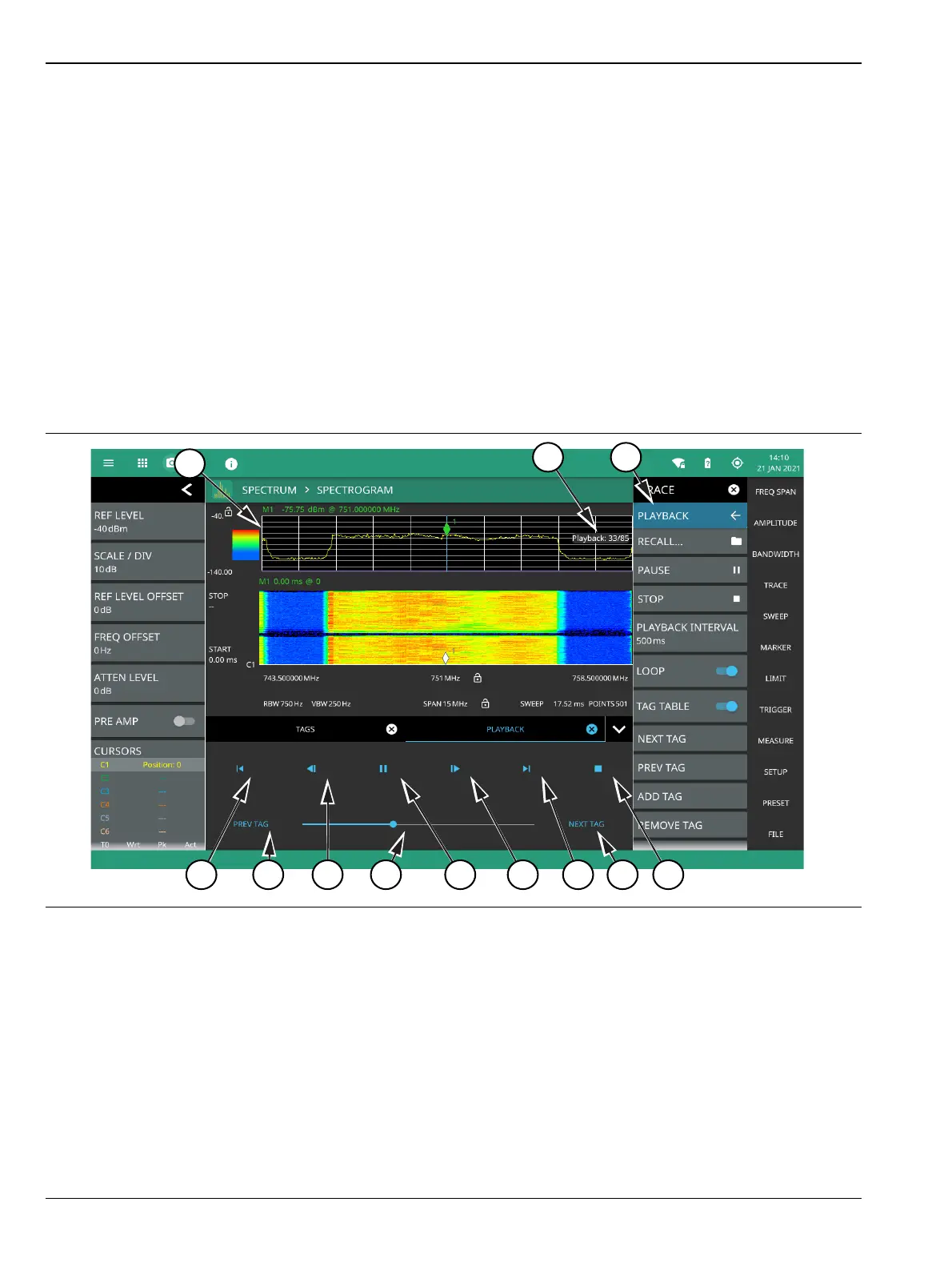
During playback, the spectrogram is built from the replayed traces and an indication of the current trace count
and total session trace count (i.e., 33/85) is shown at the right side of the trace display. This count increments
during trace playback.
Figure 3-23 shows a recorded trace session during playback. When the playback menu is opened, playback
controls are shown at the bottom of the screen.
Figure 3-23. Trace Record and Playback (1 of 2)













 To Next Page