Spectrum Analyzer Measurements 3-7 Setting Trace Parameters
Spectrum Analyzer MG PN: 10580-00447 Rev. H 3-33
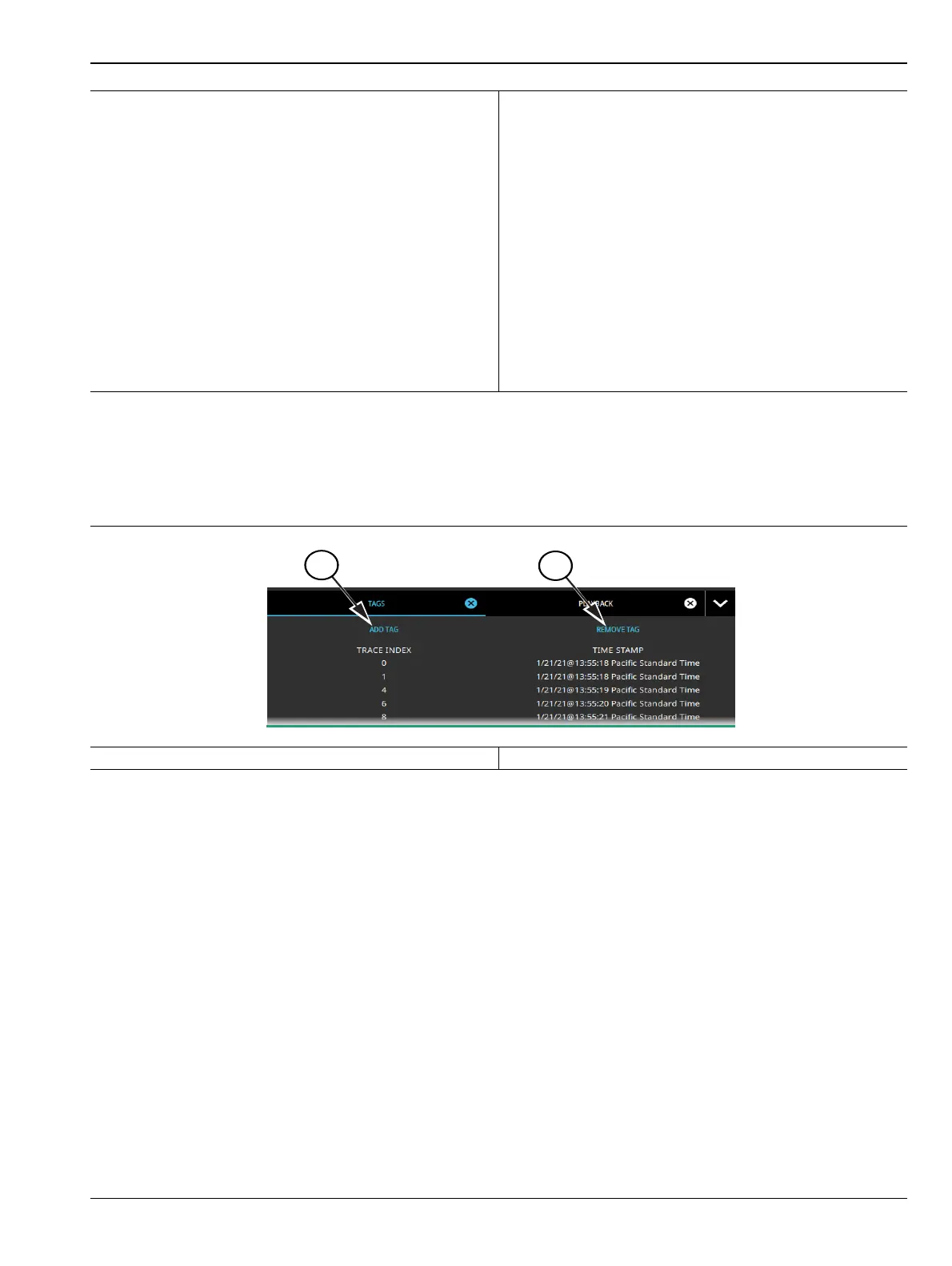
Tags are associated with individual traces, allowing scrolling through a sequence of tags and skipping forward
or backward past untagged traces. All tagged traces can be viewed in a TAGS table (Figure 3-24), similar to a
marker table. Users can add or remove tags from traces. To know which tag is being removed, look at the trace
index in the display panel and correlate it to the trace index in the tag table.
Other features with trace recording and playback:
• If settings that would invalidate the record or playback state are changed (i.e., frequency and amplitude
settings, or changing analyzer modes), the current recording/playback session will end (recordings will
be saved).
• Markers and limits can be enabled on playback traces just as with live data.
• Measurements such as channel power, OBW, ACP, or interference finder (Option 24) can be enabled on
playback traces; all other measurements are blocked.
• New recordings can be made during playback to capture smaller segments of the previous recording.
• To save a .fmspa or .fmrtsa file at any point, it must be done in playback and while paused.
1. Recorded trace and spectrum waterfall.
2. Shows either the Recording or Playback indicator.
3. Trace playback menu.TRACE RECORD Menu,
TRACE PLAYBACK Menu, or TRACE CSV
LOGGING Menu.
4. Stops the current trace playback session and restores
live data display from the RF input.
5. Steps to the next tagged trace in the recorded
session. Untagged traces will be skipped.
6. Increments the trace index by 142 to the next set of
spectrogram traces.
7. Increments the trace index by 1 to the next trace in
the sequence.
8. Starts playback of the selected trace recording.
During playback, the button changes to the PAUSE
button, allowing pausing of the playback.
9. Playback location indicator/slider - can be used to
drag playback forward and backward.
10.Decrements the trace index by 1 to the previous trace
in the sequence.
11.Steps to the previous tagged trace in the recorded
session. Untagged traces will be skipped.
12.Decrements the trace index by 142 to the previous set
of spectrogram traces.
1. Add tag button 2. Remove tag button
Figure 3-24. Tags Table
Figure 3-23. Trace Record and Playback (2 of 2)













 To Next Page