Spectrum Analyzer Measurements 3-5 Field Strength
Spectrum Analyzer MG PN: 10580-00447 Rev. H 3-15
Frequency and level settings for many interfering signals can be set as follows:
1. Set up the measurement frequency and bandwidth.
2. Select the AMPLITIDE and set up the amplitude parameters.
3. Select the FIELD STRENGTH button and enable FIELD STR.
4. Select the ANTENNA button and select the antenna being used for the measurement.
Field strength is a constant measurement; after it is turned on, it remains on until FIELD STR is toggled off.
AMPLITUDE FIELD STRENGTH Menu
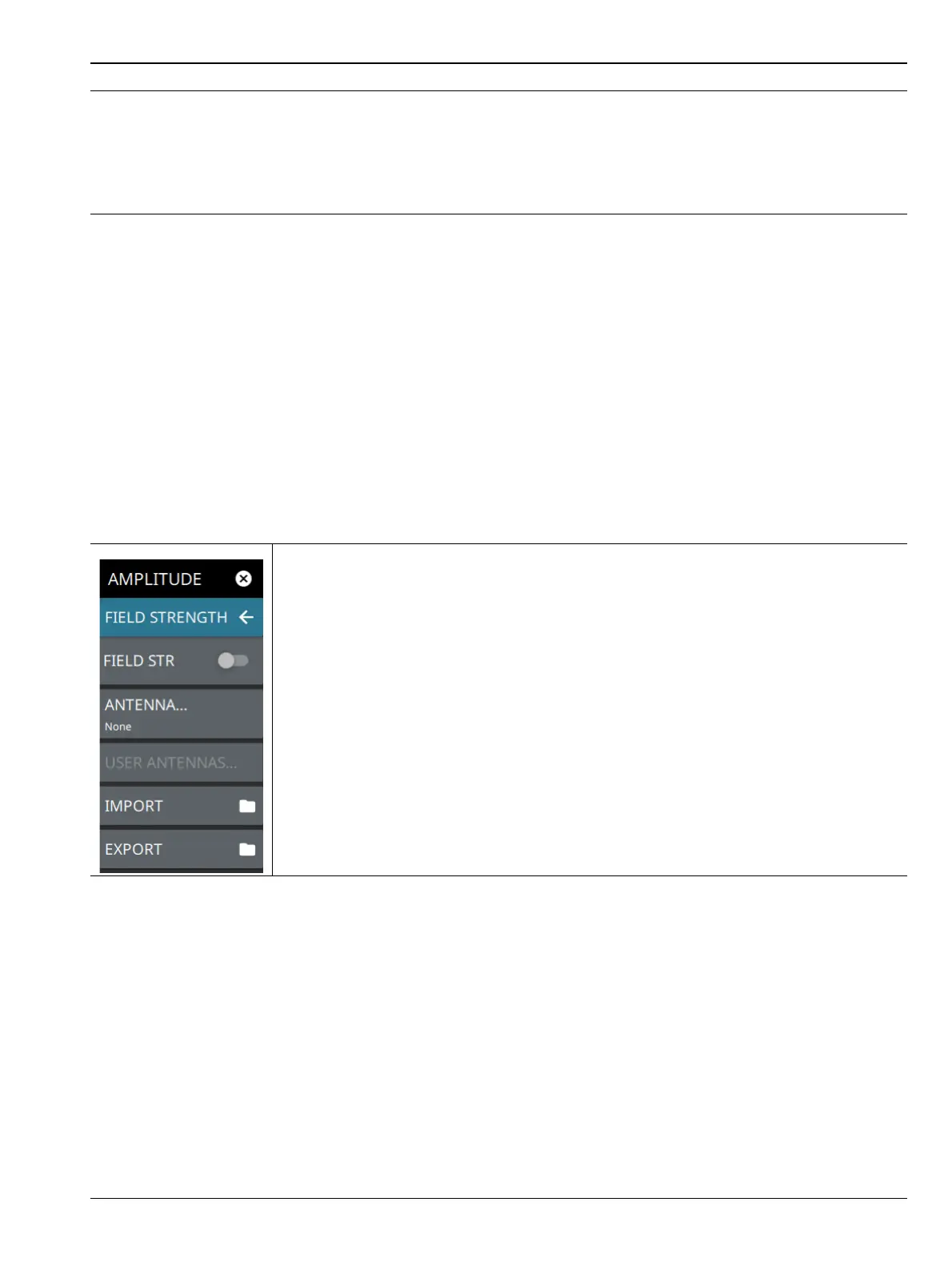
The FIELD STRENGTH menu is available in AMPLITUDE > FIELD STRENGTH. Once the field strength
measurement is enabled, the FIELD STRENGTH menu can be quickly accessed by tapping on the Antenna
factor display area below the spectrum window.
1. When the field strength measurement is enabled (2), all amplitude units are converted to display field strength in
the selected units.
2. The field strength measurement and antenna is selected from the AMPLITUDE menu.
3. The ANTENNAS dialog is displayed when ANTENNA is selected from the FIELD STRENGTH menu (2).
4. The antenna factor profile (in dB) is plotted across the currently set sweep range for the selected antenna.
FIELD STR: Toggles the field strength measurement on or off. When toggled on, the
trace detector type is set to RMS/Avg and the antenna factor profile is displayed.
ANTENNA: Displays the antenna selection dialog (see Figure 3-9 on page 3-14).
USER ANTENNAS...: Displays a list of user antennas. User antenna files are imported
as comma separated value files. The file can contain multiple antennas and must conform
to the following:
• Each antenna name must be unique, contain alpha-numeric characters only, and
must be on a single line.
• Frequency must be in MHz.
• Antenna factors must be in dB.
IMPORT: Imports a user antenna file (.csv).
EXPORT: Exports a user antenna data file (.csv). If none exist, exports an example user
antenna data file with instructions on how to create a usable antenna data file.
Figure 3-10. FIELD STRENGTH Menu
Figure 3-9. Field Strength Measurement (2 of 2)













 To Next Page