3-12 Setting Up Advanced Measurements Spectrum Analyzer Measurements
3-64 PN: 10580-00447 Rev. H Spectrum Analyzer MG
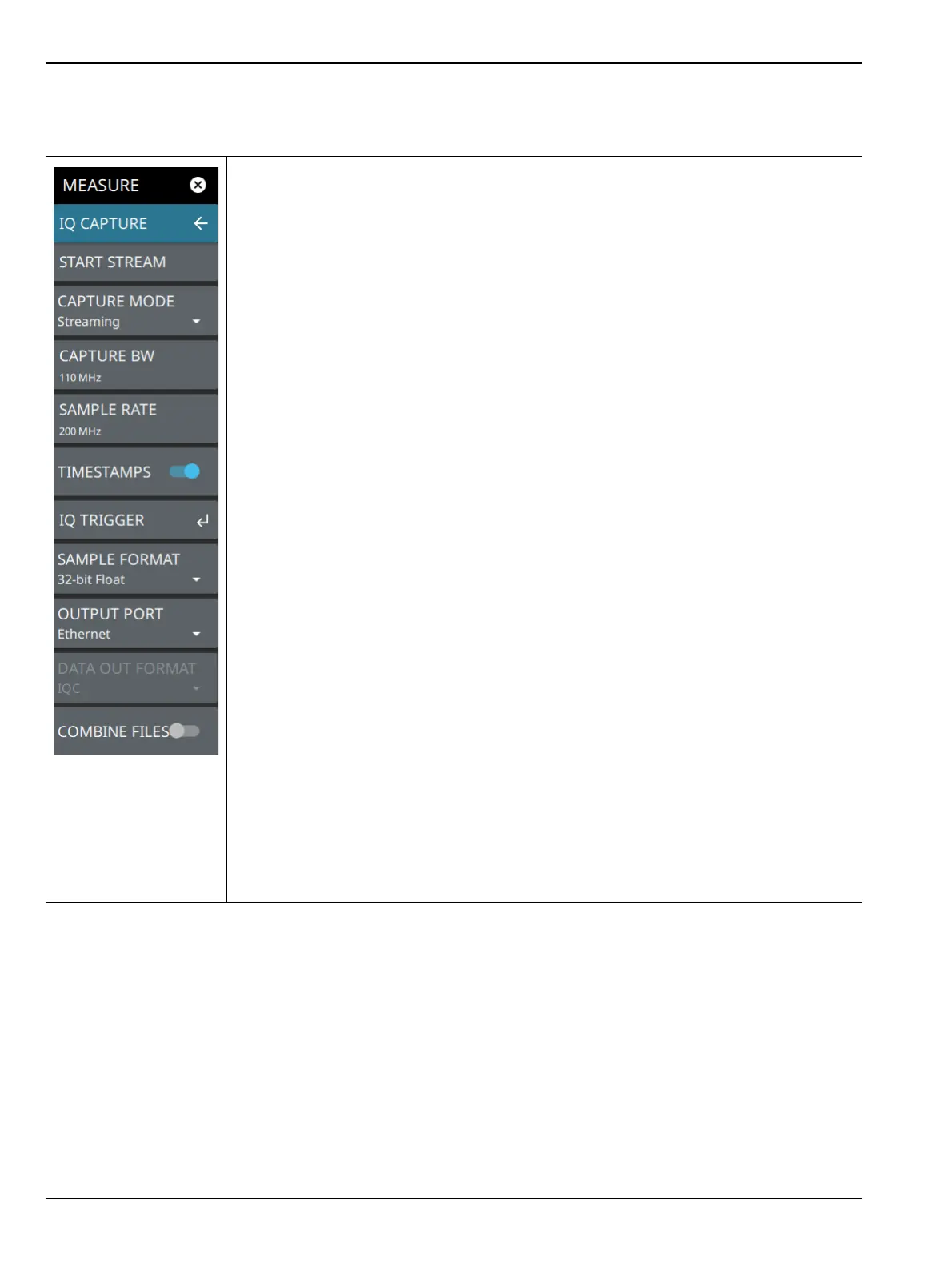
IQ STREAMING Menu (Option 125/127)
START STREAM: Touch this button to start IQ data streaming from the selected output
port. When streaming is initiated, this button changes to STOP STREAM and can be
touched to stop the stream.
CAPTURE MODE: Selects the IQ capture mode:
• Single for a one-time capture to internal or external (USB) storage (refer to
“SETUP Menu” on page 3-62)
• Continuous for capture to internal or external (USB) storage (refer to “SETUP
Menu” on page 3-62)
•Streaming for continuous IQ data streaming out of the Ethernet, USB, or Data Out
port.
CAPTURE BW: IQ capture bandwidth is the frequency range of data to be collected for
the duration of the IQ length. IQ capture bandwidth and sampling rate are linked and are
selected from the same dialog.
SAMPLE RATE: Sets the IQ sampling rate of data to be collected for the duration of the
IQ length. IQ sampling rate and capture bandwidth are linked and are selected from the
same dialog.
TIMESTAMPS: Toggles data collection timestamps on or off (Refer to the IQ
Capture/Streaming Measurement Guide, PN: 10580-00490).
IQ TRIGGER: Opens “IQ TRIGGER Menu” on page 3-66
SAMPLE FORMAT: Sets the sampling bit format (32-bit floating decimal, 32-, 16-, 10-,
or 8-bit integers).
OUTPUT PORT: Selects the output port to stream the IQ data.
DATA OUTPUT FORMAT: Selects the data out format of IQC or PCIe. IQC is the default
format and is intended for use with the MA25424A IQ Data Converter (Refer to the IQ
Capture/Streaming Measurement Guide, PN: 10580-00490). PCIe is intended for use
with the MA25101A IQ Streaming PCIe kit (refer to the MA25101A User Guide, PN:
10580-00476). Note that changing to PCIe will require the application to reload and the
analyzer will be unresponsive during that time.
COMBINE FILES: IQ streams are captured in individual files that are combined once the
stream stops. When this toggle is on, files will be concatenated by the instrument at the
end of the stream into one file. This can be time consuming depending on the stream
time. You can also save the streams as individual files and use the “IQ Streaming Tool”
on page 3-67 to combine the files.
Figure 3-51. IQ STREAMING Menu













 To Next Page