3-12 Setting Up Advanced Measurements Spectrum Analyzer Measurements
3-66 PN: 10580-00447 Rev. H Spectrum Analyzer MG
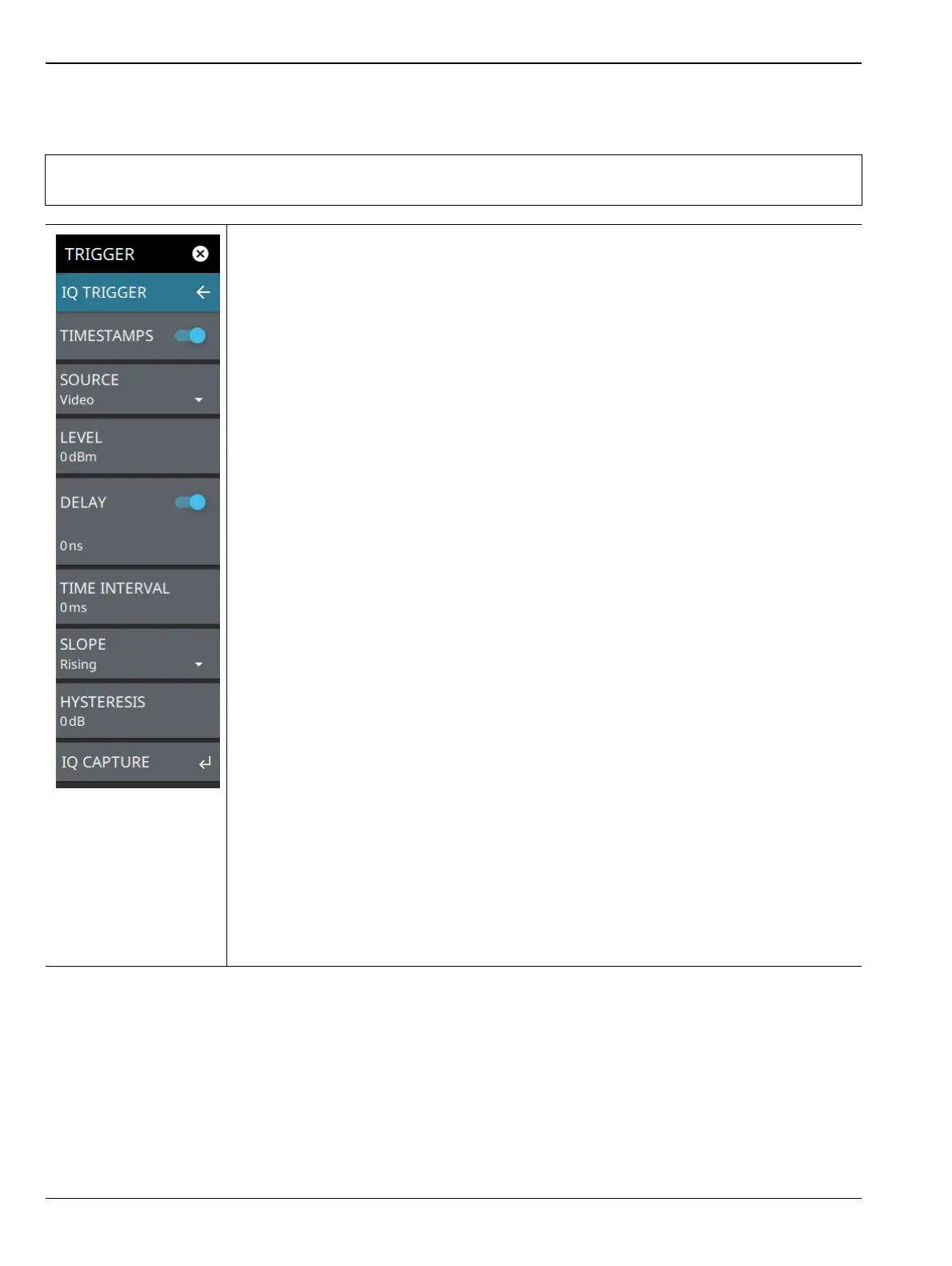
IQ TRIGGER Menu
Note
Trigger commands are shared between IQ capture and zero span, so these two functions are
mutually exclusive.
TIMESTAMPS: toggles data collection timestamps on or off (Refer to the IQ
Capture/Streaming Measurement Guide, PN: 10580-00490).
SOURCE: The SOURCE button offers several triggering options depending on which
view mode the instrument is set:
• External 1 or 2: A TTL signal applied to the selected External Trigger MCX input
connector causing a single capture. After the capture is complete, if mode is single,
the capture will stop waiting for triggers until capture is started again. If mode is
continuous, once the capture is saved, it will look for the next trigger event to
initiate another capture. Any trigger made during the capturing or saving period will
be ignored.
• Free Run: When trigger is free run (or manual), a trigger is only initiated when the
START CAPTURE button is pressed or when a remote command is sent.
•Video: Sets the video trigger level. When RF energy is detected above that level, a
capture is initiated. Note that the user must first press START CAPTURE before
the analyzer will begin looking for the trigger.
LEVEL: Used when the trigger source is set to Video. Sets the video trigger level
threshold that initiates a capture. The level crossing applies to rising, falling, or both
edges. Use the hysteresis setting below to adjust the sensitivity of the trigger level.
DELAY: Sets the IQ trigger delay when the trigger source is not set to Free Run. IQ
trigger delay can be set to positive and negative values. A negative value includes data
from the specified time before the trigger event.
TIME INTERVAL: Used to set a periodic trigger event. The analyzer waits the user
defined amount of time between trigger events.
SLOPE: Used when the trigger source is set to External or Video. Sets the trigger slope
to rising, falling, or both. When slope is set to Both, the analyzer triggers on both the
rising and falling edges. Triggering on both rising and falling edges is not available in zero
span.
HYSTERESIS: Hysteresis is used to address noisy trigger signals. The hysteresis
setting adjusts the sensitivity of the trigger system (the difference between the firing level
and the arming level as shown in Figure 3-45). A low hysteresis value sets the arming
and firing levels close to each other, meaning a small signal change will cause a trigger. A
large hysteresis value sets the arming and firing levels far apart, meaning a large signal
change will be required to cause a trigger.
IQ CAPTURE: Returns to the “SETUP Menu” on page 3-62.
Figure 3-53. IQ TRIGGER Menu













 To Next Page