3-8 Setting Sweep Parameters Spectrum Analyzer Measurements
3-40 PN: 10580-00447 Rev. H Spectrum Analyzer MG
Gated Sweep (Option 90)
Gated sweep is only available on instruments with Option 90 installed. Gated sweep allows you to synchronize
your sweep with an event so that the analyzer collects data at the appropriate time. This is useful for
measuring signals in the time domain such as pulsed RF, time multiplexed, or burst modulated signals.
Field Master Series can use the GNSS (GPS) timing signal as the gating trigger event. This will allow you to
synchronize measurements with GNSS (GPS) synchronized communication signals. Set up gated sweep from
the “GATED SWEEP Menu” on page 3-41.
To set up the instrument for gated sweep measurements:
1. Select SWEEP > GATED SWEEP.
2. Select the GATE SOURCE. The gate source selected determines the trigger source from which the gate
is controlled. Not all instrument models and options support all triggering selections, so your choices
may vary. Field Master Series supports a GNSS (GPS) and external trigger gate source.
3. Select one of the available FRAME TIME durations. The frame time sets the total measurement cycle
time.
4. Set the GATE DELAY time. The gate delay sets the time from the triggering event to when the
instrument starts sweeping and collecting data.
5. Set the GATE LENGTH time. The gate length sets the time for data capture and analysis.
6. If desired, enable PWR VS TIME (refer to “POWER VS TIME Display” on page 3-42).
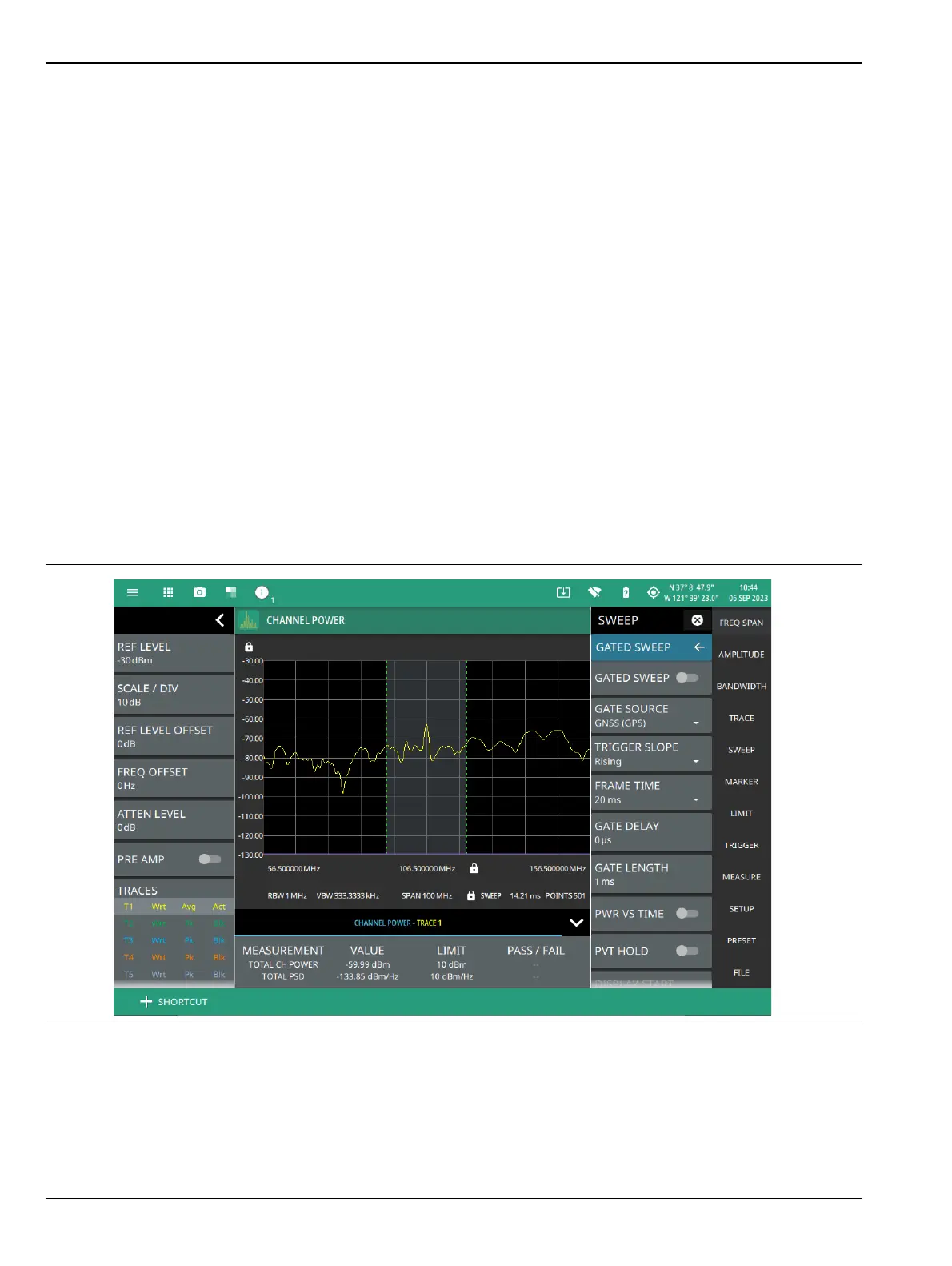
Below is an example of a gated sweep applied to a channel power measurement. The signal level shown varies
cyclically with time and would not be measurable without gated sweep.
The channel power and gated sweep display panels at the bottom can be tapped to directly open either the
Channel Power SETUP menu or the GATED SWEEP menu.
Figure 3-29. Gated Sweep Measurement













 To Next Page