Chapter 5 Measurement Functions
5-16
7. The measurement results are updated at each measurement.
8. Press
f7 Off
to finish the polarization mode dispersion measurement.
To calculate manually
1. Press
f1 Auto/Manual
and select Manual.
2. Input the optical signal.
3. Set the wavelength, resolution, and level scale.
4. Press
Repeat
.
5. Adjust the polarization controller to maximize the difference between
the measured spectrum maximum and minimum values.
6.
Press
f2 Mode Cpl Factor
and input the mode coupling factor in the
range 0.01 to 1.00.
7. Press
f3 1st Peak Marker
and use the keypad or rotary knob to move
Wavelength Marker A to the peak point.
8. Press
f4 Last Peak Marker
and use the keypad or rotary knob to move
Wavelength Marker B to the peak point.
9. Press
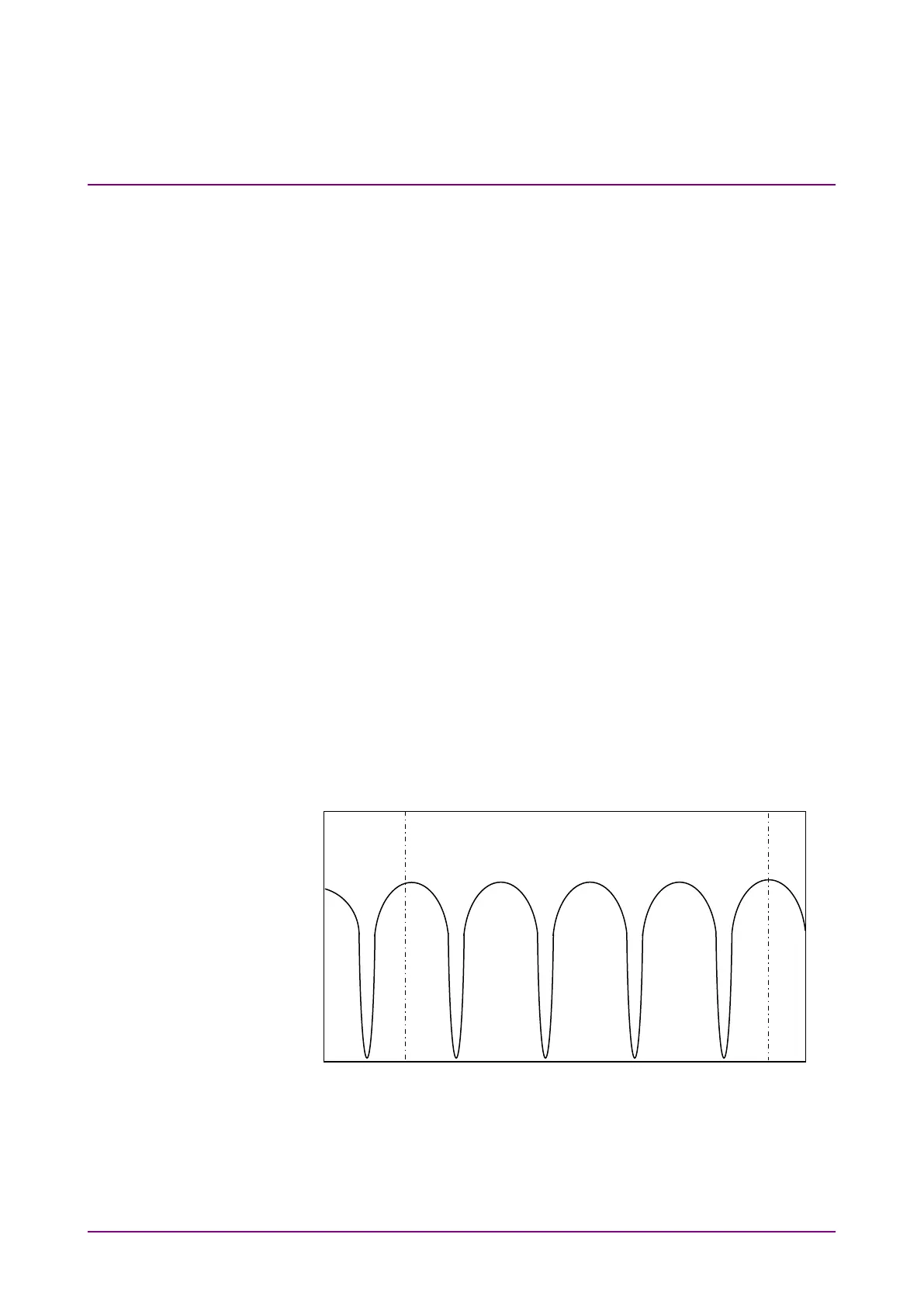
f5 Peak Count
and input the number of peak points between
the First Peak Marker and Last Peak Marker. This value includes
the peaks at the markers.
10. The measurement results (Diff Group Delay) are updated at each
measurement.
11. Press
f7 Off
to finish the polarization mode dispersion measurement.
Figure 5.4.3-1 Peak Count Example
4
2
1
5
1st Peak Marker
Last Peak Marker
Peak Count = 5














 To Next Page