7.8 Troubleshooting
7-17
7
Performance Test and Maintenance
7.8 Troubleshooting
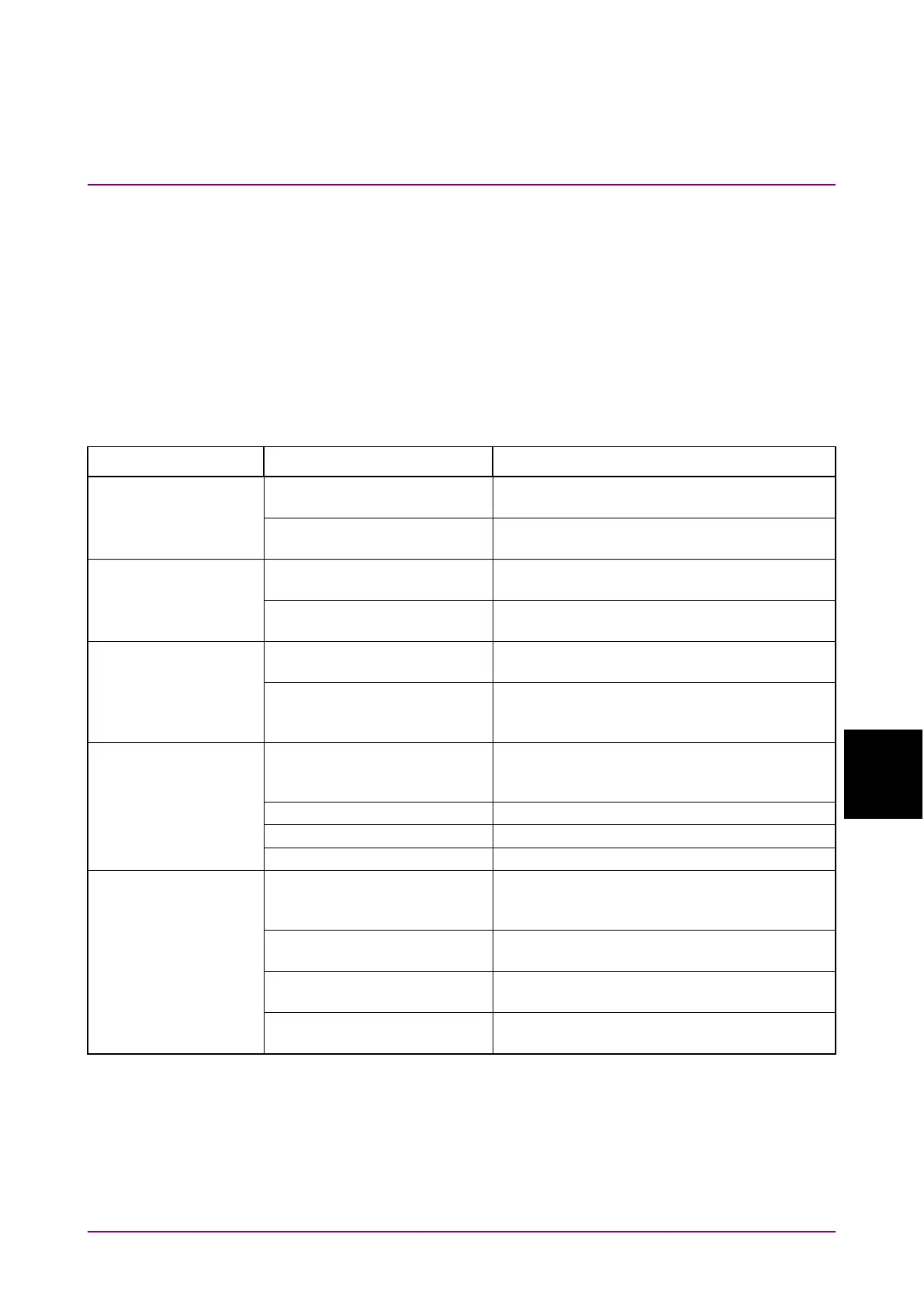
Check the items in Table 7.8-1 if a failure occurs during operation of the
MS9740B.
If the failure is not improved, contact an Anritsu Service and Sales office
immediately. Contact information can be found on the last page of the
printed version of this manual, and is available in a separate file on the
PDF version.
Table 7.8-1 Check Items
Phenomenon Possible cause Action
not lit orange
Abnormal/no voltage at power
outlet
Check power supply circuit breakers and
board.
Power cord not fully inserted
into power outlet or inlet
Connect the power cord correctly.
Change a damaged power cord.
optical fiber cord
Fiber and main frame have
incompatible connectors
Change the fiber type or change the optical
connector of the main frame.
Optical fiber cord not
connected correctly
Check the connector insertion.
change when
Single
or
Repeat
pressed
Trace set to not display at
Write
Change the trace display settings.
When external pulse trigger
set to ON, pulse not input to
Set Ext Trigger Delay to Off or check the
waveform of the signal input to Ext Trigger.
displayed
When using external trigger,
measures at optical level Off
Set Ext Trigger Delay to Off.
Clean the optical connector.
All traces set to Display Off
Set the trace display to On.
Set at least one trace type to Write.
Rx optical bandwidth set too
narrow
For a short sweep time, refer to Appendix E
“Video Band Width and Sweep Time” and
increase the Rx optical bandwidth.
For a short sweep time, decrease the point
average count.
Large sampling points set
For a short sweep time, decrease the
sampling points.
High dynamic range mode set
For a short sweep time, change the dynamic
range mode to Normal.














 To Next Page