2.9 Setting Control Panel
2-25
2
2.9.4 Using external display
An external display can be connected to the VGA connector on the back of
the MS9740B to display multiple screens. This operation is described
below.
When the OS is WES7
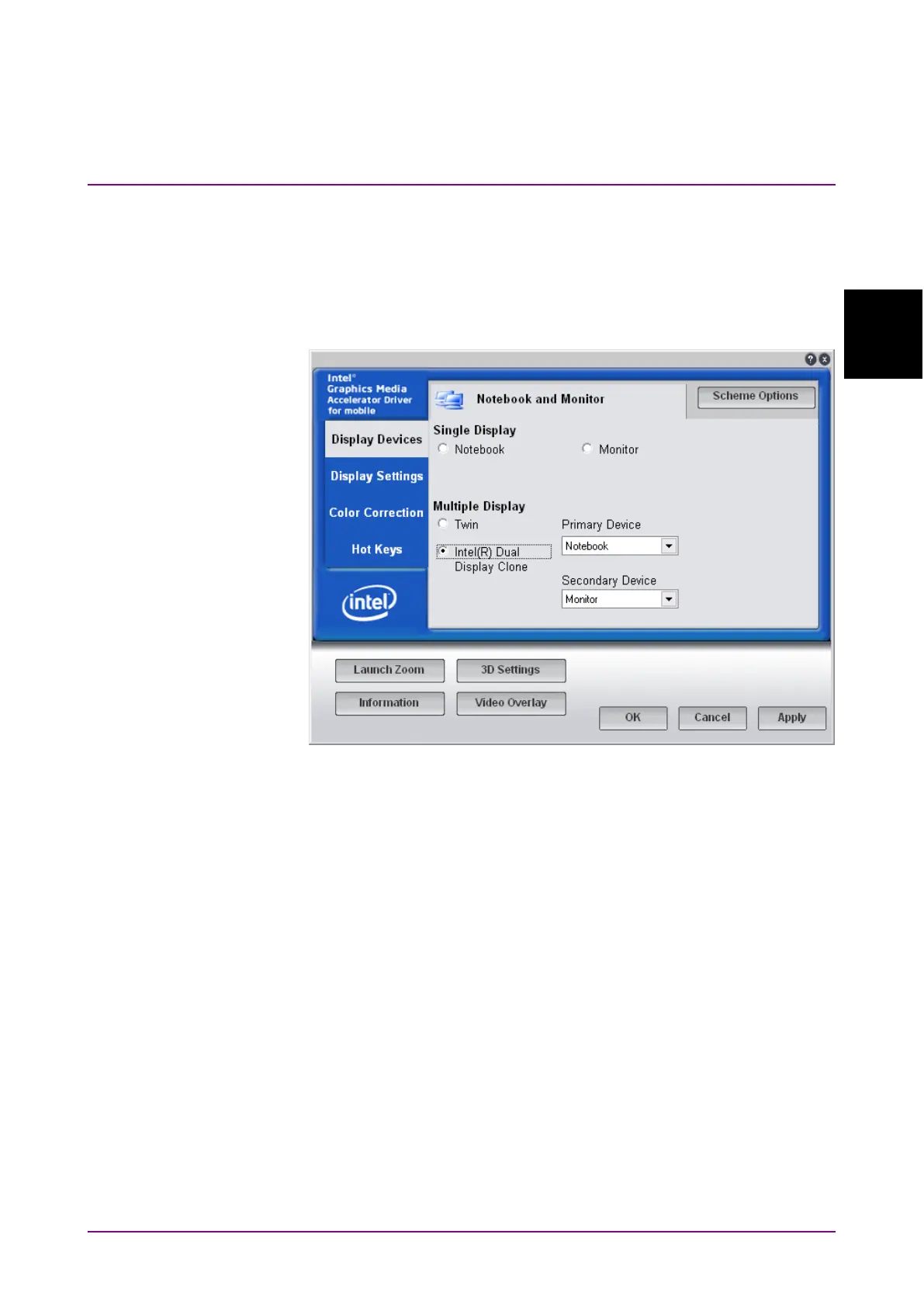
Figure 2.9.4-1 External Display Setting
1. Connect the display to the VGA connector.
2. Display the Intel® GMA Driver Settings screen using any of the
following methods.
●
Execute “Intel® GMA Driver for Mobile" from the Windows
Control Panel.
●
Press
Ctrl
+
Alt
+
F12
on the keyboard.
3. Change the
Display Devices settings as shown below:
●
Multiple Displays Twin or Intel® Dual Display Clone
●
Primary Device Notebook (MS9740B display)
●
Secondary Device Monitor
Do not select the Monitor of Single Display.
When Twin is set, the analyzer and external screens are displayed at the
same settings.
When Dual Display Clone is set, the refresh rate, aspect ratio, color
calibration, etc., can be set separately for the screens.














 To Next Page