Chapter 2 Before Use
2-22
2.9.2 Confirming Windows Version
The MS9740B uses Windows Embedded Standard 7 (WES7) 32 bit
version or Windows 10 IoT Enterprise (Win10) 64 bit version (hereinafter,
referred to as “Windows”) as the operating system. Settings for Windows
and the system can be operated by connecting a mouse and a keyboard.
This section describes how to perform operations on Windows installed to
the MS9740B and general notes.
Note:
The setting method varies depending on the CPU. Check your CPU
and operating system as below before starting the Windows setting.
How to check your CPU and operating system
Connect the mouse to MS9740B and perform the steps below.
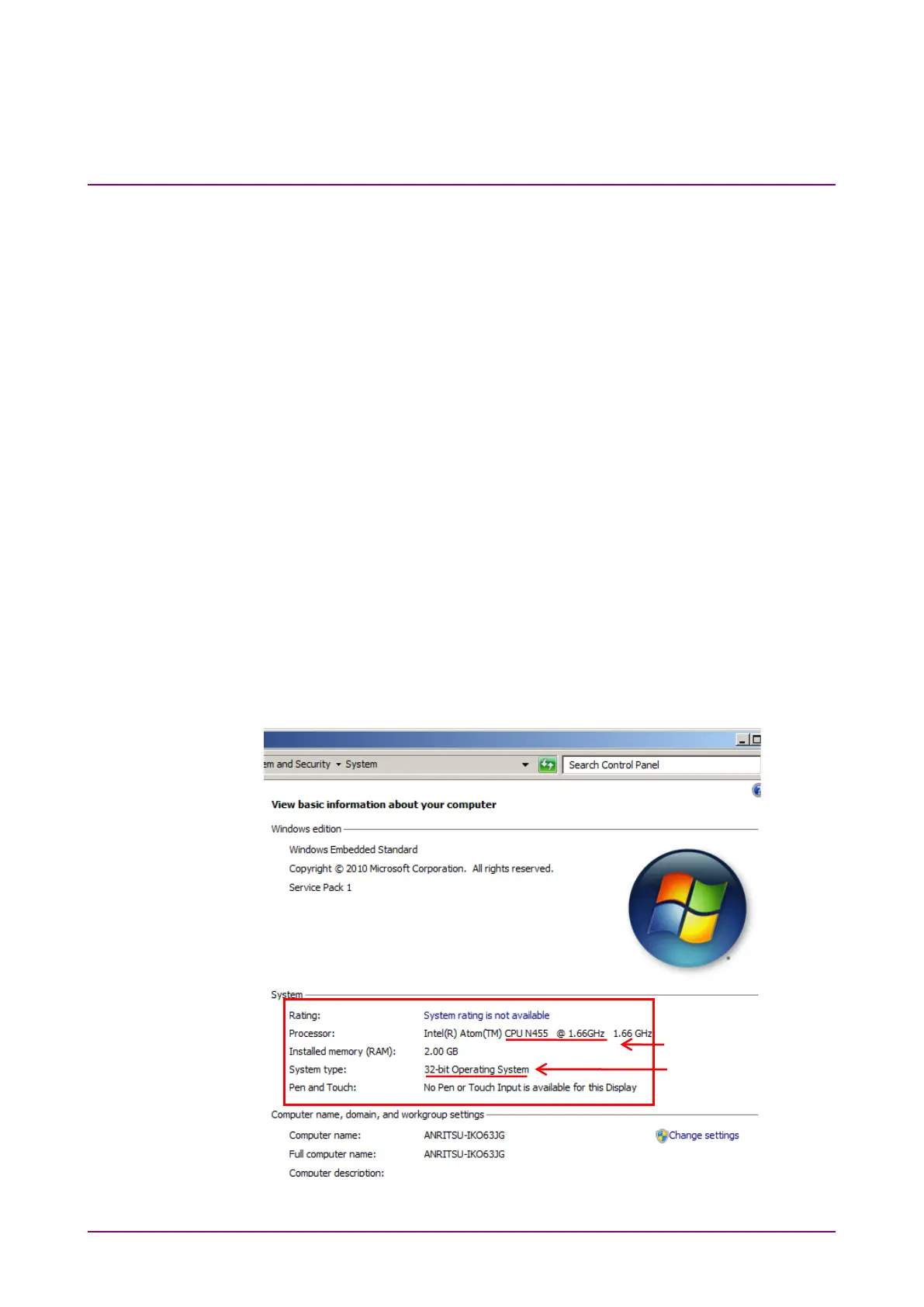
When the OS is WES7
1. Click the
Start menu on the Windows taskbar.
2. Right-click on
My Computer or Computer to display the menu and
select
Properties.
3. Find out the operating system from the window design and the
Processor and System type displayed.
Figure 2.9.2-1 Windows Embedded Standard 7
Processor:
CPU N455 @ 1.66 GHz
System type:
32-bit Operating System














 To Next Page